Aug 10, 2026
Is Samsung’s Ultimate Foldable Worth the Upgrade?
Samsung’s foldable lineup takes a major step forward in 2026 with the introduction of the Galaxy Z Fold8 Ultra, the company’s first Ultra-branded foldable. Rather than reinventing the category, Samsung has refined nearly every aspect of its flagship foldable, from display quality and durability to battery life, performance, and cameras.
If you’re considering a premium foldable smartphone, here’s everything you need to know. For one-on-one help, consult a friendly expert at your local Verizon store or call 1-800-221-4408 (business customers call 1-866-326-7548).
First, the Galaxy Z Fold8 Ultra isn’t just a foldable phone with AI. It’s an AI productivity workstation that happens to fit in your pocket.
Galaxy Z Fold8 Ultra: What’s Under the Hood (Specifications)
Key Specs
- 8.0-inch Dynamic AMOLED 2X inner display (120Hz, up to 3,000 nits)
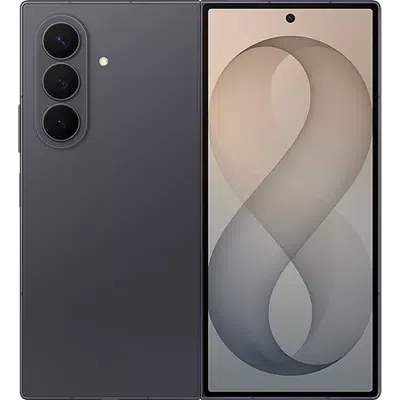
- 6.5-inch cover display (120Hz)
- Snapdragon 8 Elite Gen 5 for Galaxy processor
- Up to 16GB RAM and 1TB storage
- 200MP main camera
- 50MP ultra-wide camera
- 10MP telephoto camera with 3x optical zoom
- 5,000mAh battery
- 45W wired charging and 20W wireless charging
- Android 17 with One UI 9
- IP48 water and dust resistance
- Starting price: approximately $2,099.99 (256GB)
What’s NEW Compared to the Z Fold7?
The Fold8 Ultra is essentially the successor to the Galaxy Z Fold7, even though Samsung changed the naming convention. This Samsung Galaxy Z Fold8 Ultra Review dives in:
- Better Display Technology
Samsung upgraded the inner display resolution and boosted peak brightness from 2,600 nits to 3,000 nits. The new Flex Titanium internal structure is also designed to reduce crease visibility while improving durability.
Why it matters:
- Better outdoor visibility
- Sharper content
- Less noticeable crease
- Improved long-term durability
- Larger Battery
The Fold8 Ultra includes a 5,000mAh battery versus the Fold7’s 4,400mAh pack.
Real-world benefit:
Power users who multitask on the large display should see a noticeable increase in screen-on time, especially when using Samsung DeX, productivity apps, and streaming services.
- New Ultra-Wide Camera
Samsung retains the excellent 200MP primary camera but significantly upgrades the ultra-wide sensor from 12MP to 50MP.
Photography improvements:
- More detail in landscape shots
- Better low-light ultra-wide images
- Improved content creation capabilities
- Faster Performance
The Snapdragon 8 Elite Gen 5 for Galaxy brings improved CPU, GPU, and AI performance compared with the Fold7 platform. Samsung claims gains in AI, graphics, and processing capabilities.
Best for:
- Generative AI features
- Mobile gaming
- Video editing
- Productivity workflows
Let’s Look at Those New AI Capabilities
One of the biggest selling points of the Galaxy Z Fold8 Ultra is that Samsung doesn’t treat AI as a standalone app. Instead, AI is integrated into the foldable form factor to help with productivity, multitasking, creativity, and communication. Samsung specifically positions the Fold8 Ultra as an AI-first productivity device for professionals and power users.
AI Features Explained
- AI-Powered Multitasking
The Fold8 Ultra’s 8-inch display allows multiple apps to run simultaneously, and Samsung’s AI helps manage information across those apps. Users can summarize content, organize information, and work with multiple windows more efficiently. Samsung highlights this as a core productivity benefit of the larger foldable screen.
Example:
- Read an email in one window
- Open a spreadsheet in another
- Ask AI to summarize the email and extract action items
This is particularly useful for business users and remote workers.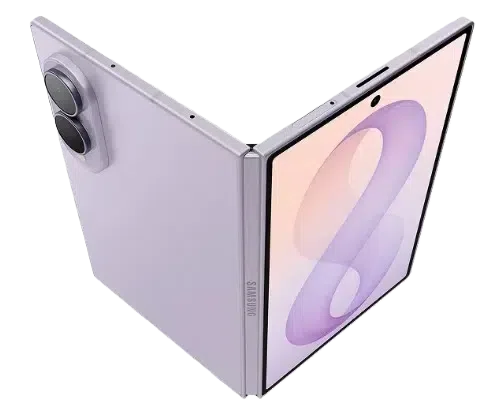
- Writing Assistance
Galaxy AI can help:
- Draft emails
- Rewrite messages in different tones
- Summarize long documents
- Correct grammar and spelling
- Generate responses for messages
On the Fold8 Ultra’s large screen, you can view source content alongside AI-generated output without switching apps repeatedly. Thank you, Samsung!
- AI Note-Taking and Summarization
For meetings, lectures, and research:
- Record conversations
- Generate summaries
- Extract key points
- Create action lists
- Organize notes automatically
The large internal display makes reviewing AI-generated notes significantly more comfortable than on a traditional smartphone.
- Enhanced On-Device AI Processing
Samsung says the Fold8 Ultra’s Snapdragon 8 Elite Gen 5 for Galaxy delivers a faster Neural Processing Unit (NPU), enabling more AI tasks to happen directly on the device rather than relying on the cloud. Samsung claims a 21% AI performance improvement versus the previous generation. (Note that independent analysis was not available for this Samsung Galaxy Z Fold8 Ultra Review.)
Benefits include:
- Faster AI responses
- Better privacy
- Reduced dependence on internet connectivity
- More advanced real-time assistance
- AI Camera Features
The Fold8 Ultra combines its 200MP camera system with AI-powered photography tools. AI assists with:
- Scene recognition
- Night photography optimization
- Object enhancement
- Noise reduction
- Image post-processing
Samsung specifically promotes improved Nightography capabilities on the Fold8 Ultra.
- AI Productivity Assistant
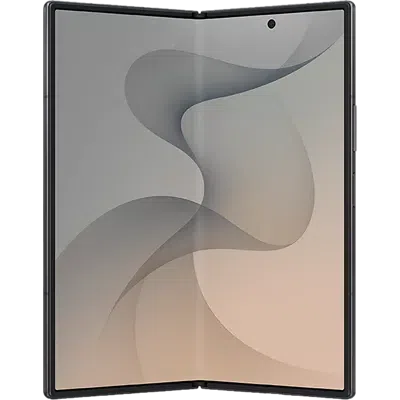 Samsung describes the Fold8 Ultra as being able to help users:
- Find information faster
- Organize content
- Manage tasks
- Prioritize important items
- Simplify workflows
This is where the foldable form factor shines because AI results can remain visible while users continue working in other apps.
- Samsung DeX + AI
A unique advantage of the Fold8 Ultra is combining AI features with Samsung DeX desktop mode. Users can effectively turn the Fold8 Ultra into a portable workstation while using AI tools for:
- Content creation
- Research
- Document editing
- Presentation building
- Data analysis
This makes the Fold8 Ultra attractive to business professionals who want a tablet-like experience without carrying a laptop.
Who Benefits Most From the AI Features?
Best for:
✅ Business professionals
✅ Content creators
✅ Students
✅ Frequent travelers
✅ Multitaskers
✅ Remote workers
Less useful for:
❌ Users who primarily use their phone for social media and basic communication
Bottom Line on Ultra’s AI Features
The Fold8 Ultra’s AI features are not necessarily exclusive compared to other flagship Galaxy devices, but the large foldable display makes them far more practical to use. The real advantage is seeing AI-generated summaries, notes, drafts, and recommendations alongside your work instead of constantly switching between apps. That integration of Galaxy AI + multitasking + an 8-inch foldable screen is what differentiates the Fold8 Ultra from traditional smartphones.

Buyer’s Guide: Our 2 Cents
Galaxy Z Fold8 Ultra vs Z Fold8
Samsung introduced a second book-style foldable this year, the standard Z Fold8.
Choose the Fold8 Ultra for…
✅ Best cameras
✅ Largest battery
✅ More premium design
✅ Expanded multitasking capabilities
✅ Maximum performance
Choose the Fold8 for…
✅ Lower price
✅ Lighter weight
✅ Wider display format for media consumption
✅ Better value proposition
Who Should Buy the Galaxy Z Fold8 Ultra?
Buy It If…
- You’re a productivity power user
The large 8-inch display, Samsung DeX support, AI tools, and multitasking features make it one of the most capable mobile productivity devices available.
- You want a tablet and phone in one device
The Fold8 Ultra continues to be one of the best examples of smartphone-tablet convergence.
- You use AI features frequently
Samsung heavily emphasizes on-device AI and Galaxy AI experiences throughout the Fold8 Ultra experience.
Who Should Skip It?
- Galaxy Z Fold7 owners
If your Fold7 is less than a year old, the improvements are substantial but not revolutionary. You get better battery life, a brighter screen, and a stronger camera system, but the overall experience will feel familiar.
- Value-focused buyers
At over $2,000 (MSRP at press time), the Fold8 Ultra remains one of the most expensive mainstream smartphones available.
Frequently Asked Questions about the Galaxy Z Fold8 Ultra
Is the Galaxy Z Fold8 Ultra worth upgrading to from the Fold7?
For power users, yes. The bigger battery, upgraded ultra-wide camera, brighter screen, and newer processor make a compelling package. Casual users may find the Fold7 still meets their needs.
What’s the biggest improvement?
Most buyers will notice the larger battery and improved display first, while photography enthusiasts will appreciate the new 50MP ultra-wide camera.
Does the crease still exist?
Yes, but Samsung’s Flex Titanium design significantly reduces its visibility compared with earlier generations.
Is the Fold8 Ultra waterproof?
It carries an IP48 rating for water and limited dust resistance.
How long will Samsung support it?
Samsung promises up to seven major Android upgrades.
What storage options are available?
256GB, 512GB, and 1TB configurations are available.
Is it better than the Galaxy S26 Ultra?
It depends. The Fold8 Ultra wins on multitasking and screen size, while the S26 Ultra may remain the better choice for users who prefer a traditional smartphone design and potentially stronger overall camera versatility.
Have More Questions? Call or Come See Us at Russell Cellular.
For one-on-one help, consult a friendly expert at your local Verizon store or call 1-800-221-4408 (business customers call 1-866-326-7548). The Galaxy Z Fold8 and Galaxy Z Fold8 Ultra are available to order now!
The Final Verdict (as We See It)
The Samsung Galaxy Z Fold8 Ultra is the most complete foldable Samsung has produced to date. It doesn’t completely reinvent the Fold formula, but the brighter display, larger battery, improved durability, upgraded camera system, and next-generation AI features combine to create a highly polished flagship experience.
For new foldable buyers, it’s arguably the benchmark against which every premium foldable will be measured in 2026. For existing Fold7 owners, the decision comes down to whether the battery and camera upgrades are worth the premium. We hope you’ve enjoyed this Samsung Galaxy Z Fold8 Ultra Review.
#RCReview #BuyersGuide #Samsung #Android #Foldable #GalaxyZFold8Ultra vs #GalaxyZFold8 vs #GalaxyZFold7 #RussellCellular
Read more RC blog articles.
Aug 5, 2026
Looking for the best premium rugged smartwatch for fitness, outdoor adventures, health tracking, and everyday use? This buyer’s guide compares the Samsung Galaxy Watch Ultra 2, Galaxy Watch Ultra, and Apple Watch Ultra 3 to help you choose the right smartwatch for your budget and smartphone ecosystem.
The Quick Verdict (In Our Opinion)
- Best Overall for Android Users: Galaxy Watch Ultra 2
- Best Value: Galaxy Watch Ultra (if discounted)
- Best for iPhone Users: Apple Watch Ultra 3
- Best Battery Life: Galaxy Watch Ultra 2
- Best Health Ecosystem: Apple Watch Ultra 3
- Brightest Display: Galaxy Watch Ultra 2
Specs Side-by-Side (by Side)
| Feature |
Galaxy Watch Ultra 2 |
Galaxy Watch Ultra |
Apple Watch Ultra 3 |
| Price |
$699 |
$649 |
$799 |
| Case Size |
47mm |
47mm |
49mm |
| Thickness |
10.7mm |
12.1mm |
12mm |
| Display Size |
1.52-inch OLED |
1.5-inch OLED |
1.98-inch LTPO OLED |
| Peak Brightness |
5,000 nits |
3,000 nits |
3,000 nits |
| Processor |
Snapdragon Wear Elite |
Exynos W1000 |
Apple S10 SiP |
| Battery Capacity |
800mAh |
590mAh |
599mAh |
| Operating System |
Wear OS 7 |
Wear OS 7 |
watchOS 26 |
| LTE Connectivity |
Standard |
Standard |
Standard |
| Water Resistance |
50m |
50m |
40m recreational diving |
| ECG |
Yes |
Yes |
Yes |
| Blood Oxygen |
Yes |
Yes |
Yes |
| Diving Computer |
Yes |
Yes |
Yes |
| Phone Compatibility |
Android |
Android |
iPhone |
| Health Features |
Advanced Vitals, Heart Health Score, Fitness Index |
Standard Health Tracking |
Comprehensive Health Tracking, Hypertension Alerts |
Design and Build Quality
Galaxy Watch Ultra 2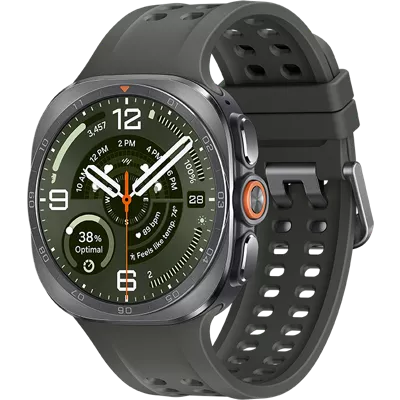
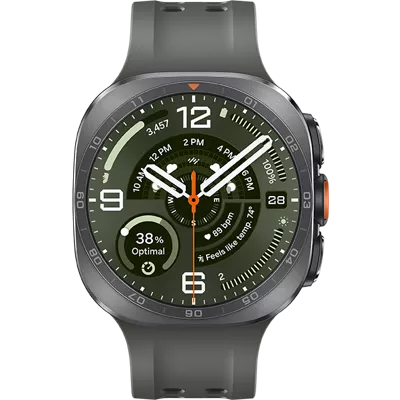
Samsung refined rather than redesigned its flagship rugged smartwatch. The Galaxy Watch Ultra 2 retains the premium titanium construction but becomes significantly thinner at just 10.7mm, making it more comfortable for all-day wear.
The slimmer profile, reduced bezel size, and lighter-feeling design help the Ultra 2 feel less bulky than its predecessor while still maintaining military-grade durability.
Pros
- Slimmest watch in this comparison
- Titanium chassis
- 50-meter water resistance
- Comfortable for workouts and sleep tracking
Galaxy Watch Ultra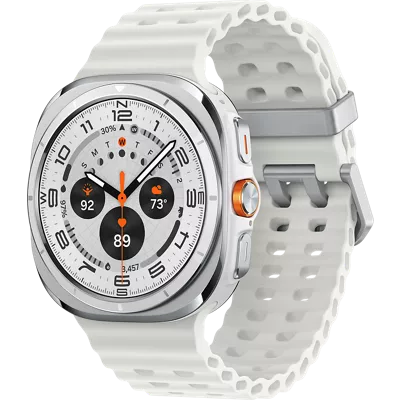
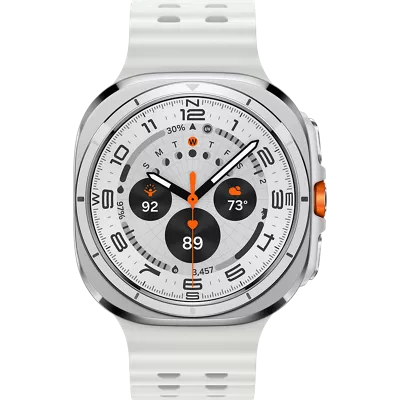
The original Galaxy Watch Ultra introduced Samsung’s premium outdoor smartwatch design language. While still durable and attractive, its 12.1mm thickness makes it noticeably chunkier on the wrist.
For users upgrading from older Galaxy Watches, it remains a significant step up in materials and durability.
Pros
- Rugged titanium design
- Proven durability
- Same band compatibility as Ultra 2
Apple Watch Ultra 3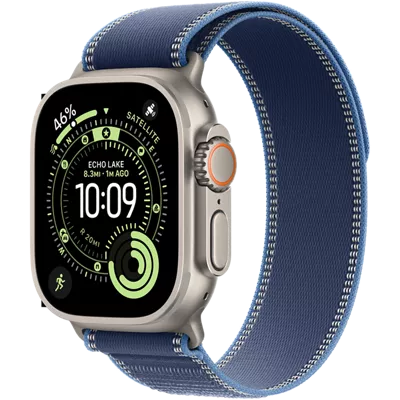
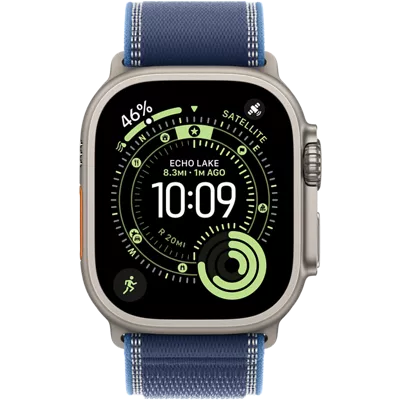
Apple continues to build on its successful Ultra formula with a 49mm titanium case, flat sapphire display, customizable Action Button, and oversized Digital Crown.
The Ultra 3 delivers the largest screen of the group, making it excellent for maps, fitness metrics, and notifications.
Pros
- Largest display available
- Premium titanium construction
- Excellent ergonomics despite larger size
Winner: Galaxy Watch Ultra 2 for overall comfort, Apple Watch Ultra 3 for screen size.
Display Comparison
Outdoor readability is critical for runners, cyclists, hikers, and divers.
| Watch |
Display |
Brightness |
| Galaxy Watch Ultra 2 |
1.52″ OLED |
5,000 nits |
| Galaxy Watch Ultra |
1.5″ OLED |
3,000 nits |
| Apple Watch Ultra 3 |
1.98″ LTPO OLED |
3,000 nits |
The Galaxy Watch Ultra 2’s 5,000-nit display is a standout feature. It surpasses both competitors and should remain clearly visible even in direct sunlight.
The Apple Watch Ultra 3 counters with a much larger screen and efficient LTPO technology that can refresh as low as 1Hz for better battery efficiency.
Winner: Galaxy Watch Ultra 2
Performance and Software
Galaxy Watch Ultra 2
The jump to the Snapdragon Wear Elite processor represents one of the most significant upgrades in Samsung’s smartwatch lineup.
Benefits include:
- Faster app launches
- Improved responsiveness
- Better multitasking
- More efficient power consumption
Samsung also introduces several new wellness features including:
- Vitals App
- Heart Health Score
- Daily Cardio Load
- Fitness Index
- Hydration Notifications
Galaxy Watch Ultra
Powered by the Exynos W1000 chipset, the original Ultra still offers solid performance, but it lacks the enhanced efficiency and speed improvements found in the new model.
Apple Watch Ultra 3
Apple’s S10 SiP continues to deliver class-leading smartwatch performance. Combined with watchOS 26, users benefit from:
- Wrist Flick gesture controls
- Double Pinch functionality
- Extensive third-party app support
- Deep integration with the Apple ecosystem
Winner: Tie. Apple leads in ecosystem and software polish, while Samsung offers significant improvements and excellent Wear OS flexibility.
Health and Fitness Features
Galaxy Watch Ultra 2
Samsung significantly expands its fitness toolkit with:
- ECG
- Blood oxygen monitoring
- Heart rate monitoring
- Heart rate variability tracking
- Vitals dashboard
- Heart Health Score
- Fitness Index
- Daily Cardio Load
- Dive computer functionality
The new Vitals app tracks:
- Heart rate
- HRV
- Respiratory rate
- Skin temperature
- Blood oxygen
Galaxy Watch Ultra
The original model includes:
- ECG
- Heart rate monitoring
- Blood oxygen tracking
- Altimeter
- Sleep tracking
However, it lacks many of the advanced wellness metrics introduced on the Ultra 2.
Apple Watch Ultra 3
Apple maintains one of the most comprehensive health tracking platforms available, featuring:
- ECG
- Irregular rhythm notifications
- High and low heart rate alerts
- Blood oxygen monitoring
- Respiratory rate tracking
- Hypertension alerts
- Menstrual cycle tracking
- Ovulation estimates
- Vitals dashboard
Apple’s health ecosystem remains exceptionally mature and user-friendly.
Winner: Apple Watch Ultra 3 (slight edge)
Battery Life and Charging
Battery life is where Samsung makes the strongest statement.
| Watch |
Battery Capacity |
| Galaxy Watch Ultra 2 |
800mAh |
| Apple Watch Ultra 3 |
599mAh |
| Galaxy Watch Ultra |
590mAh |
The Galaxy Watch Ultra 2 features a massive 800mAh battery, representing roughly a 35% increase compared to the original Galaxy Watch Ultra.
Expected Runtime
Galaxy Watch Ultra 2
- Approximately 3+ days of mixed use
Galaxy Watch Ultra
Apple Watch Ultra 3
- 1 to 3 days depending on GPS and activity usage
For travelers, endurance athletes, and outdoor adventurers, the battery advantage alone could justify choosing the Ultra 2.
Winner: Galaxy Watch Ultra 2
Price and Value
| Watch |
Starting Price |
| Galaxy Watch Ultra |
$649 |
| Galaxy Watch Ultra 2 |
$699 |
| Apple Watch Ultra 3 |
$799 |
For only $50 more than the original Galaxy Watch Ultra, buyers receive:
- A larger battery
- Faster processor
- Brighter display
- New health features
- Thinner design
The value proposition is compelling.
Best Value: Galaxy Watch Ultra 2
RC Recommendations
Buy the Galaxy Watch Ultra 2 if:
- You use Android or a Galaxy phone
- Battery life is your top priority
- You want the brightest display available
- You want Samsung’s latest health and fitness features
Buy the Galaxy Watch Ultra if:
- You find it heavily discounted
- You want flagship features at a lower price
- You don’t need the newest processor or battery
Buy the Apple Watch Ultra 3 if:
- You own an iPhone
- You want the best Apple ecosystem integration
- You prioritize advanced health tracking and watchOS features
- You prefer the largest display
Bottom Line
The Galaxy Watch Ultra 2 is the most complete and compelling option for Android users, delivering meaningful upgrades in battery life, display brightness, performance, and health tracking. Meanwhile, the Apple Watch Ultra 3 remains the premier smartwatch for iPhone owners. If you can find the original Galaxy Watch Ultra at a discount, it still offers excellent value, but for most buyers, the Galaxy Watch Ultra 2 is the smartwatch to beat.
Frequently Asked Questions
Is the Galaxy Watch Ultra 2 worth upgrading to?
Yes. The thinner design, larger 800mAh battery, Snapdragon Wear Elite processor, brighter 5,000-nit display, and new health features make it a substantial upgrade over the original Galaxy Watch Ultra.
Which smartwatch has the best battery life?
The Galaxy Watch Ultra 2. Its 800mAh battery is the largest among these three devices and is expected to offer the longest runtime.
Can I use the Galaxy Watch Ultra 2 with an iPhone?
No. The Galaxy Watch Ultra 2 is designed for Android devices and does not support iPhone pairing.
Which smartwatch is best for iPhone users?
The Apple Watch Ultra 3 remains the best choice for iPhone owners due to its exclusive compatibility and deep integration with iOS.
Which watch has the brightest display?
The Galaxy Watch Ultra 2 with its 5,000-nit OLED display.
Which smartwatch is best for outdoor sports and adventure?
The Galaxy Watch Ultra 2 and Apple Watch Ultra 3 are both excellent adventure watches, but Samsung’s larger battery and brighter display give it a slight advantage for extended outdoor use.
Does every model include LTE?
Yes. All three watches include LTE connectivity as standard, making them capable of standalone communication and data use without a nearby phone.
Still Can’t Decide? Let Russell Cellular’s Caring Experts Find the Right Solution for You!
Whether you consult a friendly, caring Russell Cellular expert at your nearest store, by phone at 1-800-221-4408, or on our website for smartwatches, mobile broadband, or a convenient 5G or fiber optic home internet bundle, rest assured they are passionate and prepared to help you find the right choices and the most savings!
#RussellCellular #5G #LTE #Fiber #Smartphones #Tablets #Watches #DeviceProtection #BuyersGuide #RCReview
Read more RC blog articles.
Jul 9, 2026
Samsung’s Newest Smartwatches Raise Your Health & Fitness Game, Look Fantastic, and Work Like a Charm!
Versatile, powerful, comfortable, attractive, and durable. Simple to use. Stands alone or partners like besties. Packed with practical, meaningful capabilities. Two distinguished smartwatch designs for two distinct styles and scenes. The choice isn’t whether to buy, but which one(s), since S.O. needs one too, naturally.
Samsung Galaxy Watch 8 (standard) and Galaxy Watch 8 Classic are among Russell Cellular’s top-selling wearable smart devices. For one-on-one help, consult a friendly expert at your local Verizon store or call 1-800-221-4408 (business customers call 1-866-326-7548). These are some of their most popular features. (Note that deciding on a favorite could be difficult!)
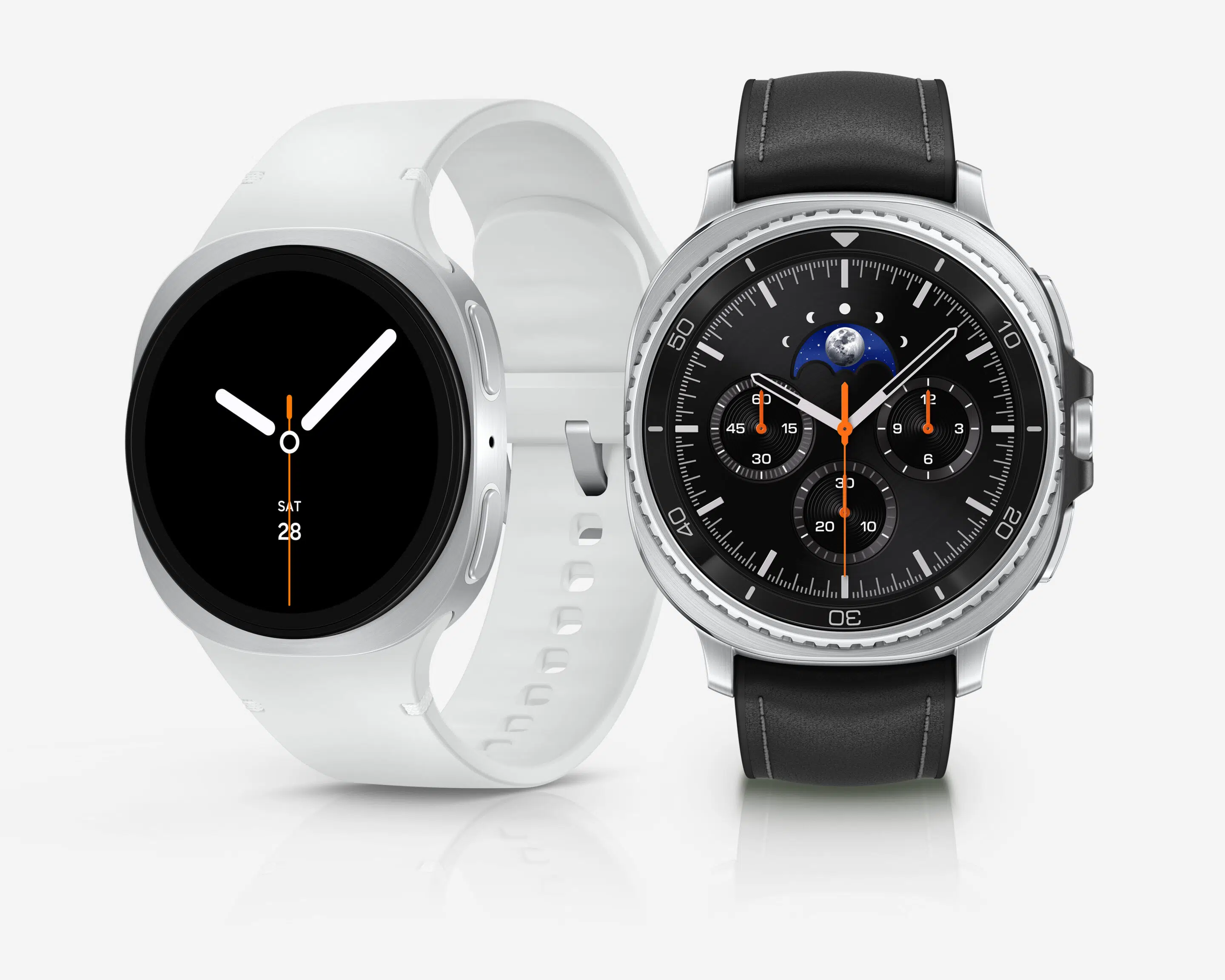
Built‑In Galaxy AI and Google Gemini
One of the most talked‑about upgrades occurring in the Galaxy Watch 8 series is Google Gemini integration. This release allows users to interact naturally with their watches using voice commands.
With Gemini, you can:
- Ask questions in informal, everyday language
- Summarize messages and emails
- Start workouts, timers, and alarms hands‑free
- Control smart home devices directly from your wrist
This makes the Galaxy Watch 8 one of the smartest AI wearables available.
New Health Tracking Features You Won’t Find Elsewhere
Samsung introduced informative new health metrics that set the Watch 8 lineup apart.
The Antioxidant Index estimates carotenoid levels in your body, offering insight into nutrition and overall wellness – without cumbersome, tedious food logging. Simply place your thumb on the watch sensor for a few seconds to get a score.
Vascular Load tracks cardiovascular stress during sleep, helping users understand long‑term heart health rather than just daily heart‑rate fluctuations.
These tools make the Galaxy Watch 8 more than a fitness tracker – it’s a personal health assistant.
Advanced Sleep Coaching with Bedtime Guidance
Sleep tracking is a major focus of the Galaxy Watch 8 series.
The new Bedtime Guidance feature analyzes your recent sleep patterns and recommends an ideal bedtime window to improve sleep consistency, energy levels, and recovery.
If you struggle with irregular sleep schedules, this feature alone may justify upgrading.
Running Coach with Personalized Training Plans
Runners benefit from Samsung’s AI‑powered Running Coach. After a short assessment run, the watch assigns a fitness level and generates a customized multi‑week training plan.
Benefits include:
- Real‑time pacing advice
- Injury‑prevention guidance
- Post‑run performance summaries
It’s one of the most practical training features on any smartwatch today.
Independent Route Tracking via GPS
Samsung Galaxy Watch 8 features advanced built-in, dual-band GPS in both standard and Classic models. Planning, navigating, and tracking routes for workouts or recreational activities using Google Maps is a breeze and a boon for walkers, runners, skaters, drivers, explorers – basically anyone on the move.
Brighter Display and Slimmer Design than Previous Models
Both models feature a Super AMOLED display with up to 3,000 nits brightness, making them easy to read in direct sunlight.
Additional design upgrades include:
- Thinner case profile
- Lighter weight
- New cushion‑style “squircle” design that sits flatter on the wrist
This improves comfort during workouts and sleep.
Performance and Battery Life: Daily Recharge (Likely Still) Required
Both watches are powered by Samsung’s 3nm Exynos W1000 chip, offering smoother performance and better efficiency than previous generations. The Classic houses a slightly larger 445 mAH battery.
While battery life still averages one full day with heavy use (Samsung states 40-48 hours depending on use), optimization improvements in the Galaxy Watch 8 series make it more reliable for health tracking, GPS workouts, and AI features.
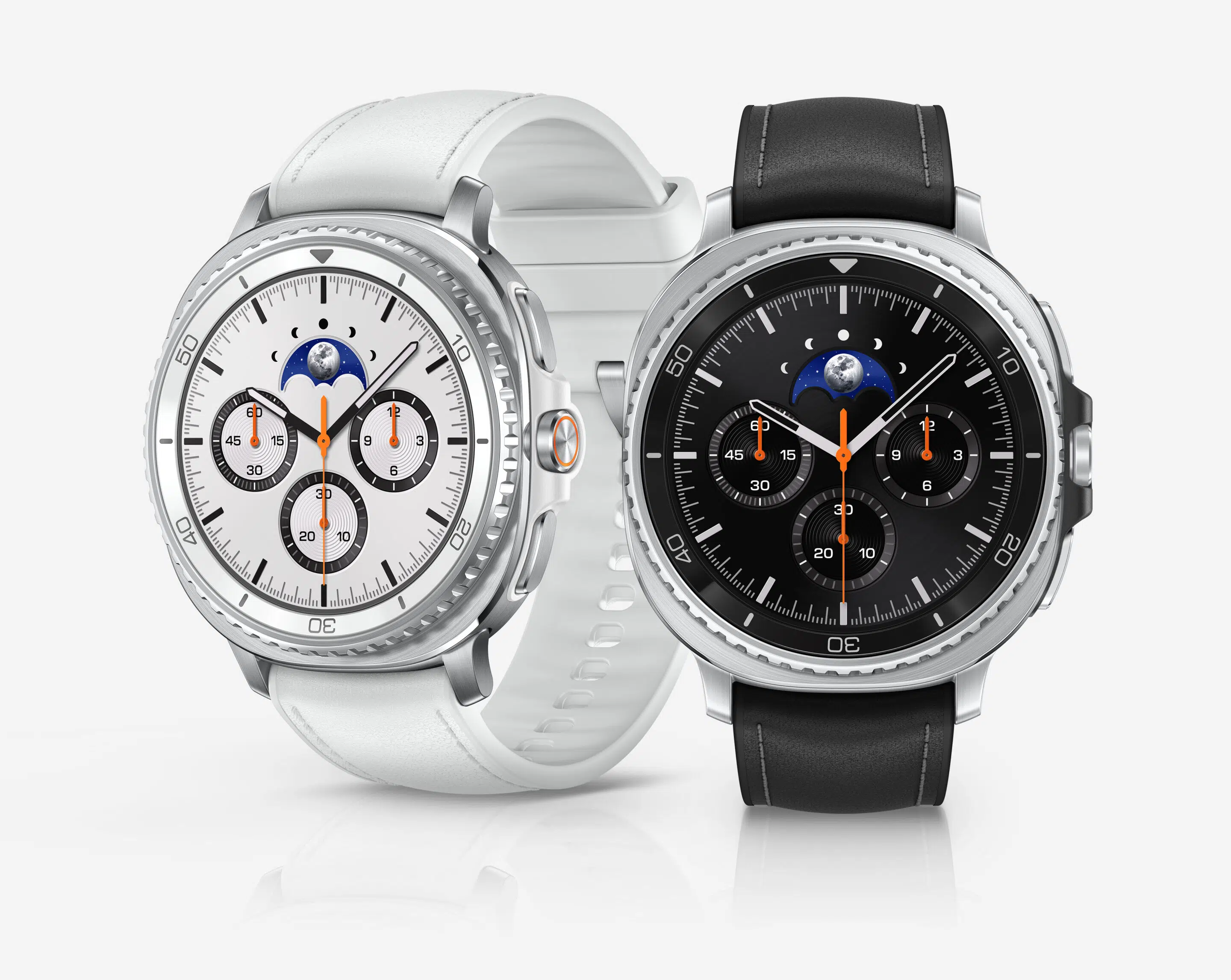
Galaxy Watch 8 Classic: Why It’s So Popular
The Galaxy Watch 8 Classic stands out for one feature that fans begged Samsung to bring back: the rotating bezel. The steel bezel adds a layer of screen protection, while tactile navigation is even well-suited for gloves or wet hands.
Other Classic highlights include:
- Premium stainless‑steel build
- New Quick Button for fast access to workouts or features
If you want a smartwatch that feels like a traditional timepiece but performs like a modern fitness computer, the Classic model delivers.
Galaxy Watch 8 vs Watch 8 Classic: Which Should You Buy?
Choose the Galaxy Watch 8 if you want:
- A lighter, minimalist smartwatch that looks chic and is easy to sleep in
- Strong health tracking at a lower price
- All Galaxy AI features without extra bulk
- A lower MSRP than the Watch 8 Classic
Choose the Galaxy Watch 8 Classic if you want:
- A smartwatch with the premium look, feel, and durability of stainless steel
- A physical raised, rotating bezel for precise navigation and control
- A smartwatch that doubles as a classic watch
- Extra storage
Is Galaxy Watch 8 or Galaxy Watch 8 Classic Worth It? 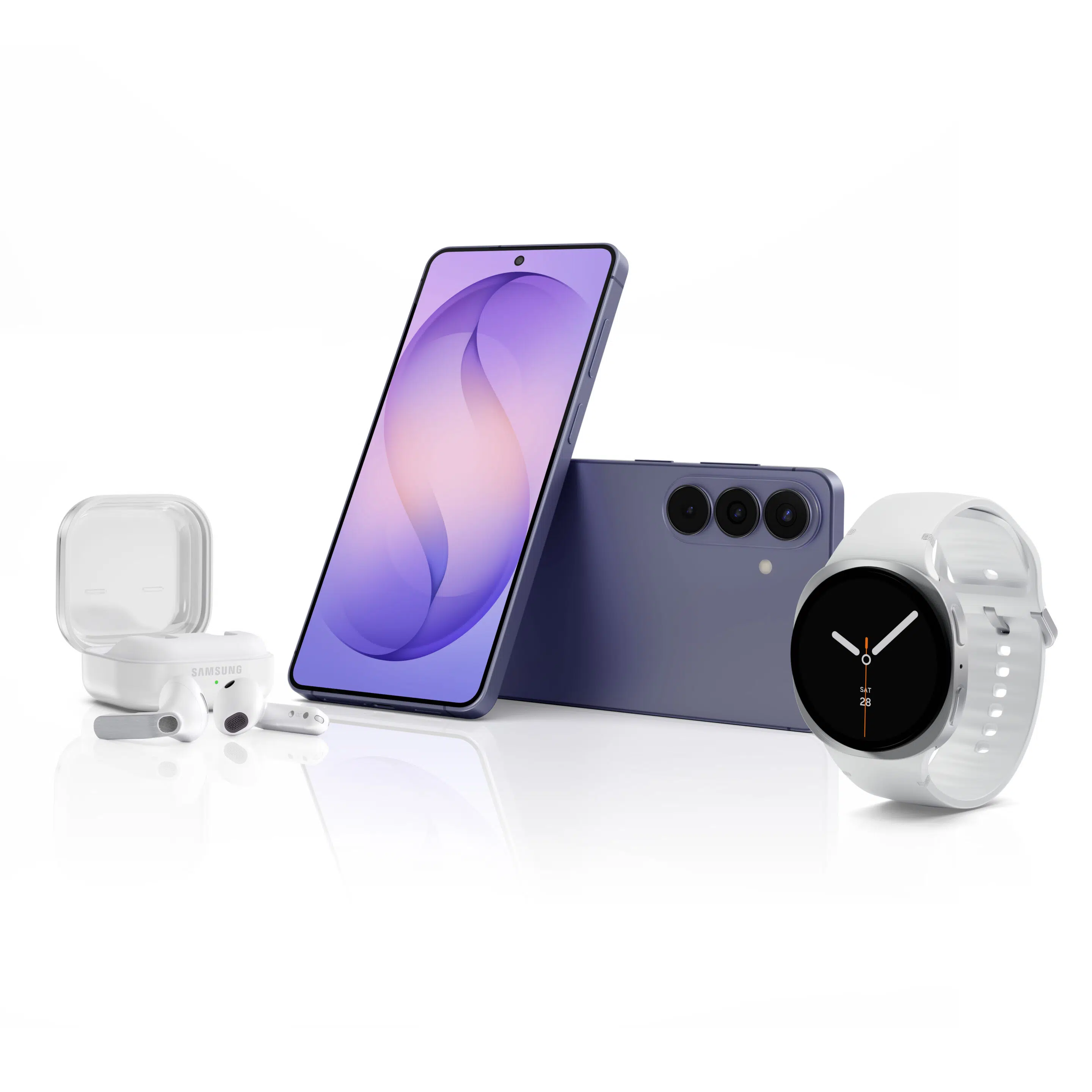
The Samsung Galaxy Watch 8 and Galaxy Watch 8 Classic consolidate purposeful upgrades to its legacy line-up, with AI‑driven health insights, best‑in‑class display brightness, and versatile designs. Samsung has set a new standard for Android smartwatches.
Whether you prioritize health analytics, fitness coaching, or aesthetic appeal, the Galaxy Watch 8 series offers a compelling reason to upgrade in 2026.
For those using a Galaxy Watch 5 or older, the Watch 8 is a significant upgrade in speed and display quality. For those enjoying the benefits of a Galaxy Watch 7, the upgrade is likely only necessary if you heavily prioritize maximum brightness and the latest AI features.
Samsung smartphone, tablet, and smartwatch owners often expand their Galaxy ecosystems by adding Galaxy Buds4 or Galaxy Buds4 Pro to the ensemble, enjoying even more immersive mobile connectivity. Many also make the wise choice of adding digital security and comprehensive coverage for all their digital devices through Verizon Mobile Protect. Get your groove on and savor peace of mind too!
___________________________________________________________________________________________________________________________________________________________________________
| Feature |
Galaxy Watch 8 |
Galaxy Watch 8 Classic |
| Design Style |
Modern, minimalist, lightweight |
Premium, traditional watch look |
| Case Material |
Aluminum frame |
Stainless steel frame |
| Available Sizes |
40mm, 44mm |
46mm |
| Rotating Bezel |
No |
Yes
(physical rotating bezel) |
| Display Type |
Super AMOLED |
Super AMOLED |
| Peak Brightness |
Up to 3,000 nits |
Up to 3,000 nits |
| Chipset |
Exynos W1000 (3nm) |
Exynos W1000 (3nm) |
| Operating System |
Wear OS with One UI Watch |
Wear OS with One UI Watch |
| Internal Storage |
32 GB |
64 GB |
| Galaxy AI / Google Gemini |
Yes |
Yes |
| Antioxidant Index |
Yes |
Yes |
| Vascular Load Monitoring |
Yes |
Yes |
| Sleep Tracking & Bedtime Guidance |
Advanced sleep coaching |
Advanced sleep coaching |
| Running Coach & Training Plans |
Yes |
Yes |
| Heart Rate, ECG, SpO₂, Stress |
All supported |
All supported |
| Quick Button |
No |
Yes |
| GPS & LTE Options |
GPS, Bluetooth & LTE models |
GPS, Bluetooth & LTE |
___________________________________________________________________________________________________________________________________________________________________________
Shopper FAQ: Galaxy Watch 8 and Galaxy Watch 8 Classic
Can you answer calls on Galaxy Watch 8?
Yes, you can answer, make, and reject phone calls directly on the Samsung Galaxy Watch 8 using its built-in microphone and speaker. It works via Bluetooth when connected to your phone, or independently on the LTE version. You can answer by swiping the green icon, using gestures, or making voice commands.
Can you text on a Galaxy Watch 8?
Yes, you can text on the Galaxy Watch 8 using the pre-installed Messages app to create new messages, view incoming ones, and send replies. Options include using a full on-screen keyboard, voice-to-text, or quick pre-written responses. The watch connects to your Galaxy phone via Bluetooth or LTE for messaging.
Can you make calls from a Samsung smartwatch without a phone?
Yes, Samsung Galaxy Watch 8 models are available with LTE/Cellular connectivity (which also have Bluetooth), meaning they can make and receive calls without a phone nearby. These models use an eSIM and a separate service plan (often shared with your phone) to operate independently. The Galaxy Watch 8 series is also available as Bluetooth-only models, meaning they require the phone to be nearby or connected via Wi-Fi for calling.
Can I leave my phone at home and use my Galaxy Watch?
Yes, you can use a Samsung Galaxy Watch without a phone, particularly LTE models. While you lose features like app downloads and some health tracking, you can still use step counting, alarms, and exercise tracking. Standalone use is ideal for exercise, allowing for phone-free music streaming and calling, provided the watch is activated on a cellular plan.
Can you install any apps on a Samsung watch?
Just like on your phone, you can install, customize, and uninstall apps on your smartwatch. Personalize your smartwatch to fit your needs and preferences using the Galaxy Wearable app on your phone.
Have More Questions? Call or Come See Us at Russell Cellular.
For one-on-one help, consult a friendly expert at your local Verizon store or call 1-800-221-4408 (business customers call 1-866-326-7548).
#Verizon #5G #LTE #Fiber #Samsung #GalaxyWatch8 #GalaxyWatch8Classic #SamsungProductReviews #GalaxyBuyersGuide #RussellCellular #BetterTogether
Read more RC blog articles.

Jun 29, 2026
Improving your golf score feels harder than ever. Courses are longer. Greens are faster. Competition is stronger.
But here’s the good news: smart golf technology – from golf GPS apps to smartwatches and recovery wearables – is quietly helping golfers make better decisions, practice more efficiently, and consistently shoot lower scores.
Not with gimmicks.
Not with endless swing thoughts.
But with clear, personalized data that translates directly into better golf.
Let’s look at how modern golf tech helps golfers at every level – and why wearable golf devices are becoming must‑have tools for players serious about improvement.
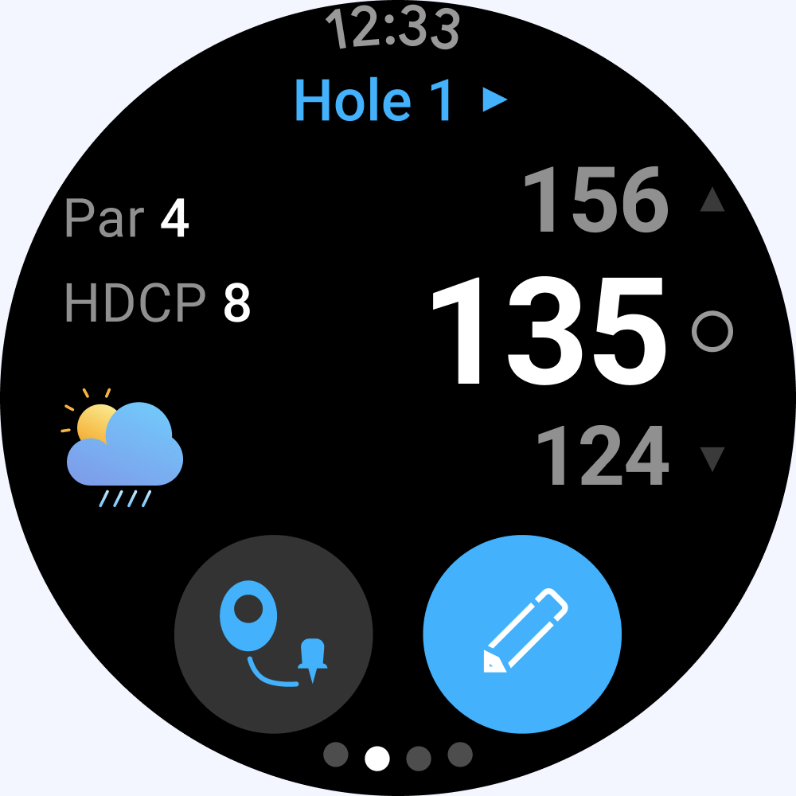
Smartphone Golf Apps: The Most Popular Golf Tech Today
For most golfers, smart golf tech starts with a phone. And for good reason.
Today’s golf GPS apps turn smartphones into powerful on‑course strategy tools and post‑round performance coaches. Because they’re easy to use and always accessible, smartphone golf apps are the most widely adopted technology among everyday and improving golfers.
Smarter Yardages Lead to Smarter Shots
Modern golf apps provide:
- GPS distances to hazards, layups, and pin locations
- Elevation‑adjusted and wind‑adjusted “plays‑like” yardages
- Hole previews that encourage course management over risky swings
Why it matters: Better yardages lead to better club selection, fewer penalty strokes, and more greens in regulation.
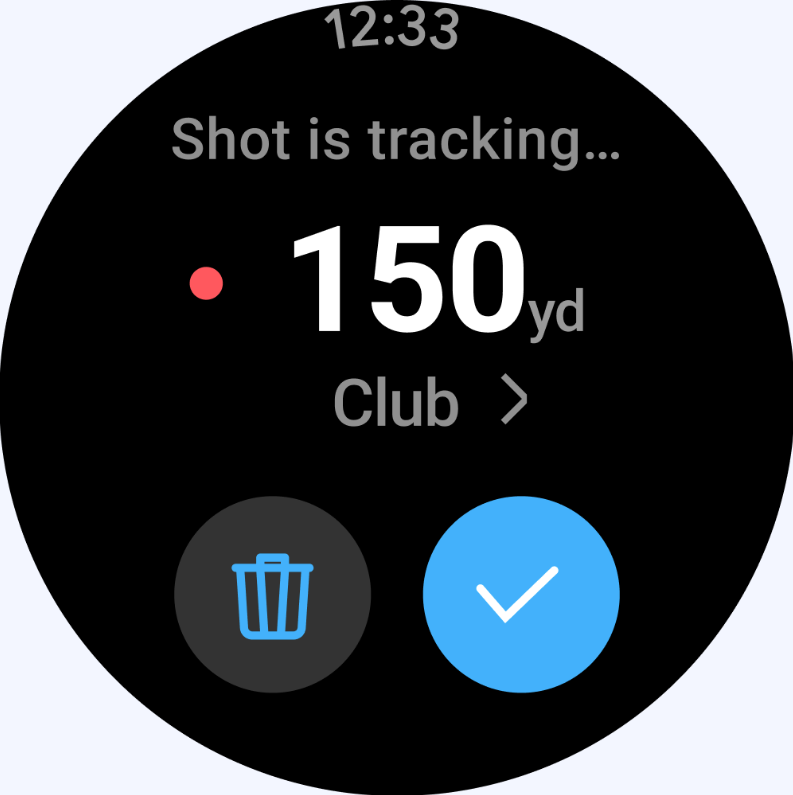
Shot Tracking That Shows Where You Actually Lose Strokes
After your round, golf analytics apps show insights you’ll never get from a scorecard:
- Which clubs cost you the most strokes
- Which distances create the biggest scoring problems
- How your performance compares to golfers at your skill level
Many golfers discover the same pattern:
“I’m not losing shots putting – I’m losing them on approach shots between 130 and 170 yards.”
That awareness alone can completely change how – and how efficiently – you practice.
Popular golf GPS and shot‑tracking apps available on Android (and similar ones on iPhone) include:

Golf Smartwatches: Data Without Distraction
For golfers who want on‑course data without constantly checking their phone, golf‑enabled smartwatches are the natural next step.
While elite professional and tour‑level players often use specialized golf‑only watches, most golfers choose mainstream smartwatches paired with golf apps. They offer excellent performance, everyday usability, and seamless integration with smartphones – on and off the course.
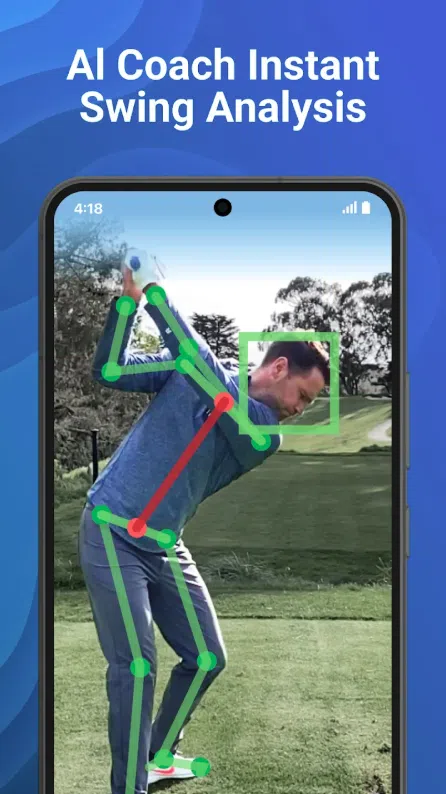
Hands‑Free Shot Tracking
Golf smartwatches can:
- Automatically detect swings and shot distances
- Assign shots to holes as you play
- Sync with your phone for detailed post‑round analysis
No writing. No tapping. No disruption to pace of play.
The result: Cleaner data and better focus during your round.
Real‑Time Golf Help at a Glance
With a quick look at your wrist, golfers can access:
- Accurate GPS yardages
- Fast green views and distances
- Club suggestions based on past performance
That’s smart decision‑making – without slowing down your round.
Smart Rings and Recovery Tech: Better Golf Starts Before Tee Time
Smart rings don’t track golf shots, but they play an increasingly important role in golf performance by supporting recovery, focus, and late‑round stamina.
Sleep and Recovery Data That Impacts Scores
Smart rings and wellness apps track: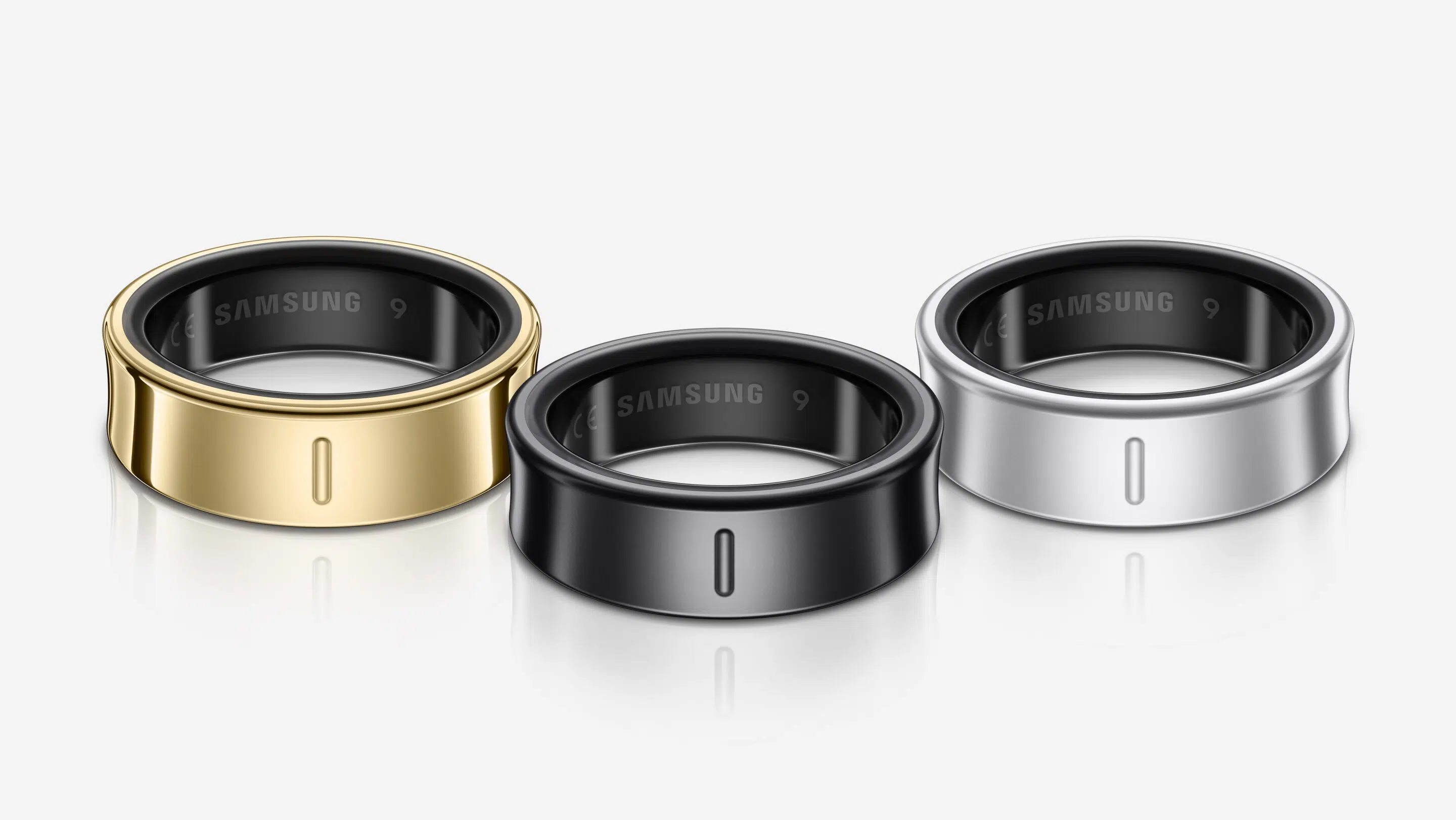
- Sleep quality and duration
- Stress levels (heart‑rate variability)
- Recovery readiness before a round
Trends appear quickly:
- Poor sleep often leads to higher scores
- Better recovery supports consistency and focus on the back nine
For golfers who struggle with late‑round fatigue, recovery tech can be a game‑changer.
Popular sleep and recovery apps available on Android (and similar ones on iPhone) include:
The Power of a Connected Golf Improvement System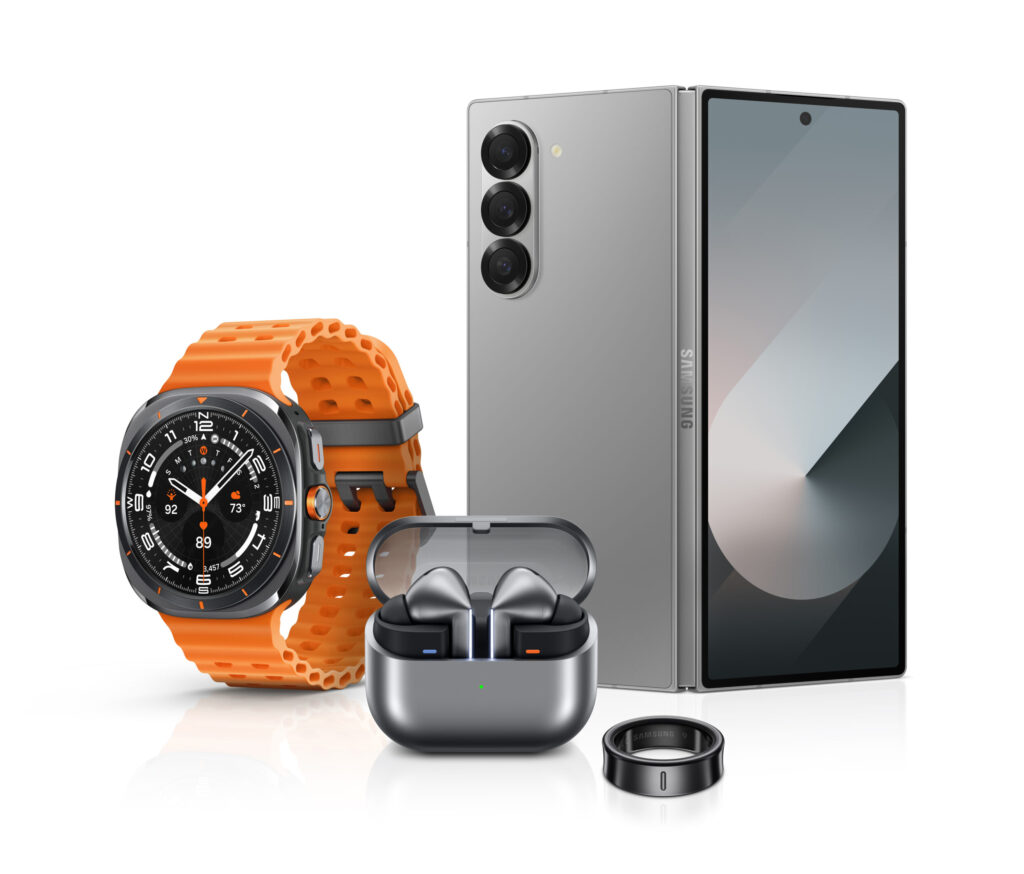
When phones, watches, and recovery wearables work together, they create a complete golf improvement loop:
- During the round
– A smartwatch tracks shots effortlessly
- After the round
– A smartphone reveals scoring trends and weaknesses
- Between rounds
– Recovery tech supports better rest and consistency
- At practice
– Data guides practice that actually lowers scores
Instead of guessing what to fix, you practice with purpose.
Why Golfers Are Upgrading Their Golf Tech in 2026
Golfers who use smart golf technology consistently report improvements in:
✅ Course management
✅ Club‑selection confidence
✅ Practice efficiency
✅ Mental clarity under pressure
✅ Late‑round endurance
Technology doesn’t replace skill – it accelerates improvement. And with today’s device options, getting started has never been easier or more affordable.

Time to Play Smarter Golf?
If you’re serious about improving – not just playing – smart golf technology gives you the edge modern golfers are using to lower scores. Your next breakthrough round could be powered by the smart device on your wrist, in your pocket, or on your finger.
Let Russell Cellular help you find the right smartphone, smartwatch, or wearable tech to support your game. Visit your local Verizon store, shop online, or call 1‑800‑221‑4408.
#Verizon #5G #LTE #Fiber #SmartGolfTech #GolfApps #GolfSmartwatch #Smartwatch #SmartRing #RecoveryWearables #ImproveMyGame #LowerMyScores #RussellCellular #BetterTogether
Read more RC blog articles.
Jun 24, 2026
If you’ve ever felt overwhelmed by juggling multiple bills, unpredictable fees, or confusing plan options, you’re not alone. Most people just want fast internet, reliable mobile service, and a price they can count on every month.
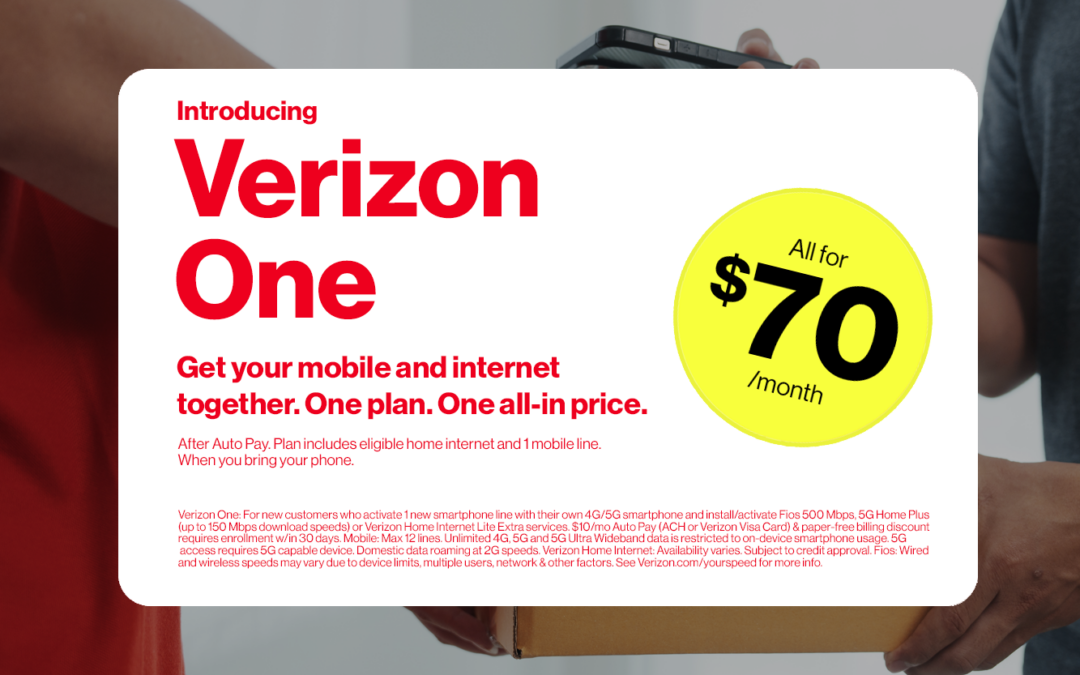
That’s exactly why Verizon One exists – a single, all‑in, no‑surprises plan that brings your mobile phone service and home internet together for just $70/month when you bring your own phone and enroll in Auto Pay.
Let’s break down how Verizon One solves the most common frustrations customers face today. When you’re ready to switch and save, visit your nearest location or call the genuinely caring experts at Russell Cellular at 1-800-221-4408.
Problem: Too Many Bills, Too Many Headaches
Solution: One Plan. One Bill. One Price.
Most households are stuck managing separate mobile and home internet accounts – each with its own billing cycle, fees, and fine print. Verizon One eliminates that chaos.
With Verizon One, you get:
- One combined bill for mobile + home internet
- No hidden fees – taxes, equipment, and installation are included
- A predictable $70/month price
It’s simplicity that actually simplifies your life.
Problem: Surprise Fees and Price Creep
Solution: Truly All‑In Pricing
Activation fees? Gone. Upgrade fees? Gone. Equipment charges? Gone.
Verizon One is built to be transparent. What you see is what you pay – every month. 
This means:
- No unexpected add‑ons
- No confusing line items
- No “introductory pricing” that jumps later
Just a clean, honest price.
Problem: Slow or Unreliable Internet at Home
Solution: Fast, Reliable Verizon Home Internet – With Equipment Included
Whether you’re streaming, gaming, working from home, or running a smart home, you need internet that keeps up.
Verizon One includes:
- Fios, 5G Home Plus, or Home Internet Lite Extra (depending on your address)
- A router included at no extra cost
- Professional installation included
No extra equipment to buy. No DIY headaches. Just solid, dependable internet.
Problem: Mobile Plans That Don’t Deliver
Solution: Unlimited 5G Ultra Wideband + No Activation Fees
Your mobile line on Verizon One includes:
- Unlimited 5G Ultra Wideband
- Unlimited talk & text
- No activation or upgrade fees
You get the power of Verizon’s best network without the usual nickel‑and‑diming.
Problem: Plans That Don’t Fit Your Life
Solution: Customizable Options That Grow with You
Need more lines? Want faster internet? Verizon One flexes with your needs.
You can:
- Add mobile lines for just $30/line per month
- Boost your internet speed (where available)
It’s your plan, your way – without the complexity.
Problem: Not Getting Rewarded for Loyalty
Solution: Earn Verizon Dollars Every Month
Starting July 1, 2026, Verizon One customers earn 3% back in Verizon Dollars every month.
Use them for:
- Shopping with Verizon
- Gift cards
- Hotels, tickets, and more
If you have the Verizon Visa® Card, you’re already earning. If not, you can opt in easily through the My Verizon app.
Who Is Verizon One For?
Verizon One is designed for new customers who want:
- A simple, predictable monthly bill
- Reliable mobile + home internet
- No hidden fees
- A plan that adapts to their needs
If you’re switching to Verizon and bringing your own phone, this is the easiest, most cost‑effective way to get started.
Who Isn’t Eligible?
Currently, existing Verizon customers can’t switch to Verizon One. But if you already have the Mobile + Home Discount, you’ll keep your savings as long as your plans stay active.
The Bottom Line: Verizon One Solves Real Problems
Verizon One isn’t just another bundle – it’s a smarter way to manage your digital life.
It solves:
- Bill overload
- Hidden fees
- Unreliable internet
- Complicated mobile plans
- Lack of rewards
And it delivers:
- One bill
- One price
- One powerful network
- One reliable home internet connection
- One customizable plan
All for $70/month when you bring your phone.
Now that’s a plan.
—————————————————————————————————————————————
Verizon One vs. Competitor Bundles: Side‑by‑Side Comparison
This chart shows how Verizon One solves common customer frustrations better than the usual “bundle” experience offered by other providers.
Feature / Benefit
|
Verizon One
|
Typical Competitor Bundles
|
| All‑in pricing |
Yes – truly all‑in. Taxes, fees, router, installation included. |
Usually not all‑in. Taxes, fees, equipment, and installation often added later. |
| Monthly price |
$70/mo with Auto Pay when you bring your phone |
Often $90–$140+ after fees and promo expirations |
| One bill for mobile + home internet |
Yes – one simple bill |
Usually separate bills or “linked accounts” that still bill separately |
| Unlimited 5G Ultra Wideband mobile |
Included |
Often requires a premium mobile plan upgrade |
| Activation & upgrade fees |
Waived |
Typically $35-$45 per line |
| Router included |
Yes |
Often $10-$15/mo rental or $200+ to buy |
| Professional installation |
Included |
Often $99+ installation fee |
| Internet options |
Fios, 5G Home Plus, or Home Internet Lite Extra (based on address) |
Limited availability; speeds vary widely |
| Add‑on mobile lines |
$30/line/mo |
Usually $40-$60/line/mo |
| Ability to customize |
Boost internet speed at signup; add lines easily |
Often locked into preset bundles |
| Rewards |
3% back in Verizon Dollars starting July 1, 2026 |
Rewards vary; many offer none |
| Eligibility |
New customers who bring their own phone |
Usually available to new customers only; existing customers often excluded |
| Hidden fees |
None |
Common (regulatory fees, admin fees, equipment fees, etc.) |
#HomeInternet #BusinessInternet #5G #LTE #Fiber #Smartphones #Tablets #Smartwatches #DeviceProtection #RussellCellular #BetterTogether
Read more RC blog articles.
—————————————————————————————————————————————
Frequently Asked Questions about Verizon One
Have questions? We’ve got answers.
If I’m new to Verizon, can I get a discount by bundling mobile and home internet?
Yes, Verizon One is perfect for you. You’ll get both mobile and home internet on one plan for just one monthly all-in price. All on one bill.
I’m an existing customer. Can I get Verizon One?
No. Right now, existing customers are not eligible for Verizon One. But if you are a mobile and home customer enrolled in the Mobile + Home Discount, it will continue to apply. As long as you keep your current plans active and your accounts in good standing, that monthly savings is yours. If you decide to cancel either your mobile or home internet service, that bundle discount will go away though.
Is this the same thing as the Simplicity Plan?
No, our Simplicity plan is just for mobile. Verizon One gives you even more, because in addition to your mobile phone, it also includes home internet, taxes, fees, and equipment at an all-in price. All on one bill. Nice, right?
Can I earn Verizon Dollars with this plan?
Oh yeah. Starting July 1, 2026, Verizon One customers can start racking up Verizon Dollars to use shopping with us, get gift cards from your favorite brands, and redeem for hotels and tickets to places you love. Opting in is easy. If you’re a Verizon Visa® Card holder, you’re already set. If not, check out our loyalty page to “ca-ching” or download the My Verizon app to opt in.
Jun 17, 2026
Customers Rejoice! Simple is the New Standard.
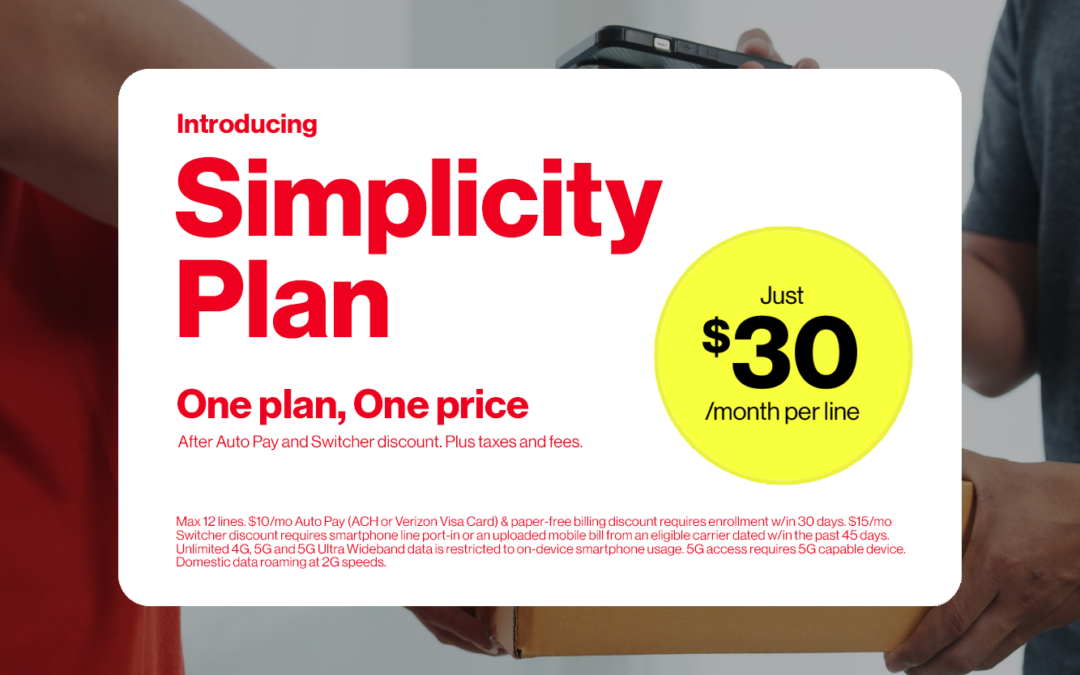
Verizon just flipped the script on the wireless world again – this time by giving customers exactly what they’ve been begging for: simplicity, transparency, flexibility, and real rewards. The new Simplicity Plan starts at just $45 per line, with a $30/line promo for switchers.
Activation fees? Gone. Upgrade fees? Gone. Confusing subsidies? Gone.
In their place: clean pricing, new financing options, an opt‑in loyalty program, and more innovations rolling out soon. Buckle up.
Verizon’s Best Network, Standard
Every Simplicity customer gets Verizon’s best 5G network – no tiers, no upsell, no “premium access” fine print. Just the nation’s most reliable 5G, including 5G Ultra Wideband, baked right in.
Plus, every plan includes:
- Verizon Dollars
- Unlimited data, talk & text
- International roaming & satellite texting
- 10GB mobile hotspot
- Call Filter & Verizon Family
Simplicity wipes out the old maze of plan levels and replaces it with one powerful standard: everyone gets the best. And if you want to level up your home life, you can add blazing‑fast home internet starting at just $35/mo.
Your Phone, Your Way: TOTAL Device Freedom
Verizon heard the people loud and clear. With Simplicity, you can:
- Keep your current phone
- Buy a new one
- Save with certified pre‑owned
- Or – on Simplicity Plus/Pro – upgrade up to twice a year
Financing is more flexible than ever with 12, 24, 36, and 48‑month options for qualifying customers. Total freedom, total control.
Customized Bundles
Another major shift: you only pay for connectivity, and everything else is à la carte. Choose the entertainment, cloud, music, or travel perks you actually want – and skip the rest.
More choice. More savings. More “finally!”
To explore your options, call the friendly experts at Russell Cellular at 1‑800‑221‑4408, or swing by your local store for hands‑on help.
________________________________________________________________________
Here’s what switching to Verizon Simplicity in three easy steps could look like:
Woe Be Gone! This Way to Simplicity…

Assess Your Connectivity Needs
Pick how many lines your crew needs:
- $30/mo (1 line)
- $60/mo (2 lines)
- $90/mo (3 lines)
- $120/mo (4 lines)
After AutoPay and Switcher Discount. Plus taxes and fees.

Dial in a Phone Deal: Bring Your Own, Buy New/Used, or Prepay to Upgrade
Simplicity gives you three easy paths:
- Keep your own phone Connect it to America’s most reliable 5G network.
- Buy a new phone Flexible financing for every budget.
- Upgrade yearly Get the newest device every year for a monthly charge.
And yes – activation and upgrade fees are gone. WOOT WOOT.

Pick Up Special Savings with Every Add-on Bundle
Pick what fits your life. Skip what doesn’t. Build a plan that feels like it was made for you.
For Movie Lovers
Disney+, Hulu, ESPN+, Netflix, and HBO Max
$23/mo $39.97/mo
Save $16.97/mo |
For Families
Apple Music and Verizon Family Plus
$20/mo $31.98/mo
Save $11.98/mo |
For Families
YouTube Premium and Verizon Family Plus
$20/mo $30.98/mo
Save $10.98/mo |
For the Essentials
Unlimited Mobile Hotspot and Unlimited Cloud Storage
$20/mo $73.99/mo
Save $53.99/mo |
For Fans
Disney+, Hulu, ESPN+, YouTube Premium, and 4K Premium Video Streaming
$25/mo $45.98/mo
Save $20.98/mo |
For Pros
Google AI, 100GB Mobile Hotspot, and Second Number
$30/mo $74.99/mo
Save $44.99/mo |
For Travelers
3 TravelPass Days, Global Calling Plus, and Unlimited Cloud Storage
$30/mo $64.99/mo
Save $34.99/mo |
For Specialists
Apple Music, Apple TV, Apple Arcade, and Apple iCloud+
$25/mo $35.95/mo
Save $10.95/mo |
For Specialists
YouTube Premium, Google AI, and 4K Video Streaming
$25/mo $45.98/mo
Save $20.98/mo |
Add more services
Apple Music, FoxOne, Unlimited Cloud Storage, and more |
Simplicity Is the New Standard
Simplicity isn’t just a plan – it’s a whole new way to do wireless. Verizon is clearing the clutter and delivering big savings, smarter choices, and a smoother experience from top to bottom.
Switchers may soon:
- Enjoy the full power of Verizon’s best 5G network
- Shop with total device freedom
- Score rewards, perks, sweepstakes, and more
Make the switch to Simplicity today. Or drop by your nearest Russell Cellular to get set up by a real human who genuinely cares.
Read more RC blog articles.
#Verizon #Simplicity #5G #LTE #Fiber #RussellCellular #BetterTogether