Oct 9, 2026
Apple is nearing its official entry into the foldable smartphone market with the all-new iPhone Duo, and it’s already generating plenty of excitement. For years, iPhone users have watched foldable devices evolve from the sidelines. Now Apple has delivered its own take on the category, combining a familiar iPhone experience with an expansive folding display, powerful cameras, and Apple Intelligence features designed to help users get more done.
But is the new Apple iPhone Duo the future of smartphones, or just another premium device with a premium price tag? Let’s explore the iPhone Duo’s specifications, standout features, Apple Intelligence capabilities, and who should consider making the switch.
For one-on-one help from a genuinely caring, qualified expert, call us at 1-800-221-4408 or stop by your local Verizon store. Pre-orders for the iPhone Duo begin Friday, October 16, 2026, while the in-store release is set for October 23.
Apple iPhone Duo Specifications at a Glance
Before diving into the details, here’s a quick overview of what’s powering Apple’s newest flagship foldable.
Key Specifications
- 7.9-inch Super Retina XDR foldable display
- 6.4-inch Super Retina XDR cover display
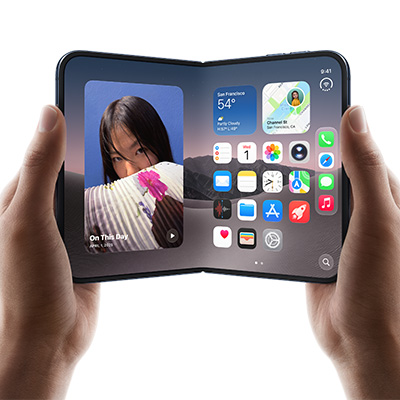
- ProMotion technology with up to 120Hz refresh rate
- Apple A20 Pro chip
- 12GB RAM
- Available in 256GB, 512GB, and 1TB storage options
- 48MP Fusion main camera
- 48MP ultra-wide camera
- 12MP telephoto camera with 5x optical zoom
- 12MP TrueDepth front camera
- Up to 30 hours of video playback
- USB-C fast charging and MagSafe wireless charging
- iOS 27
- IPX8 water resistance
- Starting around $1,999.99
What Makes the Apple iPhone Duo Different?
Truth is, the iPhone Duo isn’t trying to replace your current iPhone. It’s trying to replace multiple devices.
Think of it as an iPhone, an iPad mini, a productivity tool, an entertainment hub, and an Apple Intelligence assistant all folded into a single device that still fits in your pocket.
That’s really the story of the iPhone Duo.
Apple didn’t simply build a folding screen; it built a larger canvas for everything people already do on their iPhones.
Whether you’re responding to work emails, editing documents, watching movies on flights, participating in video meetings, or managing a busy schedule, the Duo gives you significantly more room to work with.
 Five Reasons the iPhone Duo Stands Out
1. A Bigger Screen That Changes How You Use Your Phone
The headlining feature is obviously the nearly 8-inch foldable display.
When closed, the iPhone Duo feels familiar and easy to use. Open it up, however, and it transforms into a tablet-like experience that creates entirely new possibilities for productivity and entertainment.
Why You’ll Notice the Difference
- View documents without endless zooming
- Work in multiple apps at the same time
- Enjoy more immersive streaming and gaming
- Read articles and ebooks more comfortably
- Experience more natural video calls
The extra screen space isn’t just about size. It’s about flexibility, comfort, and usability.
2. Multitasking Finally Feels Practical
Many smartphones claim to support multitasking. The iPhone Duo is one of the few devices that genuinely makes multitasking useful.
Imagine reviewing a presentation while referencing a spreadsheet.
Or participating in a Teams meeting while taking notes.
Or comparing travel plans alongside your email confirmations.
The larger display gives users room to work rather than constantly switching between apps and windows.
For business professionals, students, and remote workers, that alone could justify the upgrade.
3. Apple Intelligence Has Room to Shine
Apple Intelligence is one of the iPhone Duo’s biggest advantages.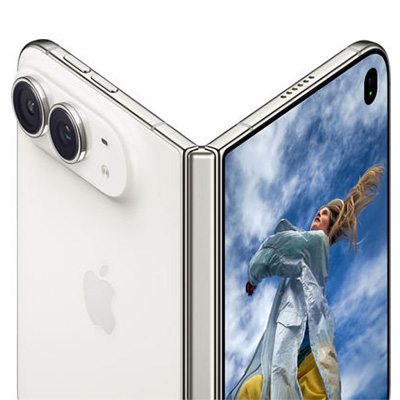
While many AI features are available across Apple’s ecosystem, the Duo’s larger display makes them significantly easier to use in real-world situations.
Apple Intelligence Can Help You
- Summarize lengthy emails
- Rewrite messages in different tones
- Create meeting notes
- Generate document summaries
- Organize tasks and schedules
- Find important information faster
The ability to view AI-generated content alongside your source material creates a workflow that feels far more productive than on a traditional smartphone.
4. Professional-Grade Cameras Built for Creators
Apple didn’t cut corners on the camera system. Samsung’s Galaxy Z Fold 8 Ultra sports a slightly superior system, but out of the gate the Duo is clearly up to the task.
The iPhone Duo includes a flagship-level camera setup designed for photography enthusiasts, content creators, and everyday users who simply want great-looking photos.
Photography Highlights
- 48MP Fusion camera for outstanding detail
- 48MP ultra-wide lens for landscapes and group photos
- 5x optical zoom telephoto lens
- Improved low-light performance
- Advanced computational photography features
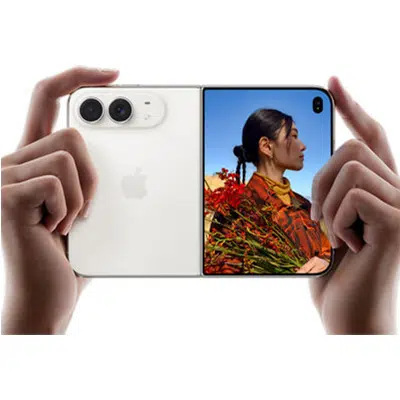
The foldable design also introduces creative shooting options, allowing the phone to act as its own stand for hands-free photography, video recording, and video calls.
5. A Foldable Designed Around the Apple Ecosystem
 One of Apple’s biggest strengths continues to be ecosystem integration.
The iPhone Duo works seamlessly alongside:
- Apple Watch
- AirPods
- Mac
- iPad
- Apple Intelligence
- iCloud services
For existing Apple users, the transition feels natural because the Duo still behaves like an iPhone, just way more versatile.
Apple iPhone Duo Buyer’s Guide: Who Is It Really For?
The iPhone Duo isn’t for everyone, and that’s okay.
You’ll Love the iPhone Duo If:
- You regularly multitask between apps
- You want a phone and tablet in one device
- You travel frequently
- You use Apple Intelligence features often
- You’re invested in the Apple ecosystem
- You value productivity as much as entertainment
You Might Prefer an iPhone 18 Pro Max If:
- You prioritize value
- You prefer traditional smartphone designs
- You mainly use your phone for texting, social media, and calling
- You want a lighter, more compact device
- You don’t need foldable features

Final Verdict, Says Us.
The Apple iPhone Duo isn’t simply a new iPhone. It’s Apple’s vision for what a premium smartphone can become when productivity, entertainment, and AI are given room to work together.
Its biggest advantage isn’t the foldable screen itself. It’s what that larger display enables. Better multitasking. More effective Apple Intelligence features. Improved content creation. Easier document management. And a phone-and-tablet experience in a single device.
For power users, professionals, frequent travelers, and dedicated Apple fans, the iPhone Duo may be the most exciting iPhone release in years! For everyone else, it’s an impressive glimpse at where mobile technology is headed next.

Can’t Wait? Us Neither.
When the Duo premieres in stores, Russell Cellular’s wireless experts will be ready to help you connect to Apple’s impressive foray into the foldable market. Call us at 1-800-221-4408 or stop by your local Verizon store. Pre-orders for the iPhone Duo begin Friday, October 16, 2026, while the in-store release is set for October 23.
#AppleiPhoneDuo #iPhoneDuo #AppleIntelligence #FoldablePhone #iPhoneReview #BuyersGuide #RussellCellular #AppleFans #TechReview #VerizonAuthorizedRetailer
Read more RC Previews & RC Reviews on our blog.
Sep 18, 2026
Prognosticating Coffee Talk: Who Has the Best AirPods?
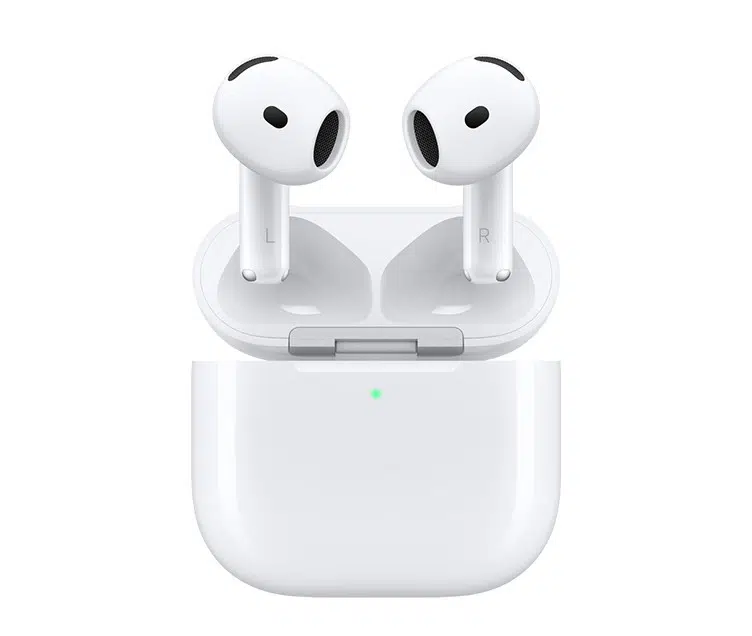
Russell Cellular is pleased to bring you this imaginative exchange – or is it a factual foretelling – enlivened by a playful troupe for the theater of your mind. Readers may gain a better understanding of AirPods 3 and the new AirPod 5 models along the way. Enjoy!
For one-on-one help, consult a genuinely caring expert at your nearest Russell Cellular store or by calling 1-800-221-4408. The Apple Airpods 5 were released September 18, 2026.
Emma, you’re still hanging onto those AirPods 3?
- Proudly. Unlike certain people, I don’t upgrade every time Apple changes a number.
HA! That’s a laugh – AirPods 5 are fantastic!
- I’m sure they are. But when I compared the specs side-by-side, I was reminded why I kept my 3s.
Here we go.
- Seriously. I use Active Noise Cancellation all the time. On flights, in coffee shops, when I’m trying to focus at work. That’s probably the single most important feature for me.
Fair point. The AirPods 5 seem more focused on everyday convenience and sound quality than maximum noise blocking, although it’s still impressive.
I will admit, if someone spends a lot of time traveling or working in noisy environments, stronger ANC would be hard to pass up.
- Exactly. Last month I was on a three-hour flight, and once I turned ANC on, most of the engine noise practically disappeared. Way less stressful for me!
I mostly use mine while walking Sadie, driving to work, or relaxing at home. My 5s are kind of perfect for all that!
- What’s better since your last ones, Ashley?
The sound just feels more refined. Podcasts are clearer, and music has more depth. Plus they’re super comfortable.
And they’re seamless. Yesterday I finished a meeting on my MacBook, closed it, and my music picked up on my phone immediately. No effort.
- AirPods have always been good at that!
True, but everything feels faster and smoother with these.
- No surprise there, Diane – every new generation feels more refined and polished!
That charging case seemed like an unnecessary luxury when I bought my 5s.
- But you’re actually good at remembering to keep your stuff charged up.
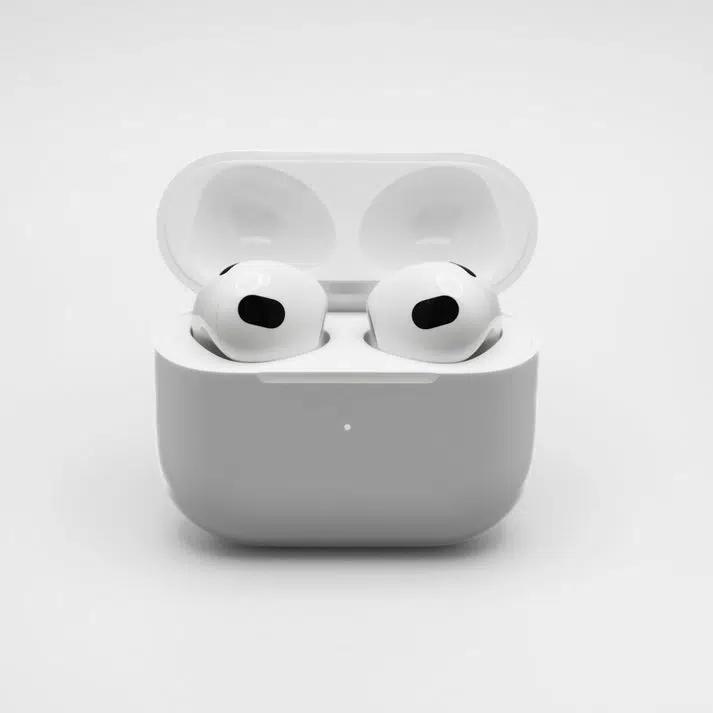 Oh yeah! The case is a lifesaver! Last weekend I was out almost all day and half the night. Between the earbuds and the case’s extra battery, I never worried about power.
- I can see the appeal for sure!
–Honestly, I think the AirPods 5 are aimed at people who want most of the premium experience without spending top-tier money.
- And that’s where they make a lot of sense.
Wait, are you actually complimenting them?
- Of course! I honestly think they’re probably the better value for most people.
Especially students or anyone upgrading from older earbuds!
- Exactly. If someone doesn’t “have to have” top-tier noise cancellation, the AirPods 5 are an easy recommendation. Better sound, smart features, good battery life, and a lower price.
So you’re not tempted?
Not even a little?
- Here’s the thing. If I were buying today and trying to save money, I’d probably look hard at the AirPods 5. You guys definitely seem thrilled, plus they’re reasonably priced.
Preach, girl!
- But I already own AirPods 3, and the stronger ANC, travel-friendly features, and premium extras are things I use every single day. For me, that’s worth the higher cost I already paid.
Well, fine then. That’s actually a reasonable take.
Wow. We finally found someone who doesn’t have upgrade fever!
- Shocking, right? Gorgeous and rational – who’d have thought.
So your verdict is AirPods 5 for value, AirPods 3 for people who prioritize ANC?
- Pretty much. Different ‘pods for different peeps, I always say.
That’s probably the most sensible thing anyone has said about Apple products.
- Don’t tell anyone. It would ruin my reputation!
Deal. Now let’s get back to work.
Before Emma starts a presentation about responsible spending.
- Too late. Slide one: “Why Keeping Your Existing AirPods Is Sometimes the Smartest Upgrade.”
Final Verdicts
Diane: “For me, the AirPods 5 with the Charging Case are the winner. The sound quality is excellent, device switching is effortless, and the charging case means I never worry about battery life. If you want the best balance of features, convenience, and value, this is the one I’d buy.”
Ashley: “The AirPods 5 are the sweet spot in Apple’s lineup. You get a modern listening experience, great comfort, smart features, and strong overall performance without paying as much as the higher-end models. They’re the best choice for most everyday users.”
Emma: “I’m sticking with my AirPods 3. The superior Active Noise Cancellation, travel-friendly features, and premium extras are things I use all the time. Yes, they cost more, but for frequent travelers and people who want the most immersive listening experience, I still think they’re worth it. If I were buying on a tighter budget, I’d recommend the AirPods 5. But since I already have the 3s, I have no reason to switch.”
Quick Verdict
| User |
Recommendation |
| Diane |
AirPods 5 with Charging Case because of the convenience, battery flexibility, and strong feature set. |
| Ashley |
AirPods 5 because they deliver the best balance of performance and affordability. |
| Emma |
AirPods 3 because the superior ANC and premium features justify the higher price for her needs. |
Overall Winner by Category
🏆 Best Value: AirPods 5
🏆 Best Convenience: AirPods 5 with Charging Case
🏆 Best Premium Experience: AirPods 3
🏆 Best for Frequent Travelers: AirPods 3
AirPods Comparison Chart
| Feature |
AirPods 5 with Charging Case |
AirPods 5 |
AirPods 3 |
| Target User |
Everyday users who want maximum convenience |
Value-conscious users seeking new features |
Users who prioritize premium features and stronger ANC |
| Sound Quality |
Excellent, enhanced clarity and bass |
Excellent, enhanced clarity and bass |
Excellent, slightly more immersive due to ANC |
| Active Noise Cancellation (ANC) |
Basic/Adaptive noise management |
Basic/Adaptive noise management |
Superior ANC for blocking outside noise |
| Transparency Mode |
Yes |
Yes |
Advanced Transparency Mode |
| Calls & Voice Isolation |
Improved voice isolation |
Improved voice isolation |
Excellent call quality with advanced processing |
| Comfort |
Lightweight, comfortable all-day fit |
Lightweight, comfortable all-day fit |
Comfortable with premium fit and seal |
| Battery Life (Earbuds) |
Long-lasting |
Long-lasting |
Long-lasting |
| Extra Battery from Case |
✅ Yes, multiple recharges |
❌ Not included |
✅ Yes |
| Travel Friendly |
Very good |
Good |
Excellent |
| Apple Ecosystem Integration |
Seamless |
Seamless |
Seamless |
| Device Switching |
Fast and automatic |
Fast and automatic |
Fast and automatic |
| Spatial Audio |
Yes |
Yes |
Yes |
| Value for Money |
★★★★★ |
★★★★★ |
★★★★☆ |
| Premium Features |
★★★★☆ |
★★★☆☆ |
★★★★★ |
| Price |
Mid-range |
Lowest of the three |
Highest of the three |
| Best Reason to Buy |
Convenience and all-day battery confidence |
Best overall value |
Strong ANC and premium listening experience |
As the three coworkers ultimately agree, there isn’t a single “best” model. The AirPods 5 family offers the strongest value proposition for most buyers, while the AirPods 3 remain the better choice for people who place a premium on stronger noise cancellation and a more feature-rich listening experience.
Get the best advice, support, and deals at your nearest Russell Cellular store or by calling 1-800-221-4408 today!
Sep 15, 2026
Apple has officially unveiled its highly anticipated 2026 lineup. If you are planning to upgrade immediately, you’ll likely be choosing between the two heavy hitters: the iPhone 18 Pro and the iPhone 18 Pro Max.
While both phones share a massive leap in processing power, Apple has introduced unique component differences this year that set them apart more than usual. This guide previews the important updates and helps you discern the right choice. For personal support, consult a genuinely caring expert at your local Verizon store or call 1-800-221-4408 (business customers call 1-866-326-7549).
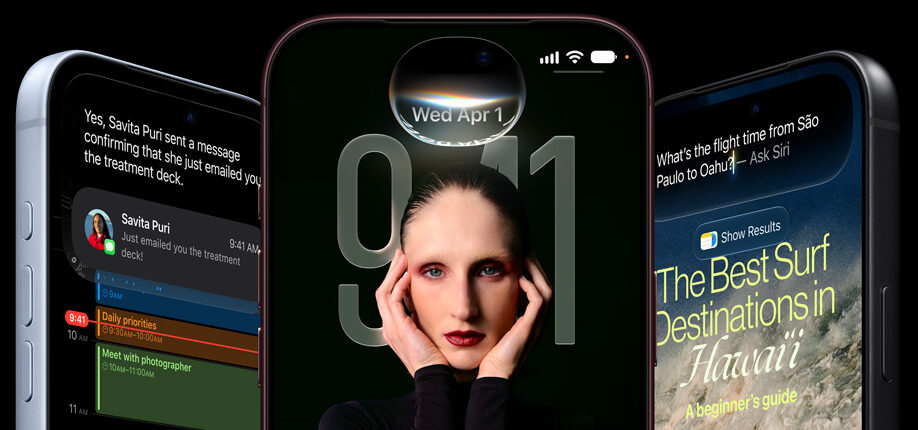
Cool New Advancements in the iPhone 18 Series
- The A20 Pro Chip: This chip features a powerhouse dual 16-core Neural Engine designed specifically to handle heavy, on-device AI tasks without breaking a sweat.
- Apple’s First In-House Modem: The smaller iPhone 18 Pro marks a historic shift, featuring Apple’s brand-new, custom-built C2 cellular modem. It is highly optimized for battery efficiency and lightning-fast switching.
- Next-Gen Smart Home Connectivity: Both models include the new N1 chip, unlocking advanced support for Wi-Fi 7, Bluetooth 6, and Thread networking right from your pocket.
- Fresh Aesthetics: Say goodbye to old finishes. This year debuts stunning new colorways, including a deep Burgundy and a crisp, clean Glacier, alongside classic silver and black.
What’s Under the Hood? Compare the Specs.
| Feature |
iPhone 18 Pro |
iPhone 18 Pro Max |
| Starting Price |
$1,199 |
$1,299 |
| Weight |
7.44 ounces (211 grams) |
8.78 ounces (249 grams) |
| Display Size |
6.3 inches |
6.9 inches |
| Processor |
A20 Pro (Dual 16-core NE) |
A20 Pro (Dual 16-core NE) |
| Cellular Modem |
Apple Custom C2 Modem |
*Unspecified by Apple at press time, likely Qualcomm Modem |
| Battery Life |
Up to 35 hours video playback |
Up to 45 hours video playback |
| Wireless Tech |
Wi-Fi 7 / Bluetooth 6 / Thread |
Wi-Fi 7 / Bluetooth 6 / Thread |
| Color Choices |
Burgundy, Glacier, Silver, Black |
Burgundy, Glacier, Silver, Black |
Get a closer look at Apple’s iPhone 18 specifications.
A Difference in Modems but not Cameras or Chips
According to reporting by Yahoo! Finance, the iPhone 18 Pro and iPhone 18 Pro Max differ when it comes to their cellular modems, marking a major shift in how Apple handles cellular connections.
- iPhone 18 Pro will feature Apple’s new homegrown C2 cellular modem, said to deliver much faster upload speeds than previous generations, use 15% less energy, and include artificial intelligence features to keep connections strong and reliable.
- iPhone 18 Pro Max will reportedly continue to use a Qualcomm cellular modem in the United States, though Apple has not confirmed at press time. Industry analysts suggest the split is due to part shortages or special network testing rules for the larger model.
Note that while the cellular parts are different, both models share the exact same chip for local connections:
- Apple N1 Chip: Both phones use this custom chip to run local wireless tasks.
- Wi-Fi 7: Provides next-generation, high-speed home internet support.
- Bluetooth 6: Offers the newest and most stable connection for wireless earbuds and accessories.
Pro vs. Pro Max: How to Decide?
Choosing between these two models comes down to three main factors: ergonomics, battery requirements, and internal tech preferences.
Choose the iPhone 18 Pro if: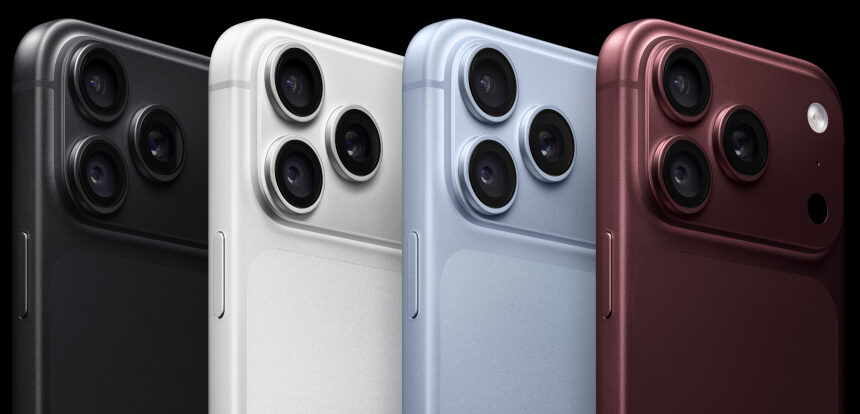
- You want comfort: The 6.3-inch screen strikes a perfect balance. It fits comfortably in small hands and easily slips into standard pockets.
- You want Apple’s newest tech: If you want to experience Apple’s highly anticipated, power-sipping custom C2 cellular modem, it is currently exclusive to this smaller model.
- You want to save $100: It delivers nearly identical peak performance as the Max for a lower entry price.
Choose the iPhone 18 Pro Max if:
- You want maximum screen real estate: The expansive 6.9-inch display is an absolute dream for watching videos, mobile gaming, and editing photos.
- You need elite battery life: With a massive battery capable of pushing up to 45 hours of video playback, it is built to survive long weekend trips without a charger.
- You prefer a proven modem network: The Pro Max sticks with a high-performance Qualcomm modem architecture, offering reliable, field-tested 5G speeds.
Have More Questions? Call or Come See Us at Russell Cellular.
For one-on-one help, consult a genuinely caring expert at your local Verizon store or call 1-800-221-4408 (business customers call 1-866-326-7549).
#RCReview #BuyersGuide #iPhone18Pro #iPhone18ProMax #SmartphoneComparison #AppleEvent #RussellCellular
For more reviews and other interesting articles, check out the RC blog.
Frequently Asked Questions (FAQ)
Q: When can I buy the iPhone 18 Pro and Pro Max?
A: Preorders officially open on September 12, 2026. The official release date is September 18.
Q: Do both phones have the exact same cameras?
A: Yes. Unlike previous years where the Max model got better zoom capabilities, both the 18 Pro and 18 Pro Max share identical pro-tier camera systems.
Q: Why does the smaller Pro have a different modem than the Pro Max?
A: Apple is debuting its in-house C2 modem in the smaller Pro model first to scale up production efficiency, while keeping the larger Pro Max on Qualcomm hardware for this generation.
Q: Which color is the most popular this year?
A: Early community buzz highlights Burgundy as the standout favorite, followed closely by the minimalist Glacier look.
Sep 3, 2026
Google’s Pixel lineup has always been more about smart refinements than dramatic reinventions, and the new Pixel 11 series continues that tradition. If you’re already carrying a Pixel 10, you might be wondering whether Google’s latest flagship offers enough to justify an upgrade. The short answer? The Pixel 11 is undeniably better, but whether it’s worth upgrading depends on what you value most.
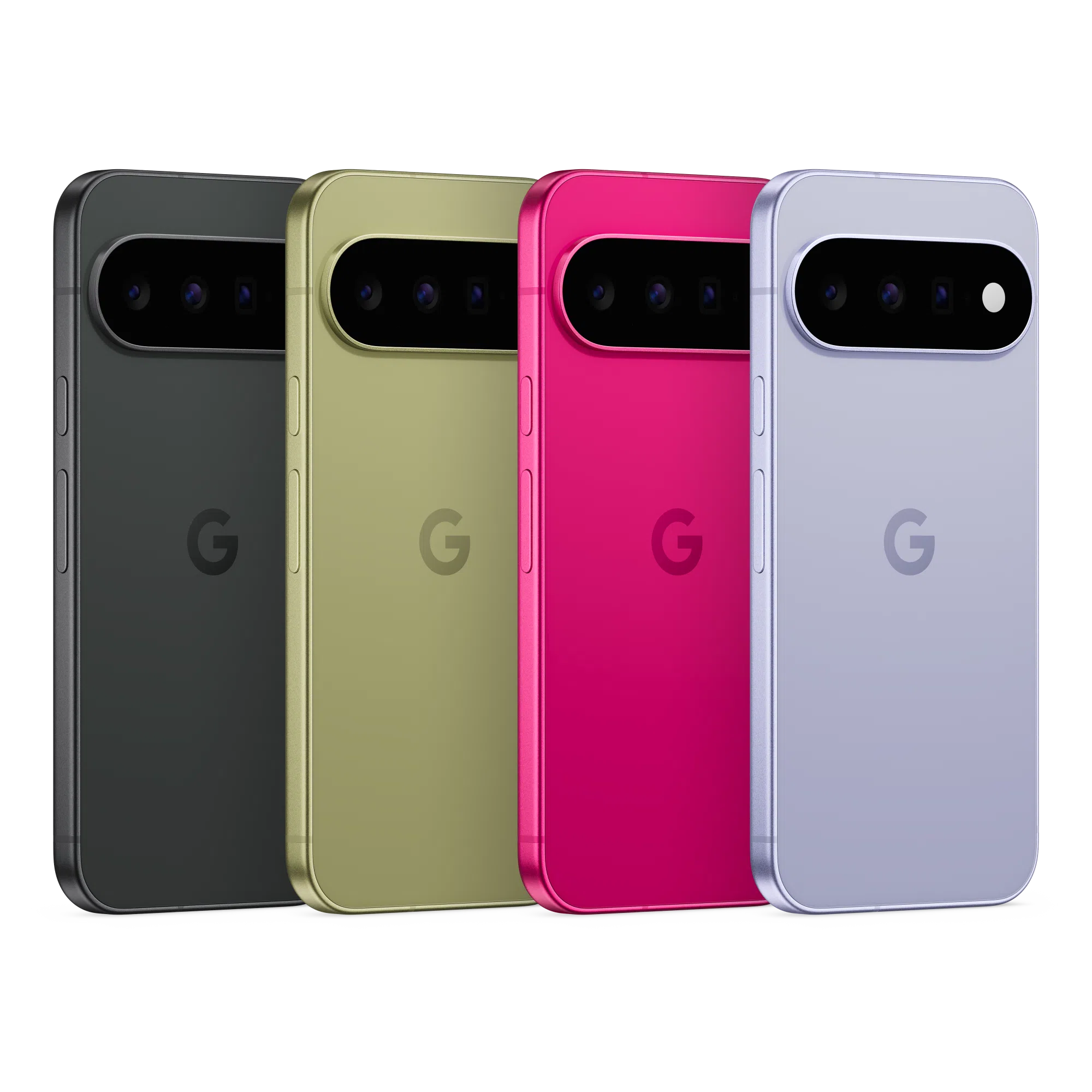
If you’re considering a Google smartphone – as an upgrade or refreshing change – here’s everything you need to know. For one-on-one help, consult a friendly expert at your local Verizon store or call 1-800-221-4408 (business customers call 1-866-326-7549).
Let’s break it down.
At-a-Glance: Pixel 11 vs. Pixel 10
| Feature |
Pixel 10 |
Pixel 11 |
What’s New? |
| Processor |
Tensor G5 |
Tensor G6 |
Faster performance, stronger AI capabilities, better efficiency |
| Operating System |
Android 16 |
Android 17 |
Latest Android experience out of the box |
| Main Camera |
48MP |
Larger 48MP sensor |
Improved low-light photography and image quality |
| Wireless Charging |
15W Qi2 |
25W Qi2.2 |
Much faster magnetic wireless charging |
| Storage Options |
128GB / 256GB |
256GB / 512GB |
More storage standard |
| Security Chip |
Titan M2 |
Titan M3 |
Enhanced security features |
| Weight |
204g |
197g |
Lighter and easier to handle |
| Battery |
4,970mAh |
4,985mAh |
Slight increase in capacity |
What’s Actually Better?
Tensor G6 Brings Smarter Performance
Google isn’t trying to win benchmark wars. Instead, the Tensor G6 focuses on making everyday tasks feel faster while boosting on-device AI performance. Google claims up to 25% faster web browsing, 15% faster app launches, and significantly more AI processing power than the Tensor G5.
In practical terms, that means Gemini-powered features, photo editing, voice processing, and multitasking should feel smoother than ever.
Cameras Get the Biggest Upgrade
Pixel phones live and die by their cameras, and Google appears to have invested heavily here.
While the Pixel 11’s main camera still carries a 48MP rating, it uses a larger sensor that’s reportedly much more light-sensitive. That should translate into brighter night shots, cleaner indoor photos, and more detail in challenging lighting conditions.
Google has also expanded zoom capabilities, allowing the base Pixel 11 to reach farther than the Pixel 10. If you’re constantly snapping photos of concerts, sporting events, or distant scenery, you’ll appreciate the extra reach.
Faster Wireless Charging
This may sound minor, but it could be one of the most noticeable daily improvements.
The Pixel 11 boosts wireless charging speeds from 15W to 25W with compatible Qi2.2 accessories. Wired charging remains largely unchanged, but wireless charging finally feels more competitive with today’s flagship market.

Same Familiar Design, Polished Up
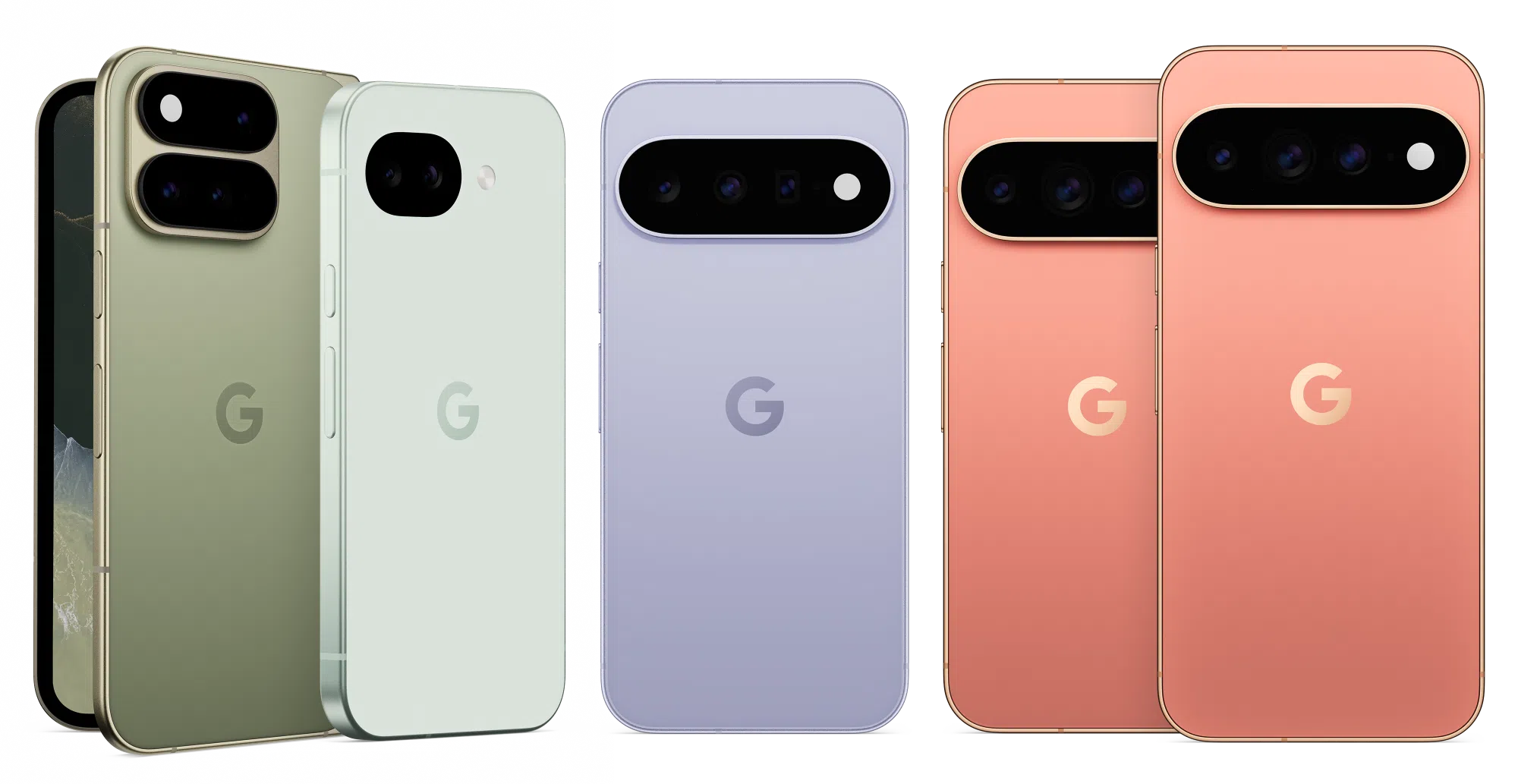
The overall Pixel look remains unmistakably Google, but the Pixel 11 introduces several quality-of-life improvements:
- Thinner camera bar
- Lighter chassis
- Refined build quality
- Improved fingerprint reader
- Same IP68 water and dust resistance
It’s not a radical redesign, but it’s arguably the cleanest Pixel hardware Google has produced so far.
How does AI improve performance?
When Google talks about “AI performance,” it doesn’t necessarily mean the phone itself is faster in the traditional sense.
Traditional Performance vs. AI Performance
Traditional performance is what you notice when:
- Opening apps
- Switching between apps
- Loading games
- Browsing the web
- Editing videos
This depends mainly on the CPU, GPU, memory, and storage.
AI performance refers to how quickly and efficiently the phone can run machine learning tasks directly on the device. Google’s Tensor chips include a specialized AI processor called the TPU (Tensor Processing Unit) that’s designed for these workloads.
Where You’ll Actually Notice It
Better Photography
When you tap the shutter button, Google’s AI is doing a lot behind the scenes:
- Combining multiple photos into one image
- Reducing noise in low light
- Improving skin tones
- Recovering highlight and shadow detail
- Enhancing zoomed images
A more powerful AI engine can process these steps faster and often produce better results.
Faster Gemini Features
Google’s newer AI features increasingly run on the phone itself rather than in the cloud.
Examples include:
- Voice transcription
- Summarization
- Smart replies
- Image editing tools
- AI-assisted search and organization
A stronger TPU can complete these tasks more quickly while using less battery.
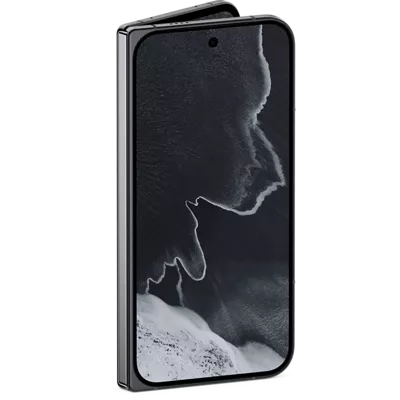
Improved Voice Recognition
The phone can better understand speech in real time, enabling:
- Faster dictation
- More accurate voice commands
- Better live transcription
- More responsive Assistant and Gemini interactions
These are classic AI workloads that benefit directly from Tensor’s specialized hardware.
Better Battery Efficiency
AI improvements aren’t always about speed.
Google says the Tensor G6 delivers significantly more AI compute while consuming less energy. If true, tasks like photography, voice processing, and AI-assisted features can finish faster and drain less battery.
What It Does Not Mean
A stronger AI processor doesn’t automatically mean:
❌ Games will suddenly run at twice the frame rate.
❌ Apps will launch instantly.
❌ The phone will feel dramatically faster for everyday tasks.
The Tensor G6 does include some traditional performance improvements, but Google’s biggest gains appear to be in AI and efficiency rather than raw CPU or GPU power.
Simple Analogy
Think of the CPU as the phone’s general contractor and the TPU as a specialized expert.
The CPU can do almost anything, but the TPU is exceptionally good at AI jobs. By giving photo editing, voice recognition, and Gemini tasks to the TPU, the CPU stays free for everything else, making the overall experience feel smoother and more responsive.
Should Pixel 10 Owners Upgrade? Here’s $.02 & a Grain of Salt.
Honestly? Most Pixel 10 owners can comfortably wait another year.
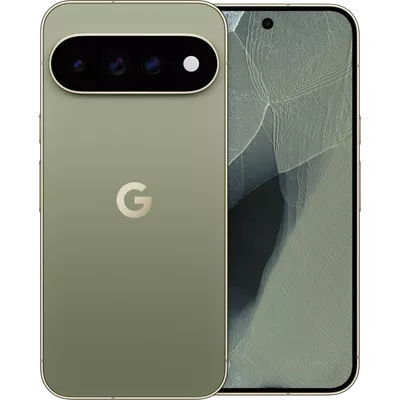
The Pixel 10 remains an excellent smartphone with a great camera system, smooth performance, reliable battery life, and years of software support ahead of it. The Pixel 11 improves nearly every area, but there isn’t a single feature that’s likely to make your current device feel outdated overnight.
However, the upgrade becomes much easier to justify if:
✅ You love mobile photography and want Google’s latest camera improvements.
✅ You use Gemini and AI features heavily.
✅ You want faster wireless charging.
✅ You’re coming from a Pixel 8, Pixel 7, or older device.
The Bottom Line
The Pixel 11 isn’t a revolution. It’s a refinement.
Google has improved performance, AI processing, camera quality, wireless charging, security, and storage, while making the phone a little lighter and a little more polished. That’s great news for new buyers, but many Pixel 10 owners may find that waiting for the Pixel 12 offers a better return on their upgrade dollars.
For Pixel 8 owners and anyone on an older device, though, the Pixel 11 looks like a fantastic leap forward.
Have More Questions? Call or Come See Us at Russell Cellular.
For one-on-one help, consult a genuinely caring expert at your local Verizon store or call 1-800-221-4408 (business customers call 1-866-326-7549). Impressive Google Pixel smartphones are available to order now!
You might also enjoy our recent RC Review of the Google Pixel 10a or other smart devices in our blog.
#RCReview #BuyersGuide #GooglePixel11 #GooglePixel10 #Foldable #ProModels #RussellCellular
FAQ
Is the Pixel 11 faster than the Pixel 10?
Yes. The Tensor G6 processor delivers improvements in everyday responsiveness, AI workloads, and power efficiency compared with the Tensor G5.
Does the Pixel 11 have better cameras?
Yes. The biggest upgrade is a larger main camera sensor designed to improve low-light photography and overall image quality.
Is battery life better on the Pixel 11?
Battery capacity increases only slightly, so don’t expect dramatic gains. Improvements in efficiency may provide modest real-world benefits.
Is the Pixel 11 worth upgrading to from a Pixel 10?
For most Pixel 10 owners, probably not. The changes are meaningful but incremental. The upgrade makes more sense for photography enthusiasts or users who want the latest AI features.
Who should upgrade immediately?
Pixel 7 and Pixel 8 owners are likely to see the biggest benefits from moving to the Pixel 11 series.

Aug 24, 2026
As we get older, staying healthy, safe, and independent becomes a bigger priority – but it doesn’t always get easier. Remembering appointments, tracking health changes, or reaching help quickly can be challenging. That’s where smartwatches for seniors come in.
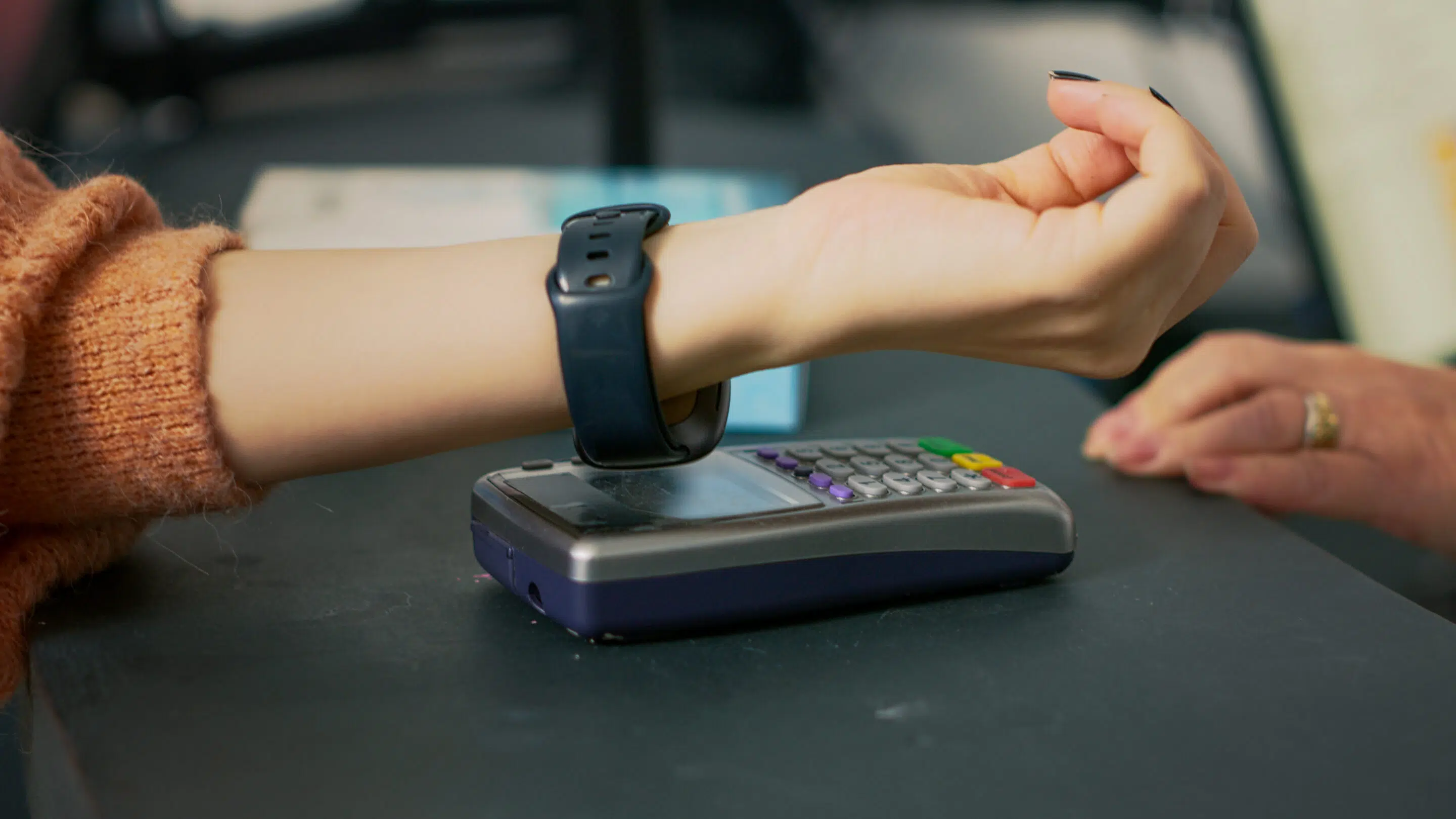 Smartwatches aren’t just trendy gadgets for younger people anymore. Today, they’re reliable health and safety tools for older adults, quietly supporting daily routines, wellness, and peace of mind. Whether a senior lives alone, with family, or in a retirement community, the right smartwatch can make everyday life simpler and safer.
Let’s take a closer look at the benefits of smartwatches for seniors – and why one might be a smart investment for you or someone you care about. Find the tech that’s “just right” at your local Verizon store, shop online, or consult the pros at Russell Cellular at 1-800-221-4408 (business customers call 1-866-326-7549).
What Can a Smartwatch Do for Seniors?
A smartwatch is a wearable device that connects to a smartphone using Bluetooth. That connection allows seniors to see calls, read messages, and receive alerts right on their wrist – no scrambling for a phone across the room. Many senior-friendly smartwatches also support voice commands, so there’s no need for complicated typing. Just talk, tap, and go.
Beyond communication, smartwatches are helpful for everyday tasks:
- Setting alarms and reminders
- Checking the weather and time
- Using timers for cooking or medication
- Getting directions or making electronic payments
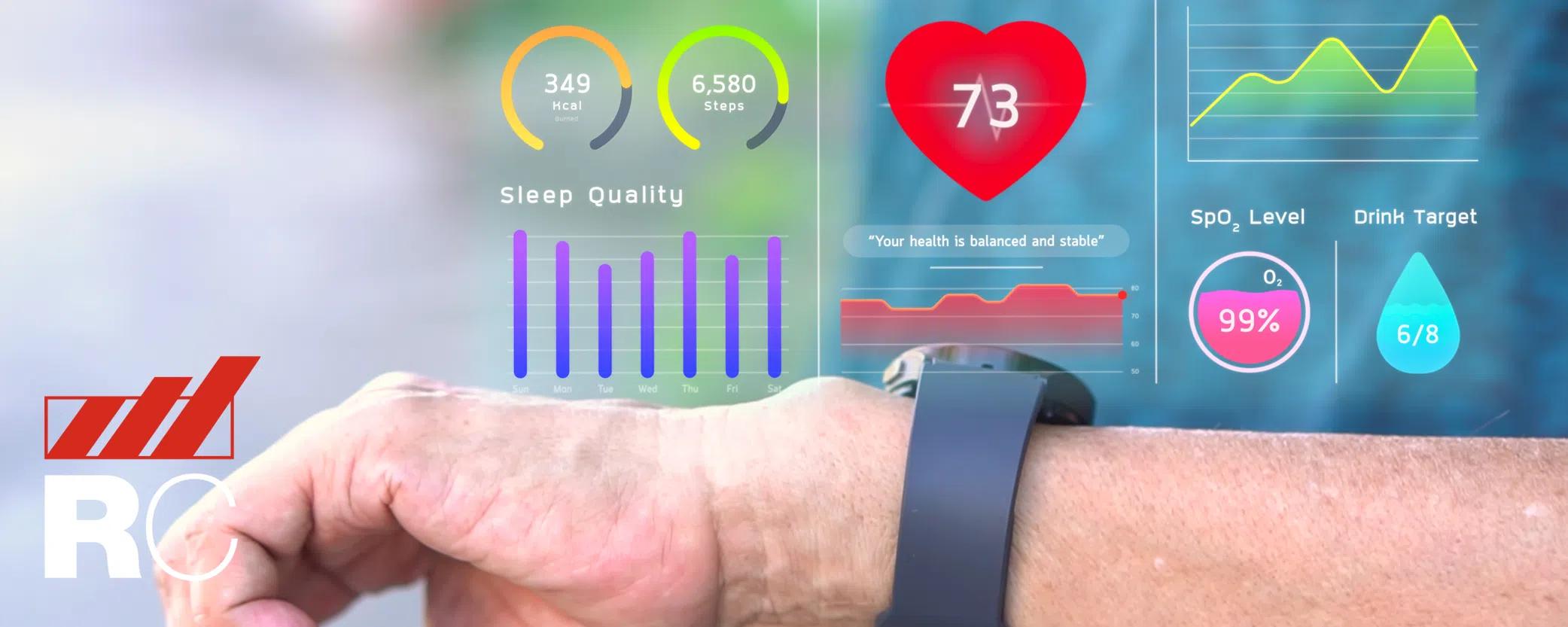
The real value for older adults comes from health monitoring and personal safety features, which is why more seniors are choosing smartwatches as part of their daily routine.
Top 6 Benefits of Smartwatches for Seniors and the Elderly
1. Health Monitoring You Can Rely On
One of the biggest reasons people search for smartwatch benefits for elderly users is health tracking – and for good reason. Most smartwatches for seniors can track:
- Heart rate
- Blood oxygen levels
- Daily movement and activity
- Sleep patterns
Some advanced models also include ECG (electrocardiogram) monitoring, which can detect irregular heart rhythms. If something seems off, the watch can send an alert – helping the wearer respond quickly, before a small issue becomes a serious problem.
These features turn a smartwatch into a 24/7 health companion, offering reassurance without being intrusive.
2. Sleep Tracking That Supports Better Rest
Sleep changes as we age, and many older adults struggle with light or interrupted sleep. A smartwatch with sleep tracking for seniors helps make sense of what’s happening overnight.
By tracking sleep duration, rest quality, and wakeups, smartwatches provide useful insights that can be shared with doctors or caregivers. Better sleep awareness supports:
- Improved mood
- Better memory
- Stronger heart health
The best part? There’s nothing to do. Just wear the watch to bed and let it work quietly in the background. Who doesn’t love reliable technology without tedium?

3. Activity Tracking That Encourages Gentle Movement
Staying active is one of the easiest ways to maintain strength, balance, and mental wellness as we age. A smartwatch for seniors’ fitness and activity tracking makes movement more visible – and more motivating.
Most models track daily steps, active minutes, and calories burned. Many also offer gentle reminders to stand, stretch, or take a short walk.
These small nudges help seniors:
- Build healthy habits
- Stay consistent without pressure
- Feel more energized over time
You don’t need a gym membership – just a little encouragement on your wrist. Healthy habits are formed just like bad ones: consistency. Periodic check-ins from smart wearables can help anyone stay on track, seniors included.

4. Reminders and Alerts That Support Memory
Memory lapses happen, and that’s completely normal, though “senior moments” are most certainly a thing. Smartwatches help prevent missed events – big and little – by sending timely notifications and reminders for:
- Medications
- Doctor appointments
- Daily tasks
They also help locate misplaced phones or keys using “find my device” features – saving time and reducing stress.
These tools offer gentle support without taking away independence, making smartwatches especially useful for seniors who value staying in control of their daily lives.
5. Easy Ways to Stay Connected with Family and Friends
Staying connected matters more than ever. With a smartwatch, seniors can:
- Answer or decline calls
- Check important texts
- Send quick replies
- Receive emergency notifications
Even if a phone is across the room, help and communication are just a tap away. For seniors living alone, this feature provides both confidence and peace of mind – for them and their family members.
6. Emergency Help When It’s Needed Most
Falls are one of the biggest safety concerns for older adults. That’s why many families look specifically for a fall detection smartwatch for seniors.
If the watch senses a fall, it checks to see if the wearer responds. If not, it can automatically contact emergency services or a trusted caregiver through SOS emergency features.
This kind of quick response can be life-changing – and even life-saving.
Extra Smartwatch Features Seniors Appreciate
In addition to the main benefits, senior-friendly smartwatches often include:
- Loud noise alerts to protect hearing
- Voice assistants for hands-free use
- Smart home control (lights, devices)
- Weather and time updates at a glance
- Calendar syncing for daily planning
Together, these features make smartwatches a practical and comfortable wearable technology solution for older adults.
How to Choose the Best Smartwatch for Seniors
If you’re comparing options, knowing how to choose a smartwatch for seniors makes all the difference.
Look for:
- A large, bright display with easy-to-read text
- Simple navigation and clear menus
- Long battery life
- Comfortable design for all-day wear
- Health tracking and emergency SOS features
- Water resistance
Some seniors want advanced features, while others prefer something basic. The best smartwatch for seniors is one that matches comfort level, lifestyle, and personal needs.
If possible, try the watch before buying to ensure it feels intuitive and easy to use.
Are Most Seniors Finding a Smartwatch Purchase Worth It?
Absolutely. Smartwatches are no longer just fitness accessories – they’re powerful wellness, safety, and communication tools for seniors.
From health monitoring and fall detection to reminders and staying connected, these devices help older adults live more confidently and independently.
Whether you’re a senior yourself or helping a loved one, a smartwatch can quietly support daily life in meaningful ways. And with so many senior-friendly options available, there’s truly a smartwatch for every need.
Come see the smartwatches and other wearable devices at your local Verizon store, shop online, or call the pros at Russell Cellular at 1-800-221-4408 (business customers call 1-866-326-7549) for friendly help ordering.
Check out other RC blog articles.

Frequently Asked Questions About Smartwatches for Seniors
Are smartwatches good for seniors?
Yes, smartwatches are very good for seniors. They help with health monitoring, emergency alerts, daily reminders, and staying connected with family. Many smartwatches for seniors are designed to be easy to use, comfortable to wear, and helpful without being complicated.
What are the main benefits of smartwatches for seniors?
The main benefits of smartwatches for seniors include:
- Heart rate and health monitoring
- Fall detection and emergency SOS features
- Activity and sleep tracking
- Medication and appointment reminders
- Easy communication with family and caregivers
These features support safety, independence, and peace of mind.
Can a smartwatch really help in an emergency?
Yes. Many senior-friendly smartwatches include emergency SOS and fall detection. If a fall is detected and the wearer doesn’t respond, the watch can automatically call emergency services or alert a trusted contact. This feature is especially important for seniors who live alone.
Do smartwatches work without a smartphone?
Some smartwatches can work without a smartphone if they have cellular or LTE support, but many basic smartwatches still need a phone nearby for full functionality. For seniors who don’t want to carry a phone, choosing a smartwatch with built-in cellular service can be a good option.
What is the easiest smartwatch to use for seniors?
The easiest smartwatch for seniors is one with:
- A large, bright display
- Simple menus and clear text
- Few buttons and intuitive touch controls
- Voice command support
Ease of use should always be a top priority when choosing a smartwatch for an older adult.
Are smartwatches good for seniors who live alone?
Absolutely. Smartwatches are especially helpful for seniors living alone. Features like emergency SOS, fall detection, health alerts, and quick access to calls provide added safety and peace of mind for both seniors and their families.
Can a smartwatch track heart problems in older adults?
Many smartwatches can track heart rate and notify users of unusually high, low, or irregular heart rhythms. Some models even offer ECG monitoring, which can help detect potential heart issues early. While they don’t replace a doctor, they can be a valuable health awareness tool.
Do seniors need advanced features on a smartwatch?
Not always. Some seniors enjoy advanced features, while others prefer something basic. The best smartwatch for seniors is one that matches comfort level, technology experience, and personal needs. It’s perfectly fine to choose a simple model focused on safety and health.
How long does a smartwatch battery last for seniors?
Battery life varies by model. Some smartwatches need daily charging, while others can last several days. For seniors, it’s usually best to choose a smartwatch with long battery life so it doesn’t need to be charged often.
Is a smartwatch worth buying for an elderly parent?
Yes, a smartwatch can be a worthwhile investment for an elderly parent. It offers health tracking, emergency support, reminders, and easier communication – all in one wearable device. Many families find it brings comfort and reassurance knowing help is always close at hand.
#Verizon #5G #LTE #Fiber #Smartwatch #RussellCellular #BetterTogether
Check out other RC blog articles.

Aug 17, 2026
RC is the Communications Partner that Business Owners Keep
Small businesses are always looking for ways to work smarter, stay connected, and grow. As Verizon’s upcoming Small Business Days approach, it’s a great time for business owners to explore the tools, connectivity solutions, and special offers designed specifically to help them succeed. Russell Cellular’s Business Team is ready to help at 1-866-326-7549 or use our Contact Form.
Get More from Verizon Small Business Solutions 
Verizon offers a wide range of solutions for small businesses, including mobile devices, internet services, voice and collaboration tools, fleet management and security offerings. Whether you’re running a local storefront, managing a remote workforce or scaling a growing company, Verizon provides flexible options designed to help keep your business connected and productive.
Manage Your Business Anywhere with the My Verizon for Business App
One highlight for small business customers is the My Verizon for Business app. The redesigned app puts account management right in your pocket, making it easier to monitor services, manage devices, view billing information and handle business needs from virtually anywhere. For busy owners and decision-makers, it offers a convenient way to stay on top of business operations without being tied to a desk.
Exclusive Offers Worth Exploring
During Small Business Days, business owners can take advantage of Verizon’s latest promotions and savings opportunities. Current offers include:
- 5G Business Internet and LTE Business Internet starting at $35/month when paired with eligible Verizon business smartphone plans.
- Fios Business Internet plans starting at $69/month, with qualifying customers eligible for up to a $200 Virtual Visa® Prepaid Card on select high-speed plans.
- Device promotions, including savings on the latest smartphones with eligible trade-ins and business plans.
- Flexible My Biz Plan options that allow businesses to customize mobile services and pay only for the features they need.
Resources to Help Your Business Grow 
Beyond connectivity, Verizon also supports entrepreneurs through its Small Business Digital Ready program, which provides free online courses, mentorship opportunities, networking resources and access to grant opportunities. These resources can help small business owners build new skills and navigate today’s increasingly digital marketplace.
Don’t Miss Small Business Days
Verizon Small Business Days is the perfect opportunity to discover new technology, explore exclusive offers and learn about resources that can help your business thrive. From the My Verizon for Business app to internet savings, mobile solutions and professional development tools, Verizon continues to invest in helping small businesses succeed.
Chat by phone with a genuinely caring, authentic expert at 1-866-326-7549 or use our Contact Form to explore the many opportunities and challenges Russell Cellular can help you tackle efficiently and effectively!
#SmallBusinessDays #VerizonBusiness #5GBusinessInternet #FiosBusinessInternet #ConnectedDevices #DeviceDiscounts #GrantsMentoringMore #RussellCellular
Read more RC blog articles.