
Jul 21, 2022
The tireless efforts of America’s healthcare professionals save thousands of lives every year. And over the last few years in particular, nurses and respiratory therapists have given everything and more to make sure we stay safe.
As thanks for their amazing commitment, Verizon is offering discount plans for active nurses (LP, LVN, NP or RN) and respiratory therapists with a valid National Provider Identifier number. That means you could save up to $25/month on your mobile plan, with even more discounts available for entertainment packages and fiber-optic home internet service.
Available Verizon nurse discounts
5G Unlimited mobile plans
When you sign up for a Verizon 5G Unlimited mobile plan as a nurse or respiratory therapist you receive a monthly discount based on the number of phones you have:
- 1 phone: $10/month discount per account
- 2-3 phones: $25/month discount per account
- 4+ phones: $20/month discount per account (reflecting the discounts already applied to accounts with four or more Unlimited plans)
As well as connecting you to the world’s most reliable and responsive mobile network, our 5G Do More, 5G Get More, and 5G Play More plans come with free entertainment subscriptions. That means you can save even more money while putting a smile on every face in the family.
Verizon Fios Home Internet
Fios is a 100% fiber-optic network that brings you the fastest internet speeds around. As a nurse or respiratory therapist, you might qualify for a Fios discount of up to $15/month if you live in a key metro area in a mid-Atlantic or New England state.
Other discounts
In addition to your mobile plan and fiber-optic home internet, you can apply even more discounts to your account with:
- The Disney Bundle
- Disney+ on us
- Mobile + Home Discount
- Monthly Auto Pay and paper-free billing discount
By combining these extra discounts with the money saved on your Unlimited plan, you can reduce your monthly bill to the lowest possible amount.
How to get your nurse or respiratory therapist discount
Getting your mobile and Fios home internet discount is simple. All you need to do is:
- Confirm that you’re eligible for the discount using Verizon’s partner ID.me verification tool.
- Add the discount to your account once you’re sent back to the Verizon website.
You can apply for your discount whether or not you’re currently a Verizon customer.
If you already have a 5G Unlimited mobile plan, your discount will be applied automatically. If you don’t, simply switch to a qualifying plan to save money. (With your massive discounts and 5G connectivity, your new plan will almost certainly be cheaper and better than your current contract!)
Or, if you’re not with Verizon yet, you can get the discount when you sign up.
You won’t see your discount in your shopping cart, but you will receive an email confirming that you qualify. Your discount will be applied to your bill within 1-2 billing cycles, and you’ll continue to save money throughout your Verizon contract.
Upgrade your phone with Russell Cellular to save even more
Your nurse or respiratory therapist discount is a quick and easy way to lower your monthly bills while boosting your connectivity with a 5G connection. But the discounts and benefits don’t end there.
When you trade in your old phone or switch to a Verizon 5G Unlimited mobile plan with Russell Cellular, you can get a brand new 5G phone worth $800 absolutely free! Check out the smartphone deals available on our website to get the cheapest, fastest, and most reliable mobile plan around.

Jul 20, 2022
Unlike smartphones, devices like laptops aren’t able to connect to the internet without a Wi-Fi signal. But rather than risk using an unsecured network while you’re on the go, you can generate your own secure Wi-Fi by turning your phone into a mobile hotspot.
Every smartphone and basic phone from Verizon comes preinstalled with a mobile hotspot feature. Different devices use different names for this, such as:
- Personal Hotspot (iOS)
- Internet Sharing (Windows)
- Portable Wi-Fi Hotspot (Google Nexus devices)
Your mobile hotspot lets you share your network connection with up to 10 devices, which use your phone’s data plan to access the internet. This feature is available anywhere that has 4G LTE service, or anywhere in the US with 5G Ultra Wideband or 5G Nationwide. Your mobile hotspot even includes password protection to prevent strangers from joining your network and accessing your information.
How to use your mobile hotspot
- Go to Settings or Manage Connections, and activate Verizon Wireless Mobile Hotspot.
- Open the App Tray and click Mobile Hotspot.
- Turn it on and an icon will appear in your notifications panel showing that your hotspot is available for connection.
- On your other device, scan for available Wi-Fi networks and click the name of your hotspot. You’ll need to enter your cell phone’s hotspot password. To find this:
- Go to Settings.
- Click Wireless & Networks.
- Click Tethering & Portable Hotspot.
- Check the Show Password box to see your password.
- Enter the password, then click Join or Connect to start browsing the internet.
Mobile hotspot not working? Here’s how to fix it
- Open Verizon’s Device Troubleshooting Assistant.
- Click on your device.
- Sign in with your My Verizon username and password for a personalized solution, or simply click Continue.
- Hover over Data Internet and Connectivity.
- Click the issue you need help with.
- Follow the on-screen instructions to fix your mobile hotspot issue.
Share unlimited data with a Verizon Unlimited Plan
When you turn your cell phone into a hotspot, any device that connects to it uses your data to access the internet. If you use the feature often, or if you connect a lot of devices, it’s easy to accidentally run out of data.
But if you have a Verizon Unlimited Plan, you can use as much data as you want without ever running out or paying extra. That means you never need to worry about using your cell phone as a mobile hotspot.
Best Verizon Unlimited Plans
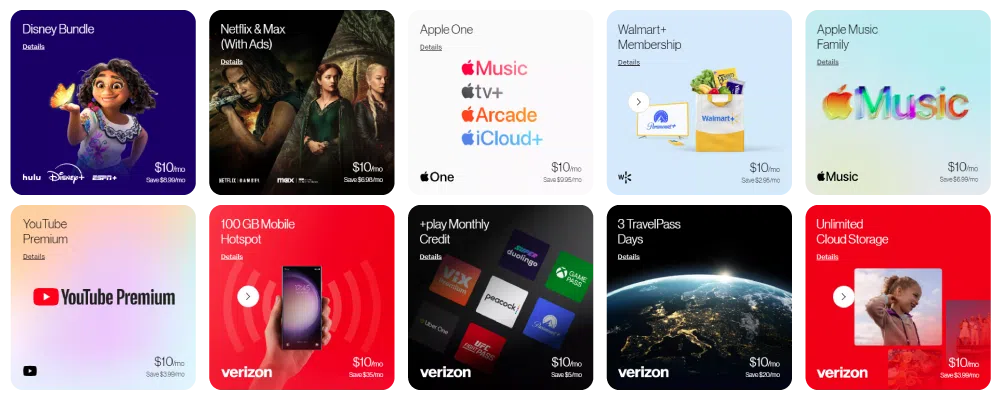
- 5G Get More: 50GB premium mobile hotspot data, then unlimited lower-speed data
- 5G Do More, and 5G Play More: 25GB premium mobile hotspot data, then unlimited lower-speed data
How to use your mobile hotspot without data
You’ll have the fastest and most stable mobile hotspot experience by using your data for an internet connection. But in a pinch, it’s possible to use your mobile hotspot without data through the Wi-Fi tethering feature.
Wi-Fi tethering lets your device behave as an internet router. Some devices need a physical connection through a USB cable, but most can simply use Bluetooth or Wi-Fi.
Android
1) Go to Settings.
2) Click WiFi & Internet.
3) If you can’t see an option for Wi-Fi tethering, click More.
4) Turn on Tethering.
iOS
1) Go to Settings.
2) Click Personal Hotspot. (For some iOS devices, you might need to click General, then Network, then Personal Hotspot.)
3) Turn on Personal Hotspot.
Visit us in-store to find the perfect phone and plan
When you’re ready to upgrade your phone or data plan, our friendly and knowledgeable staff will help you find the perfect match for your usage needs and habits. They’ll even show you how to use the mobile hotspot and Wi-Fi tethering features on your new phone, so you can quickly set up a connection.
Find your local Russell Cellular store online, and drop in to see us today.
Jun 20, 2022
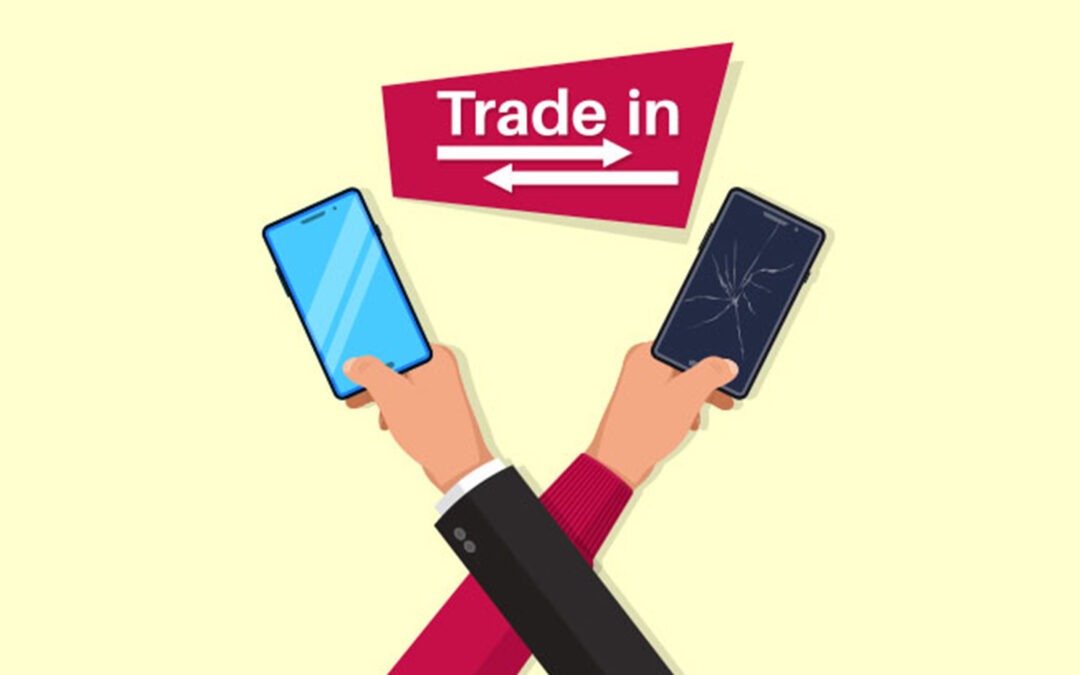
Trading in your phone is a great way to earn account credit towards your next Verizon cell phone or plan. You can trade in a wide range of devices, including:
- Smartphones
- Basic phones
- 3G prepaid phones (active for at least six months)
- 4G prepaid phones (activated with at least the first month paid)
- Tablets
- Netbooks
- Smartwatches
- Mobile hotspot devices
If you’re already a Verizon customer, we’ll credit the value of your device to your account. That way, you can reduce your monthly payments or upgrade your cell phone for less.
If you’re not a Verizon customer just yet, you’re still welcome to trade in your phone with us. You can request PayPal credit, or a Verizon Gift Card to help you start your new contract.
Follow our quick trade-in guide below to save money and protect the environment against waste with our phone recycling scheme.
How to submit a trade-in request
- Go to our Trade-In page.
- Answer a few questions about your phone and its condition so that we can estimate its trade-in value.
- Choose how you’d like to be paid, and how you’d like to ship your phone to us. We can send you a shipping kit, or you can ship the device yourself.
- Accept our Device Trade-in Program Terms & Conditions, and click Complete to submit your request.
How to prepare your phone for shipping

- After you submit a trade-in request, you’ll receive an email that tells you how to prepare, pack, and ship your old device. (If you haven’t received it, remember to check your spam folder.)
- Double-check that the battery, screen, and ports are working, that the glass isn’t broken, and that your phone can turn on and off.
- Back up your content, and save any pictures, contacts, and information you want to keep.
- Disable your Google account and any other linked accounts.
- Clear your data.
- Perform a factory reset.
How to send your phone back to Verizon for trade-in
- If you requested a shipping kit, you’ll receive a box, padded envelope, and prepaid return label for each device you’re trading in. If your kit didn’t arrive, please request a replacement.
- When you’re using your shipping materials, please pack each device securely in its package. Then, print your shipping labels and affix them to the front of the correct packages.
Mail us your old device within 15 days, and we’ll pay you for trading in your phone through your chosen payout method.
Choose your new Verizon phone

Once you’ve traded in your phone at Verizon, there’s no point in letting your valuable credits gather dust. Treat yourself to super fast processing with the Samsung S22 Ultra, high-tech security with the Google Pixel 6 Pro, or crystal clear photos with the Apple iPhone 13 Pro Max. Alternatively, browse our online store yourself to discover your next favorite device!

Jun 20, 2022
Choosing the right cell phone service provider can be tough. There are dozens of carriers calling your name, but the information on their websites often raises more questions than it answers. Add to that hidden fees, awkward setup instructions, and long wait times, and the thought of switching providers can put your stomach in knots. That’s why Verizon keeps things simple. Let us show you all the reasons why switching to Verizon provides the best benefits.
As America’s most awarded network, Verizon gives over 230m customers the world’s most reliable 4G LTE and 5G networks. As a result, you get lightning-fast download speeds for gaming, streaming, and browsing, the widest wireless service coverage, and virtually no lag on 5G-enabled devices.
But if you’re looking for more than top-notch performance and exceptional connectivity, here are some additional benefits of switching to Verizon from T-Mobile, AT&T, Sprint, and more.
Great deals for switching to Verizon
To help you get a phone and plan that you love without breaking the bank, Verizon constantly offers fresh deals for new and existing customers. Right now, you can get a free iPhone 13, Samsung Galaxy S22 5G, or Samsung Galaxy S22 Ultra when you trade in your old phone and start up certain Unlimited plans. On top of that, you’ll even get a $200 Verizon gift card that you can put towards monthly bills or a new device.
Making the switch can net you up to 1,000 dollars in product value even before you get to our great prices and free extras. This offer is only available for a limited time, but another deal won’t be far behind. So keep an eye out for the best Verizon deals at Russell Cellular.
Plenty of perks and extras to save money
When you switch to Verizon, you don’t just get a mobile service contract. You can also get entertainment subscriptions, home internet, and other bonuses worth up to $1,080/year free.
As well as unlimited talk and text, 4G LTE, international texting, Call Filter spam blocking, and other standard features, switching to a Verizon Unlimited plan means you can:
- Entertain the whole family with the latest movies and series with free subscriptions to Hulu, Disney+, and ESPN+
- Play hundreds of exciting games on the go with Apple Arcade or Google Play Pass
- Listen to over 90m songs ad-free using Apple Music
- Save 50% on Verizon home internet and your connected device plan
- Protect your photos and files by linking to Verizon cloud storage
Many of our customers already pay for a lot of these services separately. Bringing them all into a single bundle not only saves you a ton of money every month but also makes it incredibly easy to track your subscriptions. You might even discover your next favorite show, game, or song while you’re at it!
Verizon Up rewards program
As a Verizon customer, you can join our exclusive Verizon Up rewards program for instant access to lots of deals and savings. Whenever you use your Visa card, you’ll earn Verizon Dollars that you can spend on:
- Gift cards
- Concert tickets
- New devices
- Accessories
You can register for Verizon Up, claim Verizon Dollars, and redeem your rewards in seconds through your My Verizon app.
Roadside assistance with Verizon’s connected car service
When your car breaks down, Verizon’s massive network coverage can be a lifesaver. But why wait around for rescue when Verizon’s 5G Do More plan includes 50% off a subscription to Hum, the network’s all-in-one connected car system?
Hum turns your car into a smart car by giving you resources and diagnostics to monitor vehicle health and identify problems using a single app. It even gives you maintenance reminders, tracks where you’ve parked, and lets you know when your meter needs filling. But the biggest benefit of Hum is that it gives you 24/7 roadside assistance and emergency vehicle services to keep you, your passengers, and your car safe.
Share data and gifts with loved ones

You’re not the only one who benefits from a Verizon contract. With the Verizon Messages app, you can also treat your family and friends to some wonderful gifts.
Whether there’s a birthday coming up or you’re just feeling generous, the app lets you send eGift cards to popular brands like Amazon or Nordstrom. And if someone’s in a bind, you can give them some of your data to help them out. The best part is that you don’t even need your credit card. Both transactions are applied to your monthly plan, so you can spread the love whenever you like.
With Verizon, you support better quality of life
There are plenty of great personal reasons for you to join Verizon. It’s a superfast wide-coverage provider that makes mobile connectivity fun and convenient. But Verizon is also dedicated to supporting some of the world’s most important humanitarian efforts.
As part of their responsibility commitments, Verizon works hard to:
- Provide schools with free internet access and cutting-edge technology.
- Achieve zero carbon emissions by 2035 to protect the environment.
- Care for the population by investing in vaccine education.
- Champion and promote diversity and inclusion in the workforce.
By joining Verizon, you show your support for a wide range of social efforts designed to improve the quality of life for millions of people across the country.
Switch to Verizon today
Switching to Verizon from T-Mobile, AT&T, Sprint, or any other service provider lets you save money, enjoy free subscriptions, and help those around you. And with Russell Cellular, the process is incredibly easy.
Visit our website or stop into one of our convenient locations to choose your preferred switch deal. We’ll walk you through the simple steps to joining America’s fastest and most reliable mobile network.

May 25, 2022
“There is no age requirement for leadership…for things like vulnerability, authenticity, passion, purpose, or being a servant. However, when we put these in motion, our experience and perspective will play a part.” Kurt Reinhart
I launched this series of articles to share 11 “ingredients” that make up a recipe for leadership. Each one represents an element that creates significant impact and influence:
- Part 1: Purpose – Where leadership is born
- Part 2: Mastery – What strengthens our leadership
- Part 3: Integrity – How leadership is delivered
- Part 4: Accountability – How to own our leadership
- Part 5: Intentional Influence – Where leadership goes
- Part 6: Organizational Flexibility – How leadership moves
- Part 7: Perseverance & Crisis Management – To what extent leadership will go
- Part 8: Vulnerability & Transparency – How leadership reveals truth
- Part 9: Optimism & Leadership Style – What gives leadership energy
- Part 10: Service – Where others see our leadership
Each one has a focus and a place in every moment we are given, and exercising them is key to the growth and development of our leadership style. But what happens when we expand all into view? Not as one offs, although that is just as important given a specific context. What is possible in our leadership when all the ingredients are in view?
Perspective as a Means for Growth and Professional Development
Perspective relates to a view of things. A capacity to see things as they are and even how they might be. Physically. Mentally. Emotionally. Spiritually. Sometimes right in the middle of the tension between what is true and real with what is perceived and relative. Between what we think we ought to do versus what we know we do. This is leadership. This is life.
Undoubtedly, we have a library of skills, abilities, and knowledge to come into play. The challenge is the variables and the uncertainty of what we are given. There is no absolute formulaic approach for our leadership. We need to balance what we know with what is front of us. It calls us to be aware, to foster an awareness beyond what we know. How do we bring everything into view as we move forward?
Start Thinking about Perspective Today
Get a sheet of paper and a pen. Draft your answers to some or all of following questions:
- How do you define perspective and situational awareness?
- What are the current ways you gain perspective?
- What triggers your need for greater perspective and awareness?
- How would you evaluate your decision-making best practices?
- Do you incorporate perspective into an intentional leadership style?
- When you are in the midst of situations, what are your instincts?
- What makes up your inventory of considerations?
- How open are you to the perspective of others when considering what courses of action to take?
- What would your team say about your ability to gain perspective?
Do these questions impact and influence how you gain perspective? Leadership, relationships, working through crisis and opportunity, managing situations and our teams, championing professional development – our approach is rarely rigid due to each circumstance being unique. What we know versus what we ought to know calls us into something deeper: to seek more perspective to make the most of our leadership.
Building an Intentional Leadership Style around Perspective
Maybe the thing I end this series with is to bolster a situational and relational awareness by encouraging our intuition and discernment. Both work hand in hand, but they are not the same. While intuition refers to a gut feeling or a hunch, discernment helps us wisely recognize and use our intuition when we need it. When looked at this way, we see that intuition is not just a reliance on flighty emotions, but is grounded in intelligence. Intuition can cause unnecessary fear or worry, and discernment can help us reel in those emotions and not let them incapacitate our thinking and doing.
Here is another way to look at this. You and I may have an idea of what we should do, but that does not mean we can do it or even that we should do it. It may not be realistic or practical. Skills, abilities, and knowledge do not guarantee an idea will be successful. Even if it seems in our gut we are able to do it, the idea may be out of reach. What we decide to do is the byproduct of our discernment.
The ingredients making up our leadership recipe are of service to the teams we get to oversee. They are leveraged in the pursuit of our ideas through the efforts of those who follow us. They are developed on purpose, for purpose.
Our leadership should challenge us and those around us, not constrict us. It requires a daily commitment to be the best version of ourselves to benefit the people around us. A desire for greater perspective to put everything into view – what is seen and unseen – with no guarantees in outcome. With the knowledge and understanding of who I am, what I believe, what I have, where I place my faith, and how hard and how long I am willing to work to be the best leader I can be.
How will you step into your intentional leadership today?
How to hone your sense of perspective
- Discuss and develop situational awareness within your organization
- Explore decision-making approaches with your teams, such as the Socratic method
- Define best practices in gaining perspective when thinking strategically
- Identify ways to allow others to provide insight and feedback in projects
- Be in the practice of assessing threats, risks, and tripping points, as well as strengths and opportunities as you make personal and organizational decisions