Unlike smartphones, devices like laptops aren’t able to connect to the internet without a Wi-Fi signal. But rather than risk using an unsecured network while you’re on the go, you can generate your own secure Wi-Fi by turning your phone into a mobile hotspot.
Every smartphone and basic phone from Verizon comes preinstalled with a mobile hotspot feature. Different devices use different names for this, such as:
- Personal Hotspot (iOS)
- Internet Sharing (Windows)
- Portable Wi-Fi Hotspot (Google Nexus devices)
Your mobile hotspot lets you share your network connection with up to 10 devices, which use your phone’s data plan to access the internet. This feature is available anywhere that has 4G LTE service, or anywhere in the US with 5G Ultra Wideband or 5G Nationwide. Your mobile hotspot even includes password protection to prevent strangers from joining your network and accessing your information.
How to use your mobile hotspot
- Go to Settings or Manage Connections, and activate Verizon Wireless Mobile Hotspot.
- Open the App Tray and click Mobile Hotspot.
- Turn it on and an icon will appear in your notifications panel showing that your hotspot is available for connection.
- On your other device, scan for available Wi-Fi networks and click the name of your hotspot. You’ll need to enter your cell phone’s hotspot password. To find this:
- Go to Settings.
- Click Wireless & Networks.
- Click Tethering & Portable Hotspot.
- Check the Show Password box to see your password.
- Enter the password, then click Join or Connect to start browsing the internet.
Mobile hotspot not working? Here’s how to fix it
- Open Verizon’s Device Troubleshooting Assistant.
- Click on your device.
- Sign in with your My Verizon username and password for a personalized solution, or simply click Continue.
- Hover over Data Internet and Connectivity.
- Click the issue you need help with.
- Follow the on-screen instructions to fix your mobile hotspot issue.
Share unlimited data with a Verizon Unlimited Plan
When you turn your cell phone into a hotspot, any device that connects to it uses your data to access the internet. If you use the feature often, or if you connect a lot of devices, it’s easy to accidentally run out of data.
But if you have a Verizon Unlimited Plan, you can use as much data as you want without ever running out or paying extra. That means you never need to worry about using your cell phone as a mobile hotspot.
Best Verizon Unlimited Plans
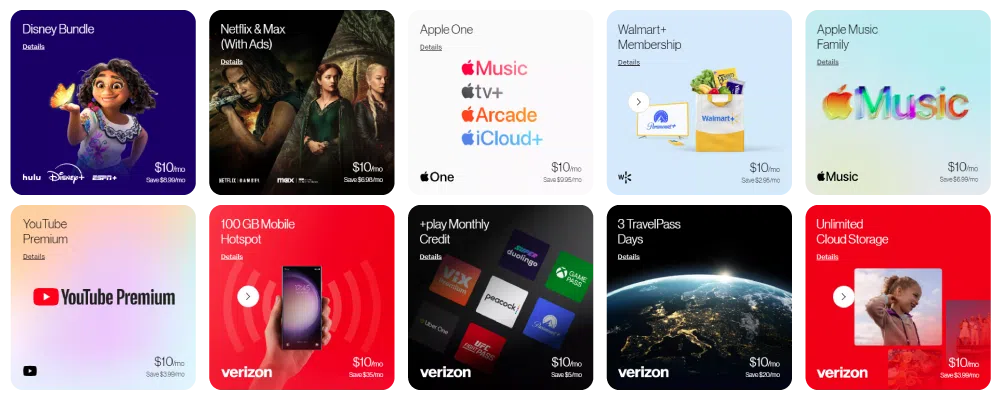
- 5G Get More: 50GB premium mobile hotspot data, then unlimited lower-speed data
- 5G Do More, and 5G Play More: 25GB premium mobile hotspot data, then unlimited lower-speed data
How to use your mobile hotspot without data
You’ll have the fastest and most stable mobile hotspot experience by using your data for an internet connection. But in a pinch, it’s possible to use your mobile hotspot without data through the Wi-Fi tethering feature.
Wi-Fi tethering lets your device behave as an internet router. Some devices need a physical connection through a USB cable, but most can simply use Bluetooth or Wi-Fi.
Android
1) Go to Settings.
2) Click WiFi & Internet.
3) If you can’t see an option for Wi-Fi tethering, click More.
4) Turn on Tethering.
iOS
1) Go to Settings.
2) Click Personal Hotspot. (For some iOS devices, you might need to click General, then Network, then Personal Hotspot.)
3) Turn on Personal Hotspot.
Visit us in-store to find the perfect phone and plan
When you’re ready to upgrade your phone or data plan, our friendly and knowledgeable staff will help you find the perfect match for your usage needs and habits. They’ll even show you how to use the mobile hotspot and Wi-Fi tethering features on your new phone, so you can quickly set up a connection.
Find your local Russell Cellular store online, and drop in to see us today.