Oct 9, 2026
Apple is nearing its official entry into the foldable smartphone market with the all-new iPhone Duo, and it’s already generating plenty of excitement. For years, iPhone users have watched foldable devices evolve from the sidelines. Now Apple has delivered its own take on the category, combining a familiar iPhone experience with an expansive folding display, powerful cameras, and Apple Intelligence features designed to help users get more done.
But is the new Apple iPhone Duo the future of smartphones, or just another premium device with a premium price tag? Let’s explore the iPhone Duo’s specifications, standout features, Apple Intelligence capabilities, and who should consider making the switch.
For one-on-one help from a genuinely caring, qualified expert, call us at 1-800-221-4408 or stop by your local Verizon store. Pre-orders for the iPhone Duo begin Friday, October 16, 2026, while the in-store release is set for October 23.
Apple iPhone Duo Specifications at a Glance
Before diving into the details, here’s a quick overview of what’s powering Apple’s newest flagship foldable.
Key Specifications
- 7.9-inch Super Retina XDR foldable display
- 6.4-inch Super Retina XDR cover display
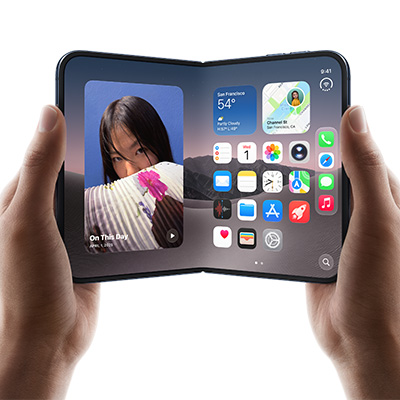
- ProMotion technology with up to 120Hz refresh rate
- Apple A20 Pro chip
- 12GB RAM
- Available in 256GB, 512GB, and 1TB storage options
- 48MP Fusion main camera
- 48MP ultra-wide camera
- 12MP telephoto camera with 5x optical zoom
- 12MP TrueDepth front camera
- Up to 30 hours of video playback
- USB-C fast charging and MagSafe wireless charging
- iOS 27
- IPX8 water resistance
- Starting around $1,999.99
What Makes the Apple iPhone Duo Different?
Truth is, the iPhone Duo isn’t trying to replace your current iPhone. It’s trying to replace multiple devices.
Think of it as an iPhone, an iPad mini, a productivity tool, an entertainment hub, and an Apple Intelligence assistant all folded into a single device that still fits in your pocket.
That’s really the story of the iPhone Duo.
Apple didn’t simply build a folding screen; it built a larger canvas for everything people already do on their iPhones.
Whether you’re responding to work emails, editing documents, watching movies on flights, participating in video meetings, or managing a busy schedule, the Duo gives you significantly more room to work with.
 Five Reasons the iPhone Duo Stands Out
1. A Bigger Screen That Changes How You Use Your Phone
The headlining feature is obviously the nearly 8-inch foldable display.
When closed, the iPhone Duo feels familiar and easy to use. Open it up, however, and it transforms into a tablet-like experience that creates entirely new possibilities for productivity and entertainment.
Why You’ll Notice the Difference
- View documents without endless zooming
- Work in multiple apps at the same time
- Enjoy more immersive streaming and gaming
- Read articles and ebooks more comfortably
- Experience more natural video calls
The extra screen space isn’t just about size. It’s about flexibility, comfort, and usability.
2. Multitasking Finally Feels Practical
Many smartphones claim to support multitasking. The iPhone Duo is one of the few devices that genuinely makes multitasking useful.
Imagine reviewing a presentation while referencing a spreadsheet.
Or participating in a Teams meeting while taking notes.
Or comparing travel plans alongside your email confirmations.
The larger display gives users room to work rather than constantly switching between apps and windows.
For business professionals, students, and remote workers, that alone could justify the upgrade.
3. Apple Intelligence Has Room to Shine
Apple Intelligence is one of the iPhone Duo’s biggest advantages.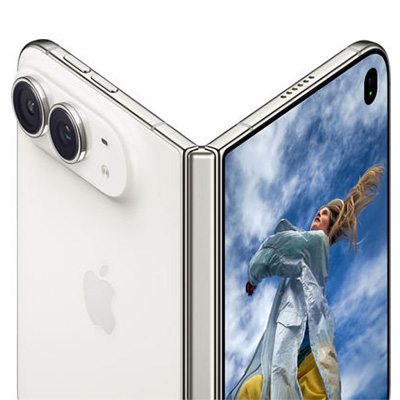
While many AI features are available across Apple’s ecosystem, the Duo’s larger display makes them significantly easier to use in real-world situations.
Apple Intelligence Can Help You
- Summarize lengthy emails
- Rewrite messages in different tones
- Create meeting notes
- Generate document summaries
- Organize tasks and schedules
- Find important information faster
The ability to view AI-generated content alongside your source material creates a workflow that feels far more productive than on a traditional smartphone.
4. Professional-Grade Cameras Built for Creators
Apple didn’t cut corners on the camera system. Samsung’s Galaxy Z Fold 8 Ultra sports a slightly superior system, but out of the gate the Duo is clearly up to the task.
The iPhone Duo includes a flagship-level camera setup designed for photography enthusiasts, content creators, and everyday users who simply want great-looking photos.
Photography Highlights
- 48MP Fusion camera for outstanding detail
- 48MP ultra-wide lens for landscapes and group photos
- 5x optical zoom telephoto lens
- Improved low-light performance
- Advanced computational photography features
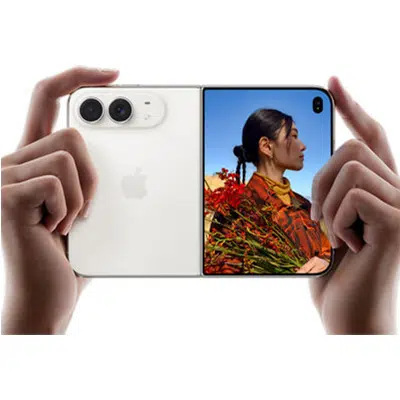
The foldable design also introduces creative shooting options, allowing the phone to act as its own stand for hands-free photography, video recording, and video calls.
5. A Foldable Designed Around the Apple Ecosystem
 One of Apple’s biggest strengths continues to be ecosystem integration.
The iPhone Duo works seamlessly alongside:
- Apple Watch
- AirPods
- Mac
- iPad
- Apple Intelligence
- iCloud services
For existing Apple users, the transition feels natural because the Duo still behaves like an iPhone, just way more versatile.
Apple iPhone Duo Buyer’s Guide: Who Is It Really For?
The iPhone Duo isn’t for everyone, and that’s okay.
You’ll Love the iPhone Duo If:
- You regularly multitask between apps
- You want a phone and tablet in one device
- You travel frequently
- You use Apple Intelligence features often
- You’re invested in the Apple ecosystem
- You value productivity as much as entertainment
You Might Prefer an iPhone 18 Pro Max If:
- You prioritize value
- You prefer traditional smartphone designs
- You mainly use your phone for texting, social media, and calling
- You want a lighter, more compact device
- You don’t need foldable features

Final Verdict, Says Us.
The Apple iPhone Duo isn’t simply a new iPhone. It’s Apple’s vision for what a premium smartphone can become when productivity, entertainment, and AI are given room to work together.
Its biggest advantage isn’t the foldable screen itself. It’s what that larger display enables. Better multitasking. More effective Apple Intelligence features. Improved content creation. Easier document management. And a phone-and-tablet experience in a single device.
For power users, professionals, frequent travelers, and dedicated Apple fans, the iPhone Duo may be the most exciting iPhone release in years! For everyone else, it’s an impressive glimpse at where mobile technology is headed next.

Can’t Wait? Us Neither.
When the Duo premieres in stores, Russell Cellular’s wireless experts will be ready to help you connect to Apple’s impressive foray into the foldable market. Call us at 1-800-221-4408 or stop by your local Verizon store. Pre-orders for the iPhone Duo begin Friday, October 16, 2026, while the in-store release is set for October 23.
#AppleiPhoneDuo #iPhoneDuo #AppleIntelligence #FoldablePhone #iPhoneReview #BuyersGuide #RussellCellular #AppleFans #TechReview #VerizonAuthorizedRetailer
Read more RC Previews & RC Reviews on our blog.

Oct 6, 2026
Or, How to Be Included in Group Photos Without Taking a Selfie
With the holidays approaching, special gatherings of friends and family are memories to be made and preserved, moments captured that will be treasured long after by all involved. Without having to gang up for an awkward and iffy selfie, wouldn’t it be great to stage a “regular” group photo that everyone could be in, including the photographer?
We have (and verily, have long had) the technology in place – all that’s needed is an adjustable but stable platform (more on this later), a smartphone, and YOU knowing how to set the camera timer!
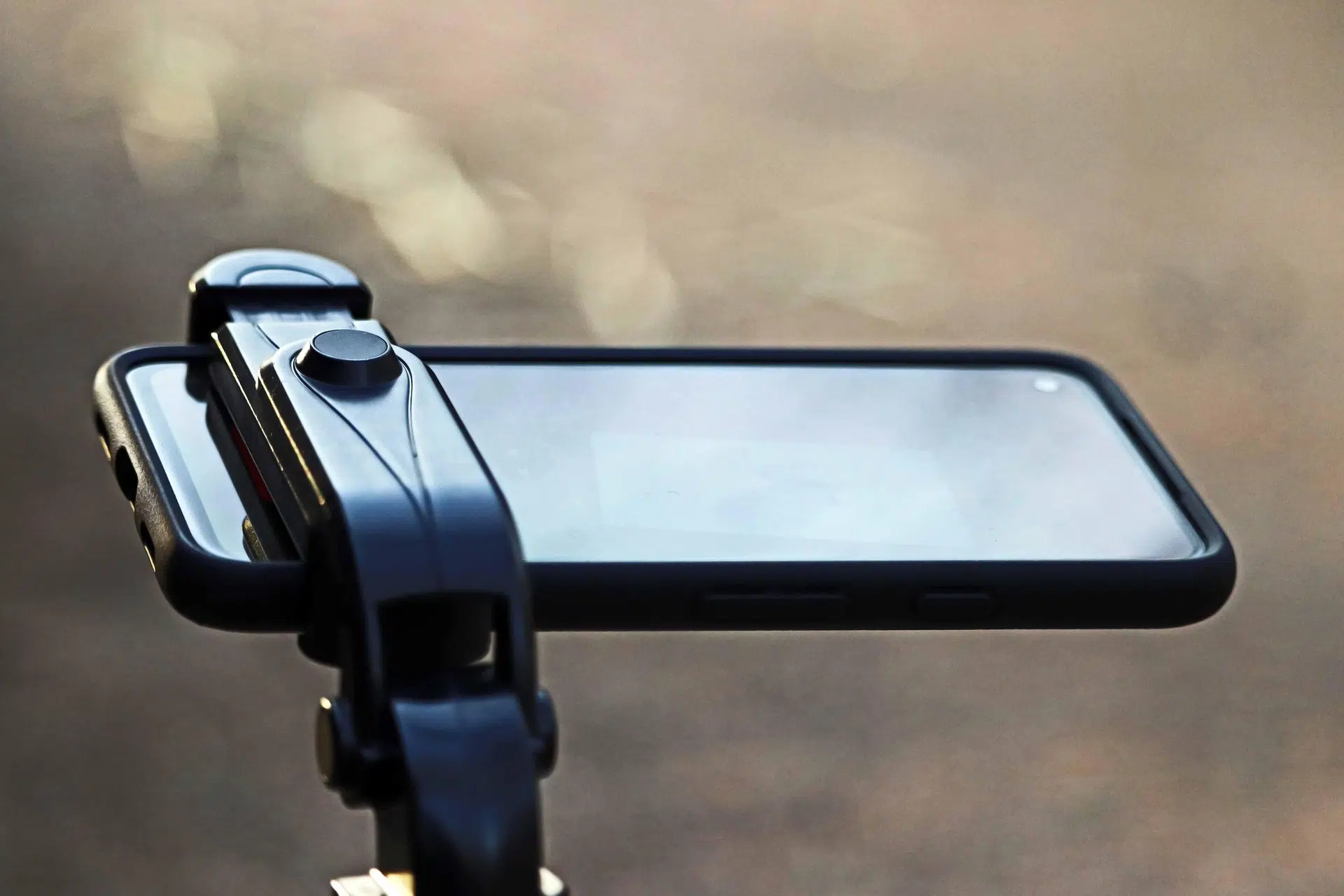 Assuming you’re sporting a capable modern smartphone, you’re already 1/3 there. Read on to reach 2/3 and become the “high-tech” hero this holiday season.
Note: If you’re currently suffering upgrade envy, paying too much, or having tech issues, give the friendly experts at Russell Cellular a jingle at 1-800-221-4408 or visit one at your nearest location immediately!
Your Camera Carries Its Own Tools
In newer smartphones, you can access the countdown tools directly from the top or bottom toolbar within each phone’s native camera app. Below is a direct comparison of the available timer intervals, followed by the step-by-step instructions for each system.
Quick Feature Comparison
| Phone Model |
Available Intervals |
Visual Location |
iPhone 14
& newer |
3 seconds, 10 seconds |
Under the hidden slider menu (Arrow button) |
Galaxy S23
& newer |
2 seconds, 5 seconds, 10 seconds |
Top toolbar menu (Clock icon) |
For iPhone 14 & newer (iOS 16+) – 5 Steps to Setting the Camera Timer
The timer on newer iPhones is located inside a slide-out adjustment menu to prevent the viewfinder from looking cluttered. For more detailed instructions on native tools, check the official Apple Support iPhone Camera Guide.
-
Open the Camera app and ensure you are in Photo or Portrait mode.
-
Tap the Chevron Arrow (∧) at the very top center of your screen (or swipe up from the middle of the viewfinder) to pull up the tool shelf.
-
Tap the Timer icon (looks like a classic clock) from the row of options that appears right above the shutter button.
-
Select either 3s or 10s.
-
Tap the Shutter button. The flash will blink, and a countdown timer will display on your screen before the camera captures a burst of 10 photos.
Note: To turn it off, follow the same steps and select Off.
For Galaxy S23 & newer (One UI 5.1+) – 4 Steps to Setting the Camera Timer
Samsung places the timer tool directly on the primary quick-settings bar at the top of the camera interface. For alternative capturing methods, view the Samsung Support Camera Settings Guide.
-
Open the Camera app and make sure you are in Photo or Portrait mode.
-
Look at the toolbar at the top of your screen and tap the Timer icon (an open circle clock outline).
-
Select your preferred delay interval: 2s, 5s, or 10s. The icon will change to reflect the number of seconds you selec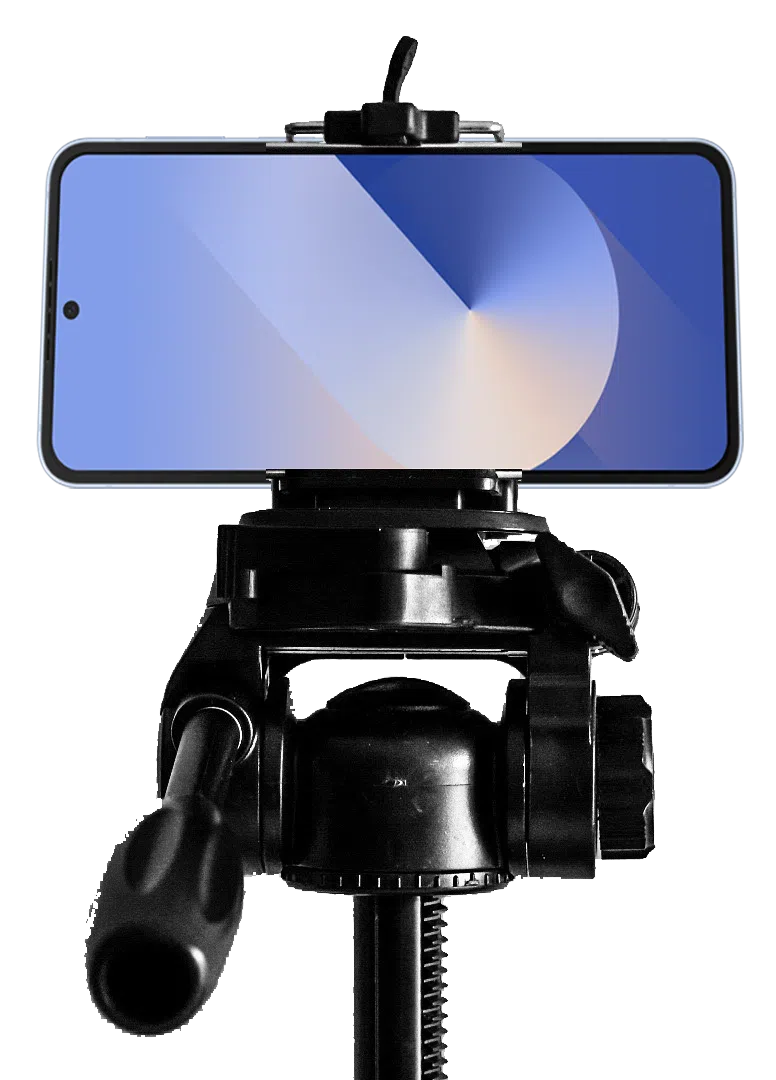 ted.
ted.
-
Tap the Shutter button. A circular countdown graphic will appear on your screen, accompanied by an audible beep before the photo is taken.
Tip: You can also go to Camera Settings > Shooting methods and turn on Palm swipe to trigger the timer just by holding up your hand to the camera.
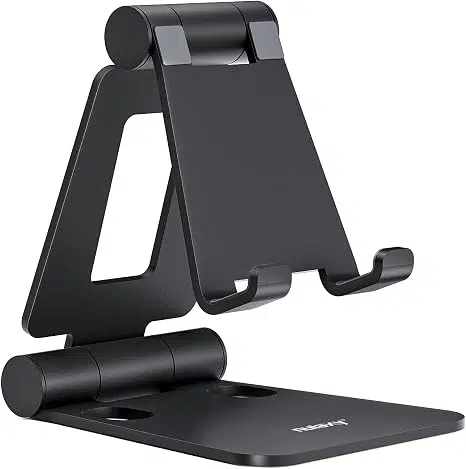
Last (1st really) But Not Least – an Adjustable but Stable Platform for Your Phone
PRO TIP: Select and order/buy your photo stand immediately or ASAP – long before you think you’ll need it. Pat yourself on the back when complete. Practice your new skills upon delivery!
You can find great smartphone photo stands ranging from pocket-sized magnetic grips to tall, adjustable tripods depending on your shooting needs, starting around $10-20 at most major retailers and online outlets.
This author is biased and just can’t be bothered writing about selfie sticks, except to mention that some models do, in fact, conveniently double as desktop stands and come with remote controls, so manual timer-setting becomes irrelevant. That, admittedly, is pretty cool too.
Care to know other fascinating and easy to use features of your smartphone? Call a professional at Russell Cellular at 1-800-221-4408 or visit one at your nearest location. Note: more simple Smartphone Tech Tips are coming soon to the RC blog.
For the record, yes, we do know – smartphone cameras have moved far beyond this basic, near universal feature, but RC issues no apologies for covering the fundamentals first. Stay tuned for more!
#RussellCellular #TeamRC #TechTips #SmartphonePhotography #InclusiveGroupShots #CameraControls #WirelessLifestyle
Sep 15, 2026
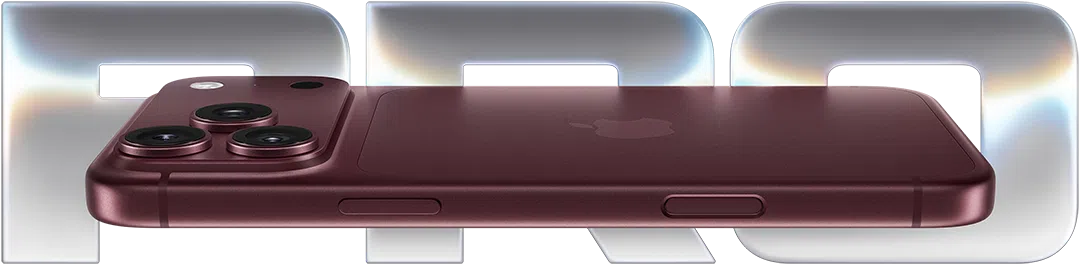
Apple has officially unveiled its highly anticipated 2026 lineup. If you are planning to upgrade immediately, you’ll likely be choosing between the two heavy hitters: the iPhone 18 Pro and the iPhone 18 Pro Max.
While both phones share a massive leap in processing power, Apple has introduced unique component differences this year that set them apart more than usual. This guide previews the important updates and helps you discern the right choice. For personal support, consult a genuinely caring expert at your local Verizon store or call 1-800-221-4408 (business customers call 1-866-326-7549).
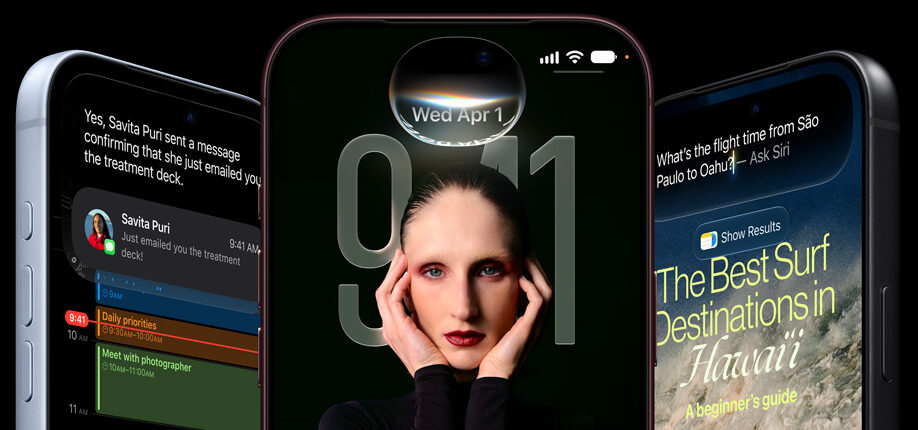
Cool New Advancements in the iPhone 18 Series
- The A20 Pro Chip: This chip features a powerhouse dual 16-core Neural Engine designed specifically to handle heavy, on-device AI tasks without breaking a sweat.
- Apple’s First In-House Modem: The smaller iPhone 18 Pro marks a historic shift, featuring Apple’s brand-new, custom-built C2 cellular modem. It is highly optimized for battery efficiency and lightning-fast switching.
- Next-Gen Smart Home Connectivity: Both models include the new N1 chip, unlocking advanced support for Wi-Fi 7, Bluetooth 6, and Thread networking right from your pocket.
- Fresh Aesthetics: Say goodbye to old finishes. This year debuts stunning new colorways, including a deep Burgundy and a crisp, clean Glacier, alongside classic silver and black.
What’s Under the Hood? Compare the Specs.
| Feature |
iPhone 18 Pro |
iPhone 18 Pro Max |
| Starting Price |
$1,199 |
$1,299 |
| Weight |
7.44 ounces (211 grams) |
8.78 ounces (249 grams) |
| Display Size |
6.3 inches |
6.9 inches |
| Processor |
A20 Pro (Dual 16-core NE) |
A20 Pro (Dual 16-core NE) |
| Cellular Modem |
Apple Custom C2 Modem |
*Unspecified by Apple at press time, likely Qualcomm Modem |
| Battery Life |
Up to 35 hours video playback |
Up to 45 hours video playback |
| Wireless Tech |
Wi-Fi 7 / Bluetooth 6 / Thread |
Wi-Fi 7 / Bluetooth 6 / Thread |
| Color Choices |
Burgundy, Glacier, Silver, Black |
Burgundy, Glacier, Silver, Black |
Get a closer look at Apple’s iPhone 18 specifications.
A Difference in Modems but not Cameras or Chips
According to reporting by Yahoo! Finance, the iPhone 18 Pro and iPhone 18 Pro Max differ when it comes to their cellular modems, marking a major shift in how Apple handles cellular connections.
- iPhone 18 Pro will feature Apple’s new homegrown C2 cellular modem, said to deliver much faster upload speeds than previous generations, use 15% less energy, and include artificial intelligence features to keep connections strong and reliable.
- iPhone 18 Pro Max will reportedly continue to use a Qualcomm cellular modem in the United States, though Apple has not confirmed at press time. Industry analysts suggest the split is due to part shortages or special network testing rules for the larger model.
Note that while the cellular parts are different, both models share the exact same chip for local connections:
- Apple N1 Chip: Both phones use this custom chip to run local wireless tasks.
- Wi-Fi 7: Provides next-generation, high-speed home internet support.
- Bluetooth 6: Offers the newest and most stable connection for wireless earbuds and accessories.
Pro vs. Pro Max: How to Decide?
Choosing between these two models comes down to three main factors: ergonomics, battery requirements, and internal tech preferences.
Choose the iPhone 18 Pro if: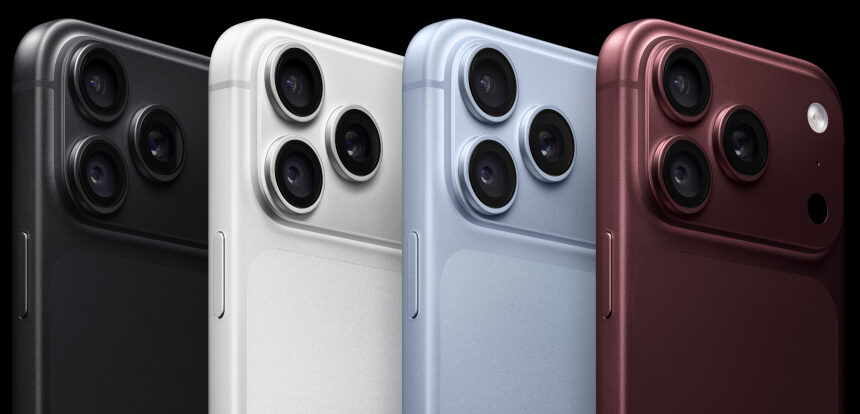
- You want comfort: The 6.3-inch screen strikes a perfect balance. It fits comfortably in small hands and easily slips into standard pockets.
- You want Apple’s newest tech: If you want to experience Apple’s highly anticipated, power-sipping custom C2 cellular modem, it is currently exclusive to this smaller model.
- You want to save $100: It delivers nearly identical peak performance as the Max for a lower entry price.
Choose the iPhone 18 Pro Max if:
- You want maximum screen real estate: The expansive 6.9-inch display is an absolute dream for watching videos, mobile gaming, and editing photos.
- You need elite battery life: With a massive battery capable of pushing up to 45 hours of video playback, it is built to survive long weekend trips without a charger.
- You prefer a proven modem network: The Pro Max sticks with a high-performance Qualcomm modem architecture, offering reliable, field-tested 5G speeds.
Have More Questions? Call or Come See Us at Russell Cellular.
For one-on-one help, consult a genuinely caring expert at your local Verizon store or call 1-800-221-4408 (business customers call 1-866-326-7549).
#RCReview #BuyersGuide #iPhone18Pro #iPhone18ProMax #SmartphoneComparison #AppleEvent #RussellCellular
For more reviews and other interesting articles, check out the RC blog.
Frequently Asked Questions (FAQ)
Q: When can I buy the iPhone 18 Pro and Pro Max?
A: Preorders officially open on September 12, 2026. The official release date is September 18.
Q: Do both phones have the exact same cameras?
A: Yes. Unlike previous years where the Max model got better zoom capabilities, both the 18 Pro and 18 Pro Max share identical pro-tier camera systems.
Q: Why does the smaller Pro have a different modem than the Pro Max?
A: Apple is debuting its in-house C2 modem in the smaller Pro model first to scale up production efficiency, while keeping the larger Pro Max on Qualcomm hardware for this generation.
Q: Which color is the most popular this year?
A: Early community buzz highlights Burgundy as the standout favorite, followed closely by the minimalist Glacier look.
Sep 3, 2026
Google’s Pixel lineup has always been more about smart refinements than dramatic reinventions, and the new Pixel 11 series continues that tradition. If you’re already carrying a Pixel 10, you might be wondering whether Google’s latest flagship offers enough to justify an upgrade. The short answer? The Pixel 11 is undeniably better, but whether it’s worth upgrading depends on what you value most.
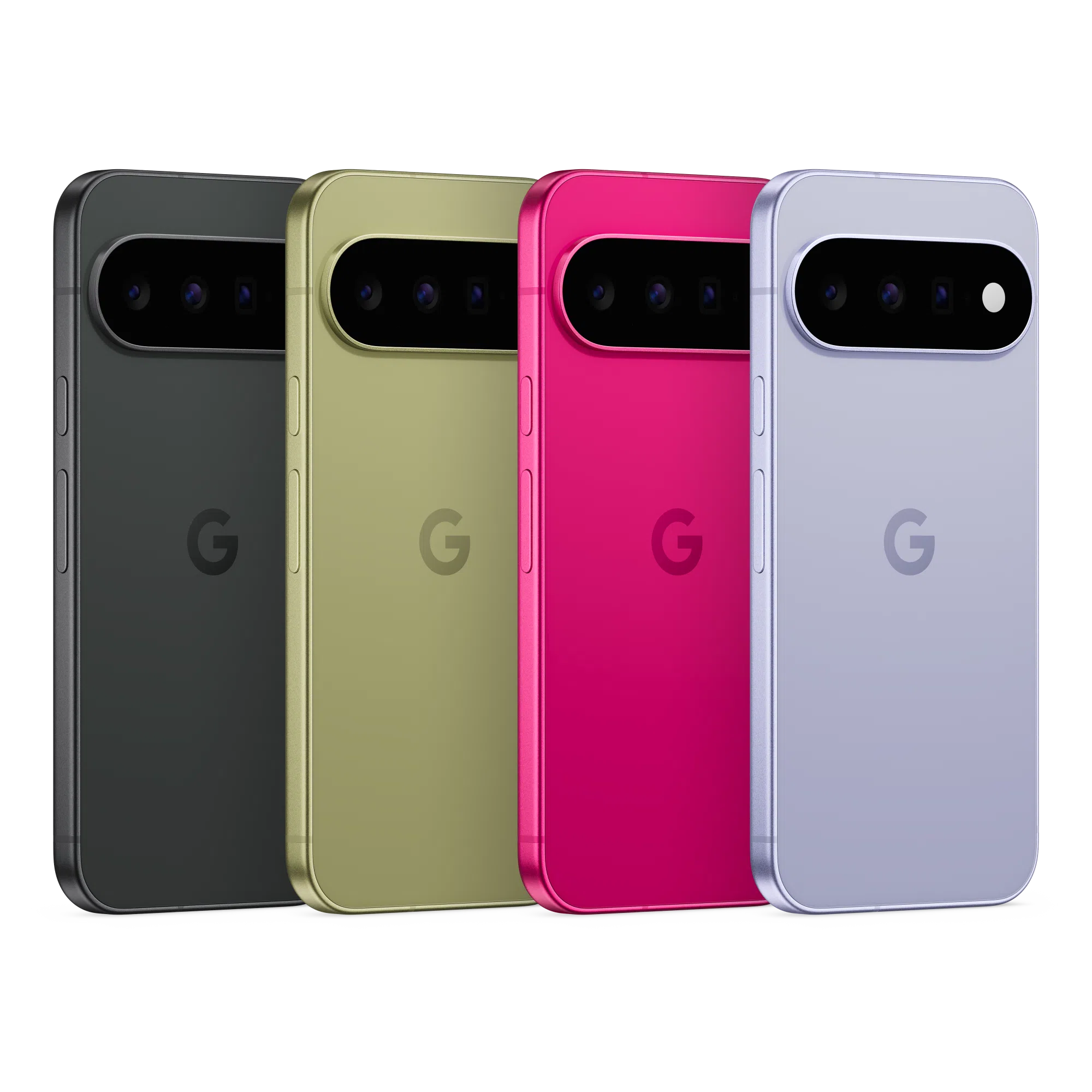
If you’re considering a Google smartphone – as an upgrade or refreshing change – here’s everything you need to know. For one-on-one help, consult a friendly expert at your local Verizon store or call 1-800-221-4408 (business customers call 1-866-326-7549).
Let’s break it down.
At-a-Glance: Pixel 11 vs. Pixel 10
| Feature |
Pixel 10 |
Pixel 11 |
What’s New? |
| Processor |
Tensor G5 |
Tensor G6 |
Faster performance, stronger AI capabilities, better efficiency |
| Operating System |
Android 16 |
Android 17 |
Latest Android experience out of the box |
| Main Camera |
48MP |
Larger 48MP sensor |
Improved low-light photography and image quality |
| Wireless Charging |
15W Qi2 |
25W Qi2.2 |
Much faster magnetic wireless charging |
| Storage Options |
128GB / 256GB |
256GB / 512GB |
More storage standard |
| Security Chip |
Titan M2 |
Titan M3 |
Enhanced security features |
| Weight |
204g |
197g |
Lighter and easier to handle |
| Battery |
4,970mAh |
4,985mAh |
Slight increase in capacity |
What’s Actually Better?
Tensor G6 Brings Smarter Performance
Google isn’t trying to win benchmark wars. Instead, the Tensor G6 focuses on making everyday tasks feel faster while boosting on-device AI performance. Google claims up to 25% faster web browsing, 15% faster app launches, and significantly more AI processing power than the Tensor G5.
In practical terms, that means Gemini-powered features, photo editing, voice processing, and multitasking should feel smoother than ever.
Cameras Get the Biggest Upgrade
Pixel phones live and die by their cameras, and Google appears to have invested heavily here.
While the Pixel 11’s main camera still carries a 48MP rating, it uses a larger sensor that’s reportedly much more light-sensitive. That should translate into brighter night shots, cleaner indoor photos, and more detail in challenging lighting conditions.
Google has also expanded zoom capabilities, allowing the base Pixel 11 to reach farther than the Pixel 10. If you’re constantly snapping photos of concerts, sporting events, or distant scenery, you’ll appreciate the extra reach.
Faster Wireless Charging
This may sound minor, but it could be one of the most noticeable daily improvements.
The Pixel 11 boosts wireless charging speeds from 15W to 25W with compatible Qi2.2 accessories. Wired charging remains largely unchanged, but wireless charging finally feels more competitive with today’s flagship market.

Same Familiar Design, Polished Up
The overall Pixel look remains unmistakably Google, but the Pixel 11 introduces several quality-of-life improvements:
- Thinner camera bar
- Lighter chassis
- Refined build quality
- Improved fingerprint reader
- Same IP68 water and dust resistance
It’s not a radical redesign, but it’s arguably the cleanest Pixel hardware Google has produced so far.
How does AI improve performance?
When Google talks about “AI performance,” it doesn’t necessarily mean the phone itself is faster in the traditional sense.
Traditional Performance vs. AI Performance
Traditional performance is what you notice when:
- Opening apps
- Switching between apps
- Loading games
- Browsing the web
- Editing videos
This depends mainly on the CPU, GPU, memory, and storage.
AI performance refers to how quickly and efficiently the phone can run machine learning tasks directly on the device. Google’s Tensor chips include a specialized AI processor called the TPU (Tensor Processing Unit) that’s designed for these workloads.
Where You’ll Actually Notice It
Better Photography
When you tap the shutter button, Google’s AI is doing a lot behind the scenes:
- Combining multiple photos into one image
- Reducing noise in low light
- Improving skin tones
- Recovering highlight and shadow detail
- Enhancing zoomed images
A more powerful AI engine can process these steps faster and often produce better results.
Faster Gemini Features
Google’s newer AI features increasingly run on the phone itself rather than in the cloud.
Examples include:
- Voice transcription
- Summarization
- Smart replies
- Image editing tools
- AI-assisted search and organization
A stronger TPU can complete these tasks more quickly while using less battery.
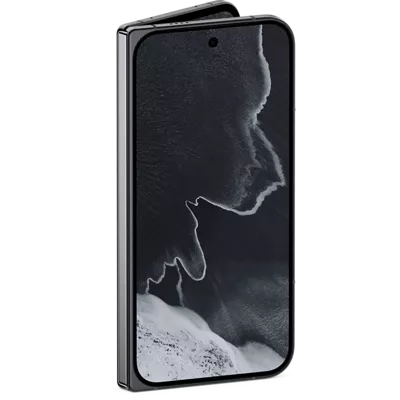
Improved Voice Recognition
The phone can better understand speech in real time, enabling:
- Faster dictation
- More accurate voice commands
- Better live transcription
- More responsive Assistant and Gemini interactions
These are classic AI workloads that benefit directly from Tensor’s specialized hardware.
Better Battery Efficiency
AI improvements aren’t always about speed.
Google says the Tensor G6 delivers significantly more AI compute while consuming less energy. If true, tasks like photography, voice processing, and AI-assisted features can finish faster and drain less battery.
What It Does Not Mean
A stronger AI processor doesn’t automatically mean:
❌ Games will suddenly run at twice the frame rate.
❌ Apps will launch instantly.
❌ The phone will feel dramatically faster for everyday tasks.
The Tensor G6 does include some traditional performance improvements, but Google’s biggest gains appear to be in AI and efficiency rather than raw CPU or GPU power.
Simple Analogy
Think of the CPU as the phone’s general contractor and the TPU as a specialized expert.
The CPU can do almost anything, but the TPU is exceptionally good at AI jobs. By giving photo editing, voice recognition, and Gemini tasks to the TPU, the CPU stays free for everything else, making the overall experience feel smoother and more responsive.
Should Pixel 10 Owners Upgrade? Here’s $.02 & a Grain of Salt.
Honestly? Most Pixel 10 owners can comfortably wait another year.
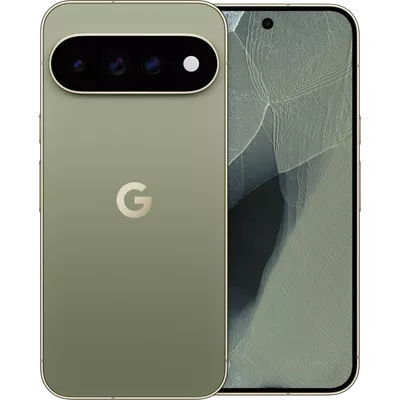
The Pixel 10 remains an excellent smartphone with a great camera system, smooth performance, reliable battery life, and years of software support ahead of it. The Pixel 11 improves nearly every area, but there isn’t a single feature that’s likely to make your current device feel outdated overnight.
However, the upgrade becomes much easier to justify if:
✅ You love mobile photography and want Google’s latest camera improvements.
✅ You use Gemini and AI features heavily.
✅ You want faster wireless charging.
✅ You’re coming from a Pixel 8, Pixel 7, or older device.
The Bottom Line
The Pixel 11 isn’t a revolution. It’s a refinement.
Google has improved performance, AI processing, camera quality, wireless charging, security, and storage, while making the phone a little lighter and a little more polished. That’s great news for new buyers, but many Pixel 10 owners may find that waiting for the Pixel 12 offers a better return on their upgrade dollars.
For Pixel 8 owners and anyone on an older device, though, the Pixel 11 looks like a fantastic leap forward.
Have More Questions? Call or Come See Us at Russell Cellular.
For one-on-one help, consult a genuinely caring expert at your local Verizon store or call 1-800-221-4408 (business customers call 1-866-326-7549). Impressive Google Pixel smartphones are available to order now!
You might also enjoy our recent RC Review of the Google Pixel 10a or other smart devices in our blog.
#RCReview #BuyersGuide #GooglePixel11 #GooglePixel10 #Foldable #ProModels #RussellCellular
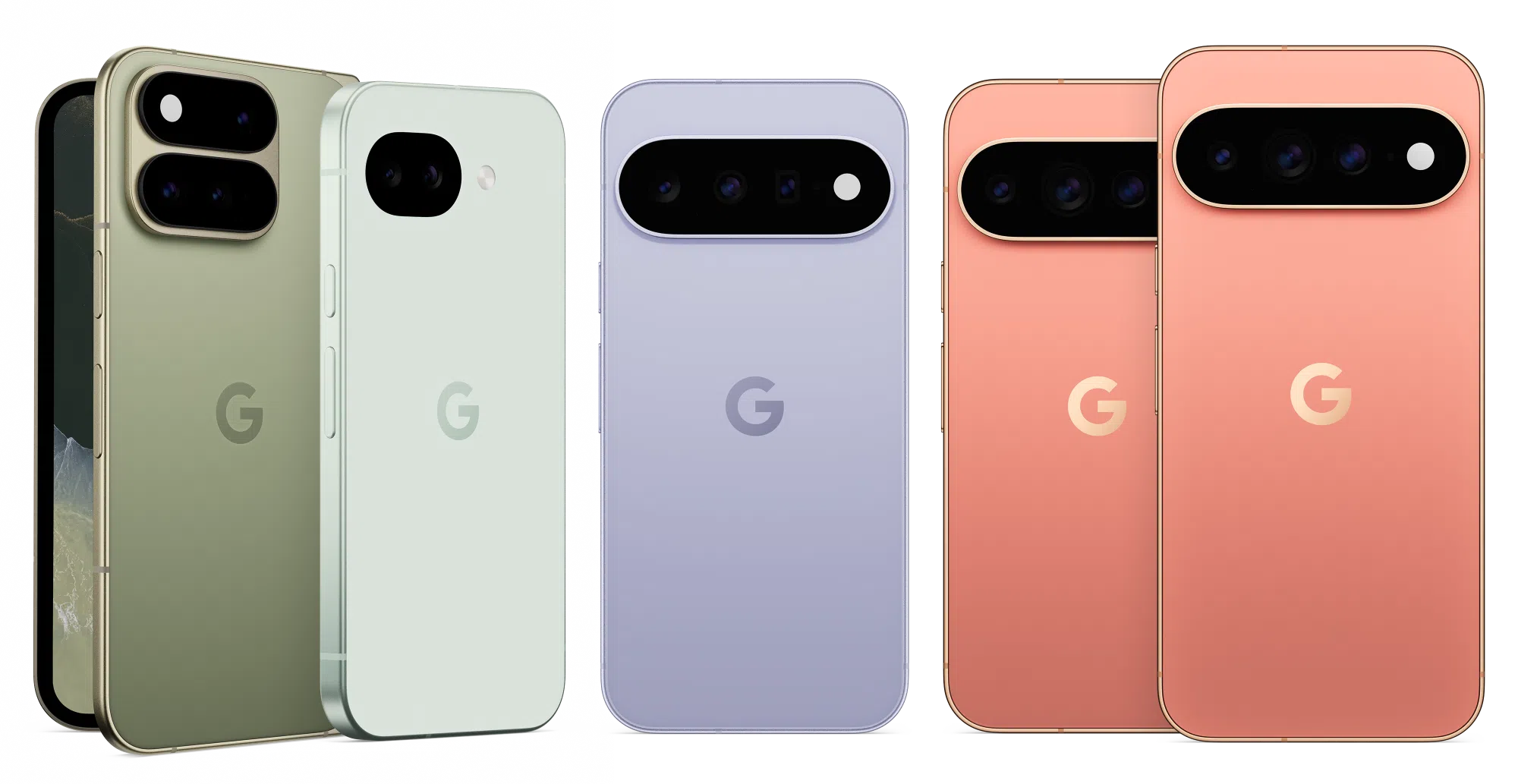
FAQ
Is the Pixel 11 faster than the Pixel 10?
Yes. The Tensor G6 processor delivers improvements in everyday responsiveness, AI workloads, and power efficiency compared with the Tensor G5.
Does the Pixel 11 have better cameras?
Yes. The biggest upgrade is a larger main camera sensor designed to improve low-light photography and overall image quality.
Is battery life better on the Pixel 11?
Battery capacity increases only slightly, so don’t expect dramatic gains. Improvements in efficiency may provide modest real-world benefits.
Is the Pixel 11 worth upgrading to from a Pixel 10?
For most Pixel 10 owners, probably not. The changes are meaningful but incremental. The upgrade makes more sense for photography enthusiasts or users who want the latest AI features.
Who should upgrade immediately?
Pixel 7 and Pixel 8 owners are likely to see the biggest benefits from moving to the Pixel 11 series.

Aug 17, 2026
RC is the Communications Partner that Business Owners Keep
Small businesses are always looking for ways to work smarter, stay connected, and grow. As Verizon’s upcoming Small Business Days approach, it’s a great time for business owners to explore the tools, connectivity solutions, and special offers designed specifically to help them succeed. Russell Cellular’s Business Team is ready to help at 1-866-326-7549 or use our Contact Form.
Get More from Verizon Small Business Solutions 
Verizon offers a wide range of solutions for small businesses, including mobile devices, internet services, voice and collaboration tools, fleet management and security offerings. Whether you’re running a local storefront, managing a remote workforce or scaling a growing company, Verizon provides flexible options designed to help keep your business connected and productive.
Manage Your Business Anywhere with the My Verizon for Business App
One highlight for small business customers is the My Verizon for Business app. The redesigned app puts account management right in your pocket, making it easier to monitor services, manage devices, view billing information and handle business needs from virtually anywhere. For busy owners and decision-makers, it offers a convenient way to stay on top of business operations without being tied to a desk.
Exclusive Offers Worth Exploring
During Small Business Days, business owners can take advantage of Verizon’s latest promotions and savings opportunities. Current offers include:
- 5G Business Internet and LTE Business Internet starting at $35/month when paired with eligible Verizon business smartphone plans.
- Fios Business Internet plans starting at $69/month, with qualifying customers eligible for up to a $200 Virtual Visa® Prepaid Card on select high-speed plans.
- Device promotions, including savings on the latest smartphones with eligible trade-ins and business plans.
- Flexible My Biz Plan options that allow businesses to customize mobile services and pay only for the features they need.
Resources to Help Your Business Grow 
Beyond connectivity, Verizon also supports entrepreneurs through its Small Business Digital Ready program, which provides free online courses, mentorship opportunities, networking resources and access to grant opportunities. These resources can help small business owners build new skills and navigate today’s increasingly digital marketplace.
Don’t Miss Small Business Days
Verizon Small Business Days is the perfect opportunity to discover new technology, explore exclusive offers and learn about resources that can help your business thrive. From the My Verizon for Business app to internet savings, mobile solutions and professional development tools, Verizon continues to invest in helping small businesses succeed.
Chat by phone with a genuinely caring, authentic expert at 1-866-326-7549 or use our Contact Form to explore the many opportunities and challenges Russell Cellular can help you tackle efficiently and effectively!
#SmallBusinessDays #VerizonBusiness #5GBusinessInternet #FiosBusinessInternet #ConnectedDevices #DeviceDiscounts #GrantsMentoringMore #RussellCellular
Read more RC blog articles.
Aug 10, 2026
Is Samsung’s Ultimate Foldable Worth the Upgrade?
Samsung’s foldable lineup takes a major step forward in 2026 with the introduction of the Galaxy Z Fold8 Ultra, the company’s first Ultra-branded foldable. Rather than reinventing the category, Samsung has refined nearly every aspect of its flagship foldable, from display quality and durability to battery life, performance, and cameras.
If you’re considering a premium foldable smartphone, here’s everything you need to know. For one-on-one help, consult a friendly expert at your local Verizon store or call 1-800-221-4408 (business customers call 1-866-326-7548).
First, the Galaxy Z Fold8 Ultra isn’t just a foldable phone with AI. It’s an AI productivity workstation that happens to fit in your pocket.
Galaxy Z Fold8 Ultra: What’s Under the Hood (Specifications)
Key Specs
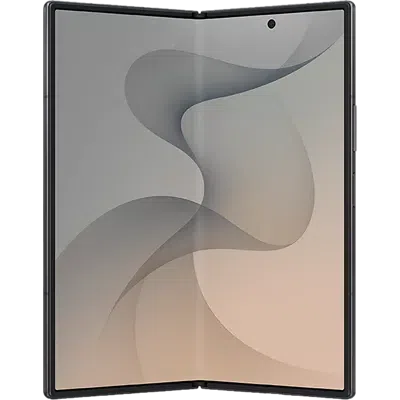
- 8.0-inch Dynamic AMOLED 2X inner display (120Hz, up to 3,000 nits)
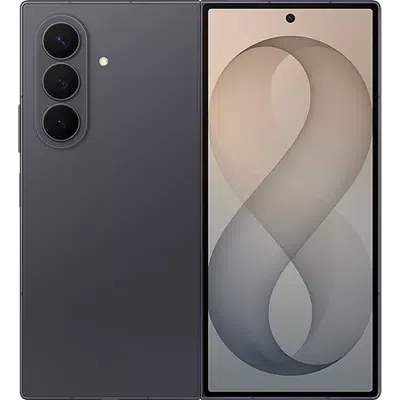
- 6.5-inch cover display (120Hz)
- Snapdragon 8 Elite Gen 5 for Galaxy processor
- Up to 16GB RAM and 1TB storage
- 200MP main camera
- 50MP ultra-wide camera
- 10MP telephoto camera with 3x optical zoom
- 5,000mAh battery
- 45W wired charging and 20W wireless charging
- Android 17 with One UI 9
- IP48 water and dust resistance
- Starting price: approximately $2,099.99 (256GB)
What’s NEW Compared to the Z Fold7?
The Fold8 Ultra is essentially the successor to the Galaxy Z Fold7, even though Samsung changed the naming convention. This Samsung Galaxy Z Fold8 Ultra Review dives in:
- Better Display Technology
Samsung upgraded the inner display resolution and boosted peak brightness from 2,600 nits to 3,000 nits. The new Flex Titanium internal structure is also designed to reduce crease visibility while improving durability.
Why it matters:
- Better outdoor visibility
- Sharper content
- Less noticeable crease
- Improved long-term durability
- Larger Battery
The Fold8 Ultra includes a 5,000mAh battery versus the Fold7’s 4,400mAh pack.
Real-world benefit:
Power users who multitask on the large display should see a noticeable increase in screen-on time, especially when using Samsung DeX, productivity apps, and streaming services.
- New Ultra-Wide Camera
Samsung retains the excellent 200MP primary camera but significantly upgrades the ultra-wide sensor from 12MP to 50MP.
Photography improvements:
- More detail in landscape shots
- Better low-light ultra-wide images
- Improved content creation capabilities
- Faster Performance
The Snapdragon 8 Elite Gen 5 for Galaxy brings improved CPU, GPU, and AI performance compared with the Fold7 platform. Samsung claims gains in AI, graphics, and processing capabilities.
Best for:
- Generative AI features
- Mobile gaming
- Video editing
- Productivity workflows
Let’s Look at Those New AI Capabilities
One of the biggest selling points of the Galaxy Z Fold8 Ultra is that Samsung doesn’t treat AI as a standalone app. Instead, AI is integrated into the foldable form factor to help with productivity, multitasking, creativity, and communication. Samsung specifically positions the Fold8 Ultra as an AI-first productivity device for professionals and power users.
AI Features Explained
- AI-Powered Multitasking
The Fold8 Ultra’s 8-inch display allows multiple apps to run simultaneously, and Samsung’s AI helps manage information across those apps. Users can summarize content, organize information, and work with multiple windows more efficiently. Samsung highlights this as a core productivity benefit of the larger foldable screen.
Example:
- Read an email in one window
- Open a spreadsheet in another
- Ask AI to summarize the email and extract action items
This is particularly useful for business users and remote workers.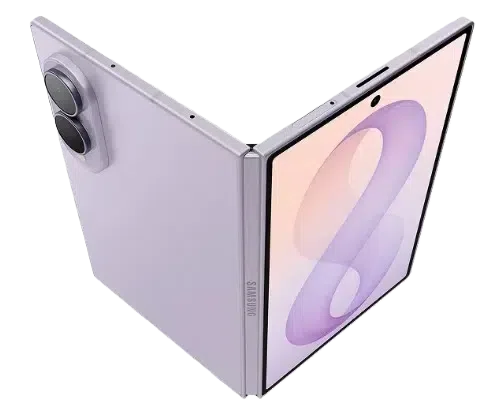
- Writing Assistance
Galaxy AI can help:
- Draft emails
- Rewrite messages in different tones
- Summarize long documents
- Correct grammar and spelling
- Generate responses for messages
On the Fold8 Ultra’s large screen, you can view source content alongside AI-generated output without switching apps repeatedly. Thank you, Samsung!
- AI Note-Taking and Summarization
For meetings, lectures, and research:
- Record conversations
- Generate summaries
- Extract key points
- Create action lists
- Organize notes automatically
The large internal display makes reviewing AI-generated notes significantly more comfortable than on a traditional smartphone.
- Enhanced On-Device AI Processing
Samsung says the Fold8 Ultra’s Snapdragon 8 Elite Gen 5 for Galaxy delivers a faster Neural Processing Unit (NPU), enabling more AI tasks to happen directly on the device rather than relying on the cloud. Samsung claims a 21% AI performance improvement versus the previous generation. (Note that independent analysis was not available for this Samsung Galaxy Z Fold8 Ultra Review.)
Benefits include:
- Faster AI responses
- Better privacy
- Reduced dependence on internet connectivity
- More advanced real-time assistance
- AI Camera Features
The Fold8 Ultra combines its 200MP camera system with AI-powered photography tools. AI assists with:
- Scene recognition
- Night photography optimization
- Object enhancement
- Noise reduction
- Image post-processing
Samsung specifically promotes improved Nightography capabilities on the Fold8 Ultra.
- AI Productivity Assistant
 Samsung describes the Fold8 Ultra as being able to help users:
- Find information faster
- Organize content
- Manage tasks
- Prioritize important items
- Simplify workflows
This is where the foldable form factor shines because AI results can remain visible while users continue working in other apps.
- Samsung DeX + AI
A unique advantage of the Fold8 Ultra is combining AI features with Samsung DeX desktop mode. Users can effectively turn the Fold8 Ultra into a portable workstation while using AI tools for:
- Content creation
- Research
- Document editing
- Presentation building
- Data analysis
This makes the Fold8 Ultra attractive to business professionals who want a tablet-like experience without carrying a laptop.
Who Benefits Most From the AI Features?
Best for:
✅ Business professionals
✅ Content creators
✅ Students
✅ Frequent travelers
✅ Multitaskers
✅ Remote workers
Less useful for:
❌ Users who primarily use their phone for social media and basic communication
Bottom Line on Ultra’s AI Features
The Fold8 Ultra’s AI features are not necessarily exclusive compared to other flagship Galaxy devices, but the large foldable display makes them far more practical to use. The real advantage is seeing AI-generated summaries, notes, drafts, and recommendations alongside your work instead of constantly switching between apps. That integration of Galaxy AI + multitasking + an 8-inch foldable screen is what differentiates the Fold8 Ultra from traditional smartphones.

Buyer’s Guide: Our 2 Cents
Galaxy Z Fold8 Ultra vs Z Fold8
Samsung introduced a second book-style foldable this year, the standard Z Fold8.
Choose the Fold8 Ultra for…
✅ Best cameras
✅ Largest battery
✅ More premium design
✅ Expanded multitasking capabilities
✅ Maximum performance
Choose the Fold8 for…
✅ Lower price
✅ Lighter weight
✅ Wider display format for media consumption
✅ Better value proposition
Who Should Buy the Galaxy Z Fold8 Ultra?
Buy It If…
- You’re a productivity power user
The large 8-inch display, Samsung DeX support, AI tools, and multitasking features make it one of the most capable mobile productivity devices available.
- You want a tablet and phone in one device
The Fold8 Ultra continues to be one of the best examples of smartphone-tablet convergence.
- You use AI features frequently
Samsung heavily emphasizes on-device AI and Galaxy AI experiences throughout the Fold8 Ultra experience.
Who Should Skip It?
- Galaxy Z Fold7 owners
If your Fold7 is less than a year old, the improvements are substantial but not revolutionary. You get better battery life, a brighter screen, and a stronger camera system, but the overall experience will feel familiar.
- Value-focused buyers
At over $2,000 (MSRP at press time), the Fold8 Ultra remains one of the most expensive mainstream smartphones available.
Frequently Asked Questions about the Galaxy Z Fold8 Ultra
Is the Galaxy Z Fold8 Ultra worth upgrading to from the Fold7?
For power users, yes. The bigger battery, upgraded ultra-wide camera, brighter screen, and newer processor make a compelling package. Casual users may find the Fold7 still meets their needs.
What’s the biggest improvement?
Most buyers will notice the larger battery and improved display first, while photography enthusiasts will appreciate the new 50MP ultra-wide camera.
Does the crease still exist?
Yes, but Samsung’s Flex Titanium design significantly reduces its visibility compared with earlier generations.
Is the Fold8 Ultra waterproof?
It carries an IP48 rating for water and limited dust resistance.
How long will Samsung support it?
Samsung promises up to seven major Android upgrades.
What storage options are available?
256GB, 512GB, and 1TB configurations are available.
Is it better than the Galaxy S26 Ultra?
It depends. The Fold8 Ultra wins on multitasking and screen size, while the S26 Ultra may remain the better choice for users who prefer a traditional smartphone design and potentially stronger overall camera versatility.
Have More Questions? Call or Come See Us at Russell Cellular.
For one-on-one help, consult a friendly expert at your local Verizon store or call 1-800-221-4408 (business customers call 1-866-326-7548). The Galaxy Z Fold8 and Galaxy Z Fold8 Ultra are available to order now!
The Final Verdict (as We See It)
The Samsung Galaxy Z Fold8 Ultra is the most complete foldable Samsung has produced to date. It doesn’t completely reinvent the Fold formula, but the brighter display, larger battery, improved durability, upgraded camera system, and next-generation AI features combine to create a highly polished flagship experience.
For new foldable buyers, it’s arguably the benchmark against which every premium foldable will be measured in 2026. For existing Fold7 owners, the decision comes down to whether the battery and camera upgrades are worth the premium. We hope you’ve enjoyed this Samsung Galaxy Z Fold8 Ultra Review.
#RCReview #BuyersGuide #Samsung #Android #Foldable #GalaxyZFold8Ultra vs #GalaxyZFold8 vs #GalaxyZFold7 #RussellCellular
Read more RC blog articles.