

Personal Sales Call: 1.800.221.4408,  Business Sales Call: 1.866.326.7549

Switch to Verizon today! One plan. One price. Pure Simplicity. |  Switch Now  | i

$30/month for each line; after auto pay and Switcher Discount. Plus taxes and fees. Max 12 lines. $10/mo Auto Pay (ACH or Verizon Visa Card) & paper-free billing discount requires enrollment w/in 30 days. $15/mo Switcher discount requires smartphone line port-in or an uploaded mobile bill from an eligible carrier dated w/in the past 45 days. Unlimited 4G, 5G and 5G Ultra Wideband data is restricted to on-device smartphone usage. 5G access requires 5G capable device. Domestic data roaming at 2G speeds.

low tech tips better phtography on iPhone and Samsung Galaxy blog Oct 2026

How to Take Better Pics with your Smartphone – Easy Tips Anyone Can Use

October 28, 2026 8:46 am

Want Better Photos Without Studying Photography?

If you’ve ever taken a picture that looked great on your phone screen but blurry or dark when you looked at it later, you’re not alone.

The good news is that taking better photos doesn’t require expensive equipment, AI-powered editing magic, or photography classes. Today’s smartphones have excellent cameras built in. A few simple habits can dramatically improve your results, whether you’re taking pictures of grandchildren, vacations, pets, family gatherings, or everyday moments.

Before we dive in, know this: Russell Cellular reps are fantastic smartphone trick resources, so visit one at your nearest location or call one at 1-800-221-4408 when you need the right answers.

Let’s look at some easy ways to get better photos with an iPhone 14 or newer or a Samsung Galaxy S23 or newer. These tips may apply to previous smartphone models as well.

The Easiest Tip of All: Clean Your Camera Lens

Before you take any photo, take a few seconds to wipe the camera lens.photo tips blog - clean lens per mfr instructions
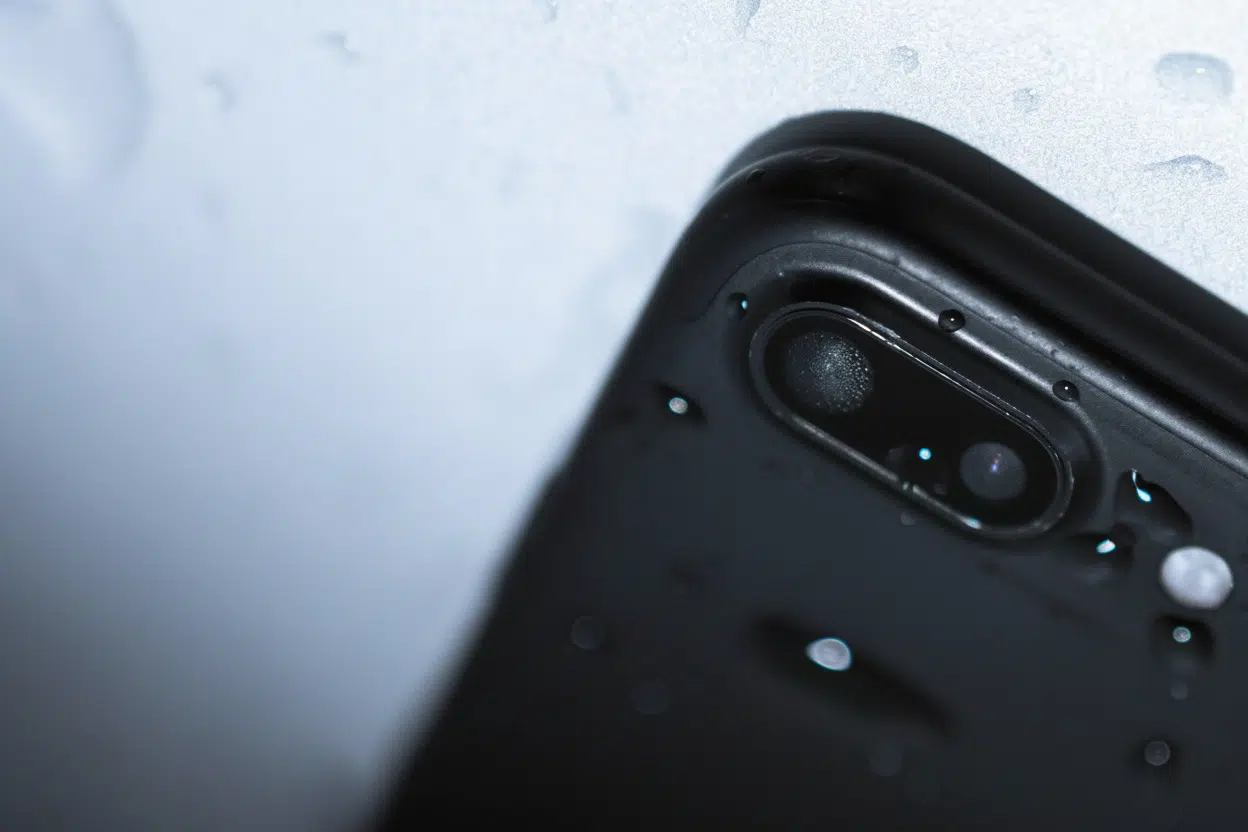
Your phone spends time in pockets, purses, and on countertops, so fingerprints and dust naturally build up. A dirty lens is one of the most common reasons photos look hazy or blurry.

A microfiber cloth or eyeglass-cleaning cloth works perfectly.

It’s a simple step, but it often makes an immediate difference.

For safe cleaning guidance, review the official recommendations provided via Apple Support or the FCC Consumer Guide.

How to Take Better Photos on Newer Apple iPhones

Step 1: Open the Camera App

  1. Tap the Camera app.
  2. Make sure you’re in Photo mode.

Step 2: Frame Your Picture

  1. Hold your phone as steady as possible.
  2. Position your subject on the screen.
  3. Try to keep distracting objects out of the background.

photo tips october blogStep 3: Tap to Focus

  1. Tap the person or object you want to photograph.
  2. A yellow square will appear around the subject.

This tells the camera exactly what should be sharp and clear in the photo.

Step 4: Adjust Brightness if Needed

  1. Tap the screen.
  2. Slide your finger up or down on the brightness control.
  3. Make small adjustments until the image looks natural.

Step 5: Take the Photo

  1. Hold still for a moment.
  2. Tap the shutter button.

That’s it!

How to Take Better Photos on Newer Samsung Galaxy Smartphones

Step 1: Open the Camera App

  1. Launch the Camera app.
  2. Make sure Photo mode is selected.

Step 2: Focus on Your Subject

  1. Tap the person or object you want to photograph.
  2. Wait for the camera to lock focus.

Step 3: Adjust the Brightness

  1. Use the brightness slider that appears on-screen.
  2. Increase or decrease the light level if necessary.

Step 4: Capture Your Photo

  1. Hold the phone steady.
  2. Tap the shutter button.

photo tips blog october - use natural lightFour Tricks that Instantly Improve Most Photos

Use Natural Light Whenever Possible

If you’re indoors, try standing near a window.

Natural light often creates brighter, more flattering photos than overhead indoor lighting.

Use Both Hands

Many blurry photos happen because the phone moves slightly while the picture is being taken.

Holding your phone with both hands provides much better stability.

Get Closer Instead of Zooming

It may be tempting to pinch and zoom, but walking a little closer usually produces a sharper, more detailed image.

Take More Than One Photo

Professional photographers rarely take just one picture.

Taking two or three shots gives you options and increases the chance of getting the perfect smile or expression.


Common Photography Mistakesphoto tips blog - mistake zoom too far

If your photos aren’t turning out the way you’d like, one of these may be the cause:

  • Dirty camera lenses
  • Too much zoom
  • Poor lighting
  • Taking photos while walking
  • Forgetting to tap the subject to focus

Fortunately, these are all easy fixes.


The Takeaway: Take It Away!

The best photos are often the ones you capture quickly before the moment passes. By keeping your lens clean, using good lighting, and remembering to focus on your subject, you’ll be amazed how much your pictures improve.

The more photos you take, the more confident you’ll become. So don’t worry about being perfect. Just start snapping and enjoy preserving the moments that matter most.

Care to know other fascinating and easy to use features of your smartphone? Lean on a Russell Cellular tech expert at 1-800-221-4408 or visit one at your nearest location.

#RussellCellular #TeamRC #TechTips #SmartphonePhotography #iPhone#CameraControls #WirelessLifestyle


Find more simple Smartphone Tech Tips in the RC blog.

How to Set a Camera Timer on Newer Model Smartphones

How to Set a Camera Timer on Newer Model Smartphones

Or, How to Be Included in Group Photos Without Taking a Selfie With the holidays approaching, special gatherings of friends and family are memories to be made and preserved, moments captured that...

Contact Button
Contact Us

The Benefits of Working
for Russell Cellular

At Russell Cellular, we believe great careers are built where people feel supported, challenged, and genuinely valued. Whether you’re serving customers in one of our sales locations across the country or contributing your expertise at our Home Office, you’ll be part of a culture rooted in respect, teamwork, and growth. Our employees enjoy benefits, ongoing training, and clear pathways for advancement because we’re committed to helping you build a future, not just finding a job.

As a Verizon Authorized Retailer, we offer the stability of a nationwide organization with the personal feel of a family-owned company. We celebrate wins, recognize hard work, and empower our teams with the tools and technology they need to succeed. From leadership development programs to community involvement opportunities, we invest in your potential and encourage you to make an impact every day.

Join Russell Cellular and discover a workplace where your ideas matter, your growth is supported, and your success is celebrated.

Employee Assistance Program

Starting day one of employment at Russell Cellular, our employees and their immediate family members are offered free counseling services and more.

Through the Anthem Employee Assistance program, employees are offered four counseling options: In person, over the phone, and two virtual options. The two virtual options are Talkspace and Live Health. Employees can receive up to 3 free visits per issue.

Talkspace's network includes thousands of licensed, insured, and verified therapists who can treat a variety of needs.

Offering a unique member experience

  • Personalized matching
  • Convenient access
  • Ease of Communication
  • Self-guided exercises

Live Health offers expert, compassionate, and confidential care. Some care options include medical, psychiatry, and allergies.

Employee Assistance Program

Employee Emergency Fund

The purpose of the Employee Emergency Fund is to support valued team members when emergency situations arise beyond their control causing unexpected financial hardships.

Donations are made by employees for anyone to use. When you donate to the EEF, you are investing in your RC Family and helping to provide much needed assistance in their time of need. When you commit to donating to the EEF each pay period, you are making a difference in our family.

All full-time employees are eligible after 90 days of employment.

  • Qualifying circumstances include natural disaster, funeral costs, fire loss, acute medical illness and more.
  • The EEF provides financial assistance for you and your immediate family.
  • Qualifying Team Members can receive up to $500 per occurrence.
RC Mark Logo Small
Privacy Overview

For an enhanced experience, advertising and other purposes, we and selected third parties use certain technologies (like cookies, pixels and scripts) to collect and share information about your use of our site. Cookie information is stored in your browser and performs functions such as recognizing you when you return to our website and helping our team to understand which sections of the website you find most interesting and useful. You agree to the use of these technologies by using our site. You can view and choose to enable the first time visiting our site and you can update and make changes at any time in the Cookie settings menu. This Privacy Notice for Russell Cellular Inc (“we,” “us,” or “our“), describes how and why we might access, collect, store, use, and/or share (“process“) your personal information when you use our services (“Services“), including when you:

1.) Visit our website at https://www.russellcellular.com or any website of ours that links to this Privacy Notice.

2.) Engage with us in other related ways, including any marketing or events.

Questions or concerns? Reading this Privacy Notice will help you understand your privacy rights and choices. We are responsible for making decisions about how your personal information is processed. If you do not agree with our policies and practices, please do not use our Services. If you still have any questions or concerns, please contact us at [email protected].

Learn more in our Privacy Policy, or Cookie Policy.